11
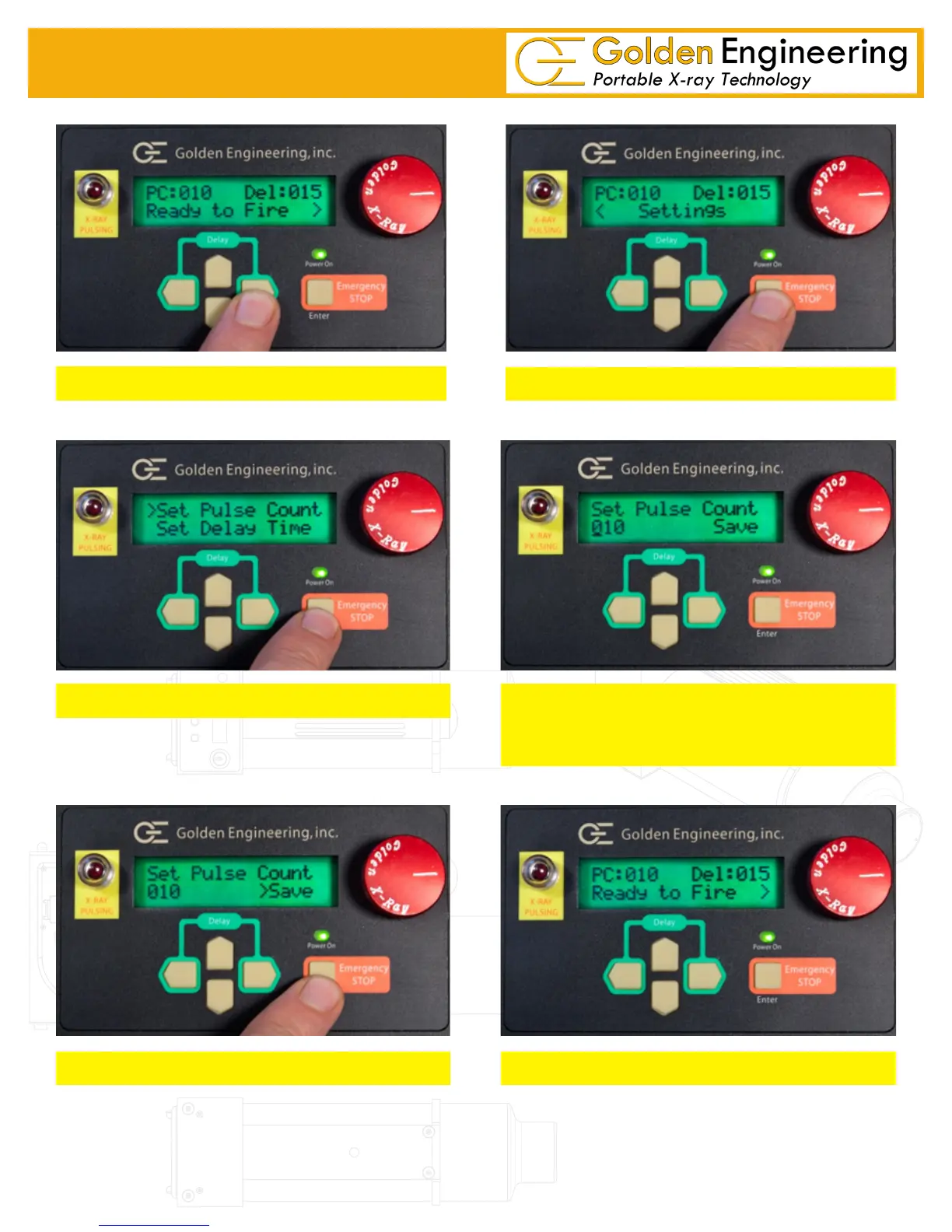
SET PULSE COUNT
*Any pulse setting above 200 will automatically default to multiple pulse trains of 50 with 45 second delay be-
tween each pulse train.
Press Right Arrow button from home screen
Press Enter button from Settings screen
Select Set Pulse Count and press Enter Button
Use LEFT / RIGHT arrow to select Digit
Use UP / DOWN arrows to change number
Pulse setting from 001 to 999*
Press Right Arrow to Save and Press enter Home screen appears after pulse count is saved


 To Next Page