Buzzaround_SG_REVA_040711
19
CONTROL PANEL REPLACEMENT
To replace the control panel:
1) Place the freewheel lever in the engaged position.
2) Remove the key from the key switch.
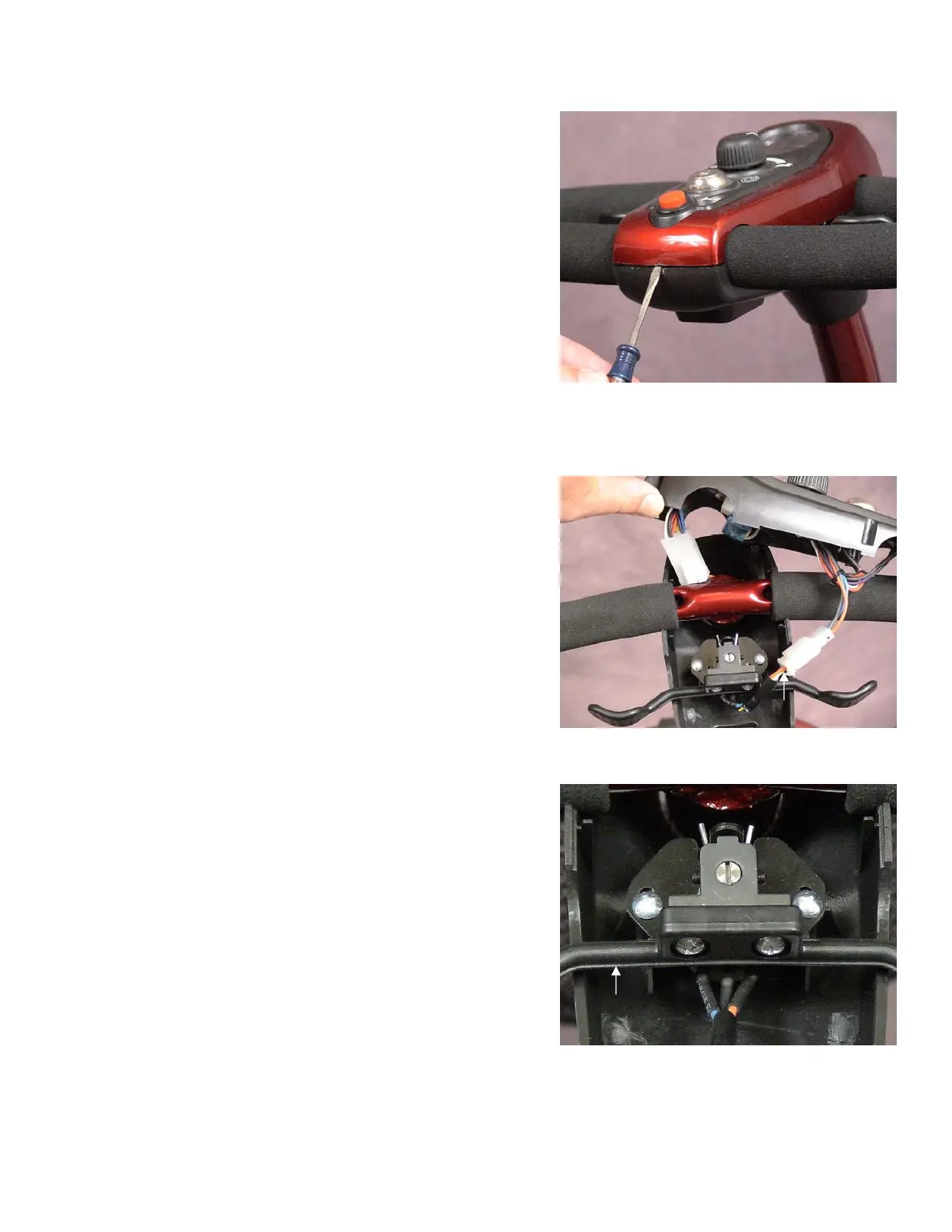
3) Use a slotted screwdriver to remove the control panel cover.
See figure 5.
4) Use a Phillips screwdriver to remove the 4 screws, and remove the
top dashboard.
5) Disconnect the main harness and the throttle Pot harness.
6) Reconnect new control panel and tighten the 4 Phillips head screws.
7) Replace the cover and snap into place.
Figure 5. Control Panel Cover
THROTTLE POT REPLACEMENT
To replace the throttle pot:
1) Place the freewheel lever in the engaged position.
2) Remove the key from the key switch.
3) Use a slotted screwdriver to remove the control panel cover.
See figure 5.
4) Use a Phillips screwdriver to remove the 4 screws, and remove the
top dashboard.
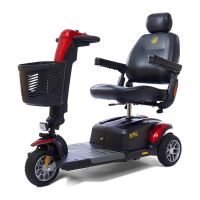
5) Disconnect the throttle pot harness. See figure 6.
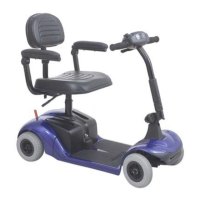
6) Remove the paddle from the throttle pot. See figure 7.
7) Remove the throttle pot from the lower dashboard.
8) Install the new throttle pot onto the lower dashboard. Figure 6. Top/Lower Dashboards
9) Reinstall the paddle.
10) Reinstall the top dashboard.
11) Reinstall the control panel cover. Figure X. Upper/Lower Dash
11) Reinstall the battery box.
12) Insert the key and test the scooter.
Figure 7. Throttle Pot
Throttle Pot Harness
Paddle



 To Next Page