18
IMAGE AND COMMUNICATION SETTINGS
ART 7T/G2+ MONITOR
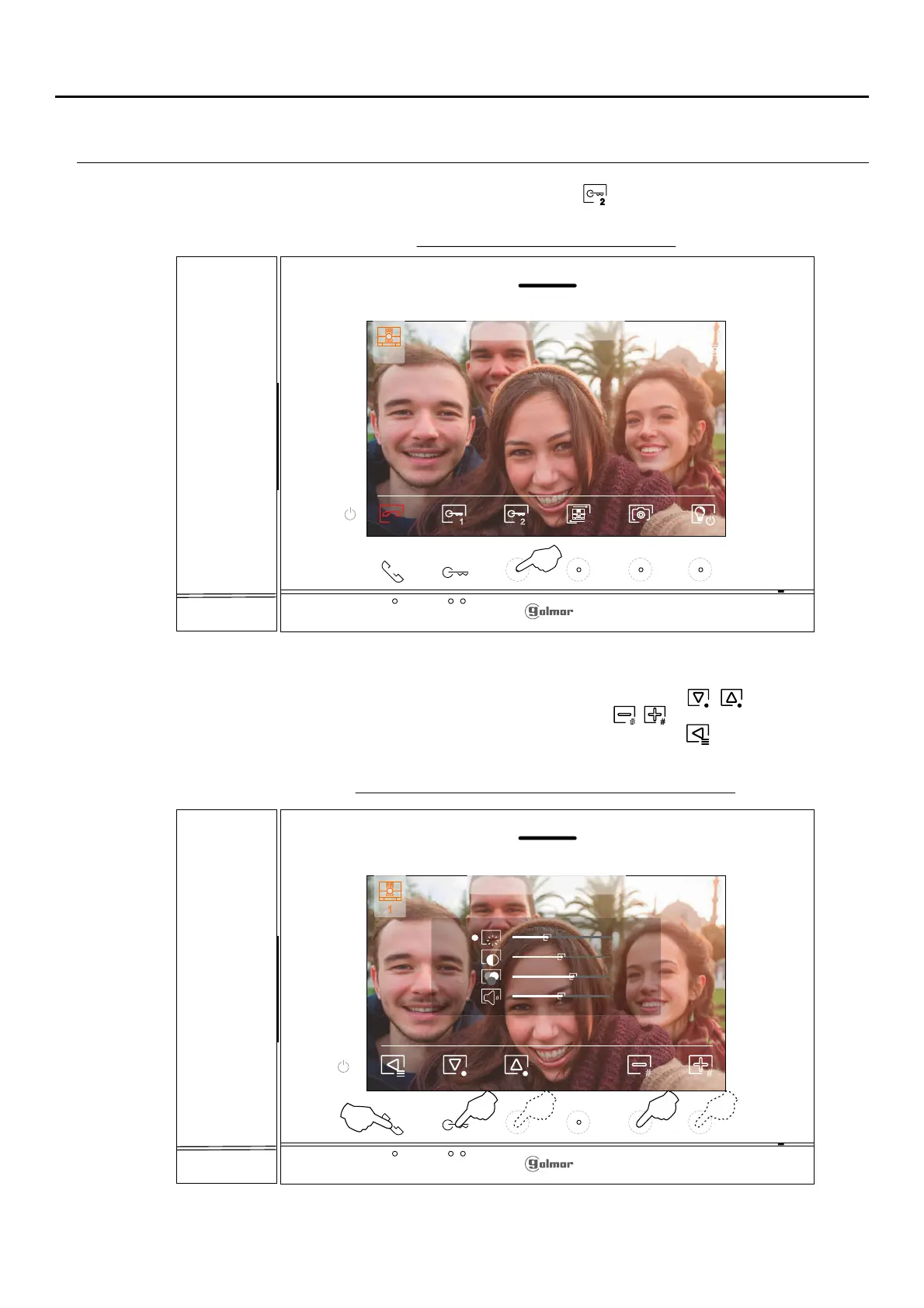
Dur ,ing a communication process press the hidden button below icon to access the imagefor 3 seconds and
communication .settings menu
The following settings menu will then appear (brightness, contrast, colour and monitor in communication volume).
Go to the option to be modified by pressing the hidden button below icons / and change to thebutton/
desired level by pressing the hidden buttons below corresponding icons / . To exit the screen settings and
monitor volume menu and validate the changes made, press the button below icon .
2
# #
Door panel communication screen
Image and communication volume settings screen
Continued from previous page.
1
23-09-2023 18:25
1
23-09-2023 18:25
# #
1 2
1
1
1
23-09-2023 18:25
Pulsar durante
3 segundos















 To Next Page