28
SPECIAL CODES
ART 7T/G2+ MONITOR
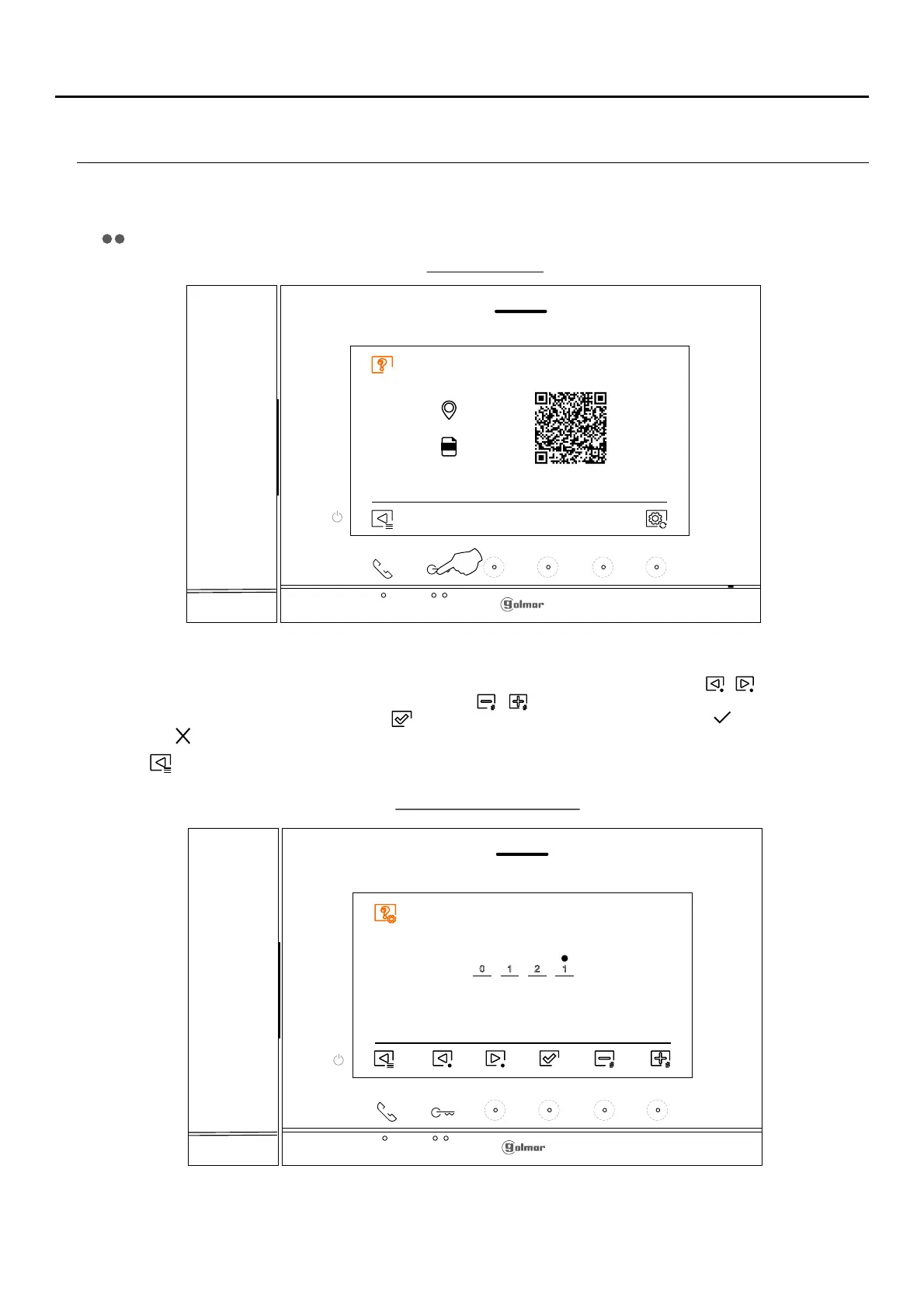
The enabling of some functions, as well as the modification of some factory parameters, can be carried out by entering
special codes. To do so, the installer menu must be accessed from the monitor. Go to the 'About' screen in the
Settings menu (p. 1 ) and press five times on the button located above the raised dot for the visually impaired3
.
The 'special codes' screen will then be displayed. Press the hidden button below icons / to select the fieldbutton/
to be modified and press the hidden buttons below icons / to enter the desired code. Once the code has been
entered, press the hidden button below icon to validate it. If the code entered is valid, icon will be displayed; if it
is not, icon will be shown.
Use icon to return to the 'About' screen.
'Special codes' screen
' ’ screenAbout
1 2 10
Continued overleaf
FW
0 2 /0 M
1 .0.0
Press
5 times















 To Next Page