17
IMAGE AND COMMUNICATION SETTINGS
ART 7T/G2+ MONITOR
Continued overleaf
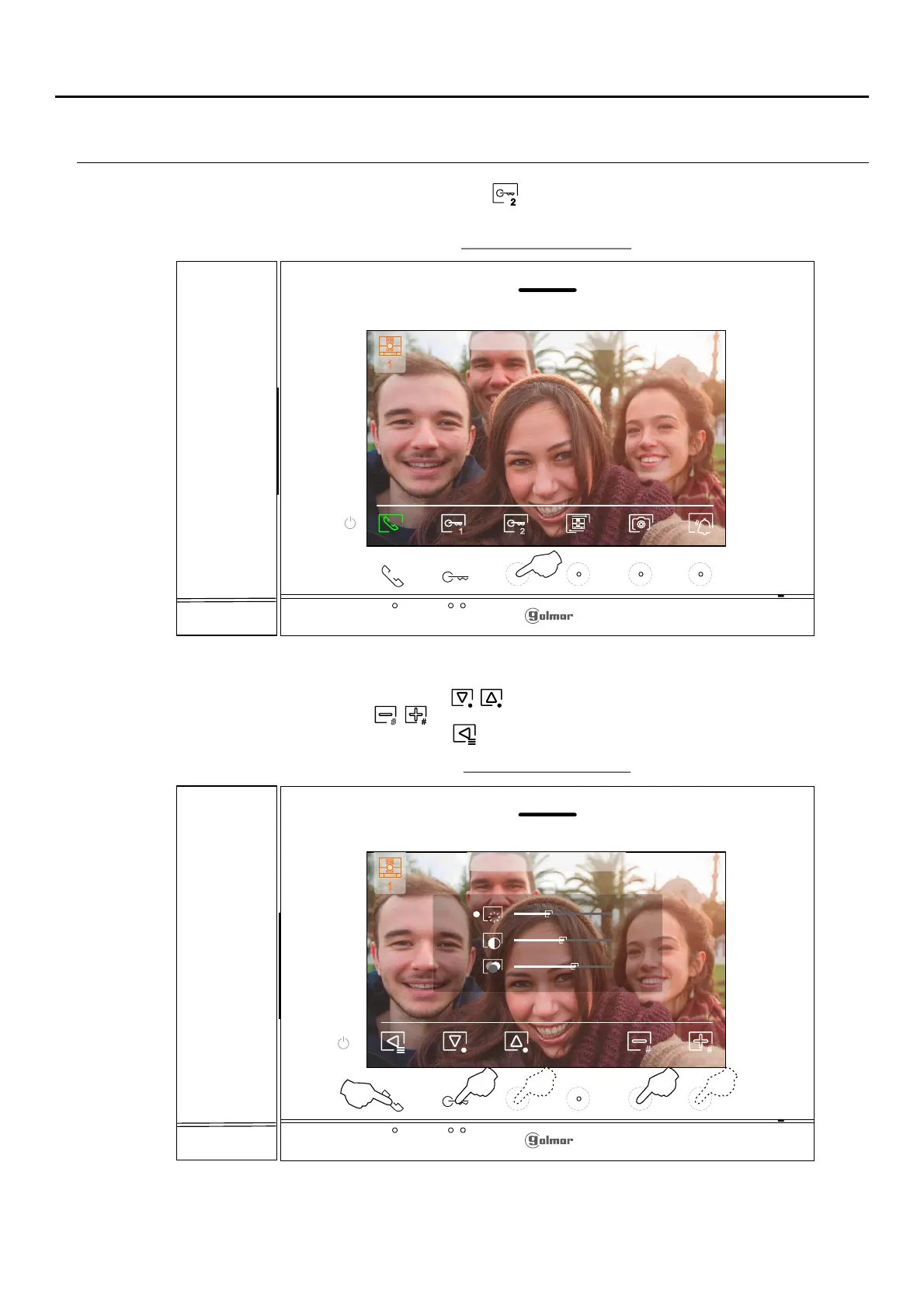
Dur ,ing a call process press the hidden button below icon to access the image settings menufor 3 seconds .
The following settings menu will then appear (brightness, contrast, colour). Go to the option to be modified by
pressing the hidden button below icons / and change to the desired level by pressing the hiddenbutton/
buttons below corresponding icons / . To exit the screen settings and monitor volume menu and validate
the changes made, press the button below icon .
2
# #
Door panel call screen
Image settings screen
1 2
1
23-09-2023 18:25
1
23-09-2023 18:25
1
23-09-2023 18:25
# #
Pulsar durante
3 segundos















 To Next Page