21
INTERCOM MENU
Continued from previous page.
ART 7T/G2+ MONITOR
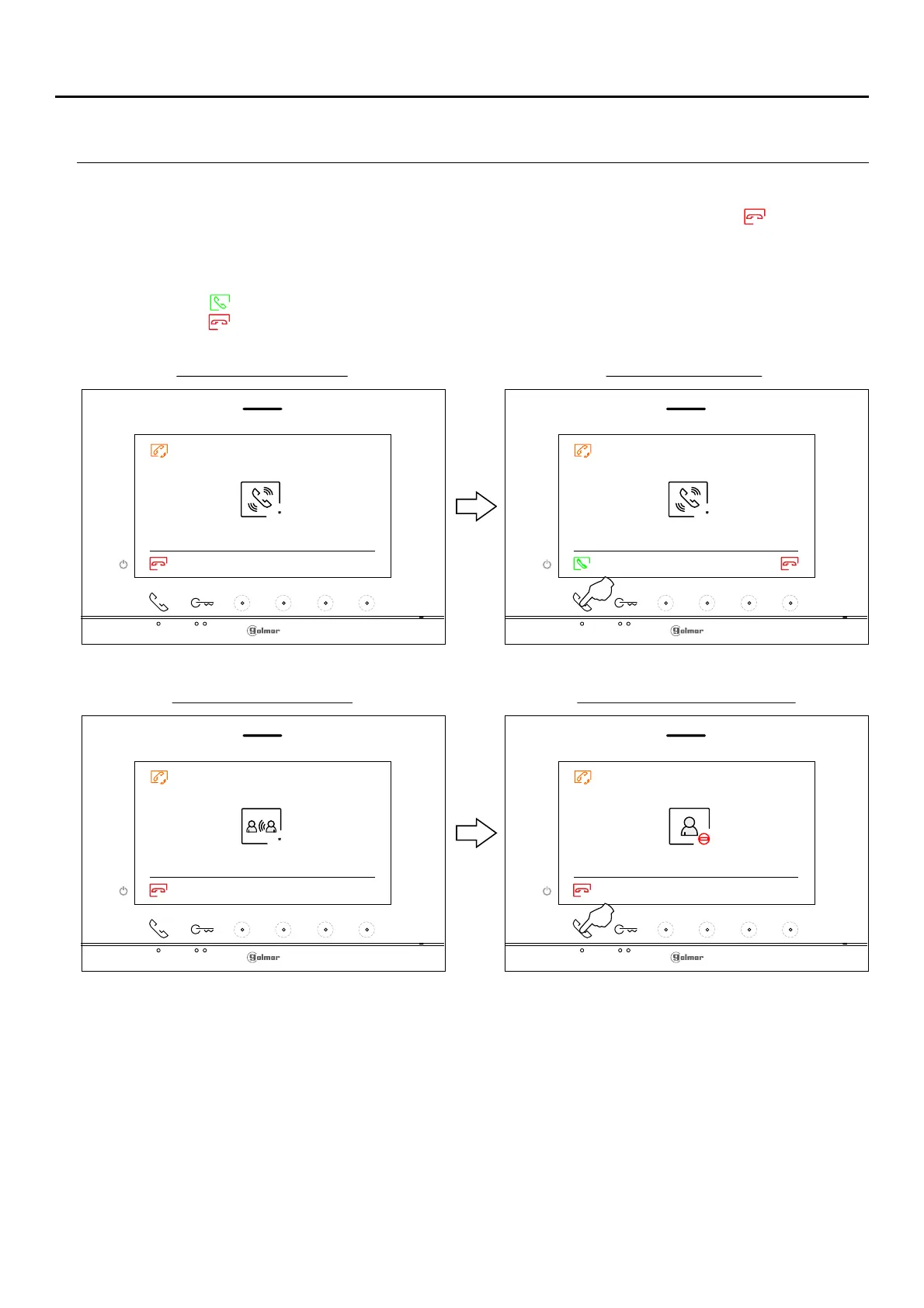
The monitor making the call will sound a confirmation melody and will indicate the code of the apartment
called and available call time, if you wish to cancel the call press the button below icon returning to the
intercom menu. The apartment receiving the call will sound a confirmation melody showing on the main
monitor screen (and slave 1, if it exists) the code of the apartment making the call and the time available to
answer the call. If you wish to establish communication from the secondary monitors S2 or S3, press one
of the push buttons on the monitor to display the intercommunication image. Press the push button below
icon orto establish communication and press the hidden button below(you can also lift the handset)
icon to end communication or (hang up the handset only if communication has been established by
lifting the handset).
Monitor receives callMonitor makes the call
45 45
001003
Monitor ends communicationCommunication monitor
90
001003















 To Next Page