26
MONITOR ART 7 /G2+H
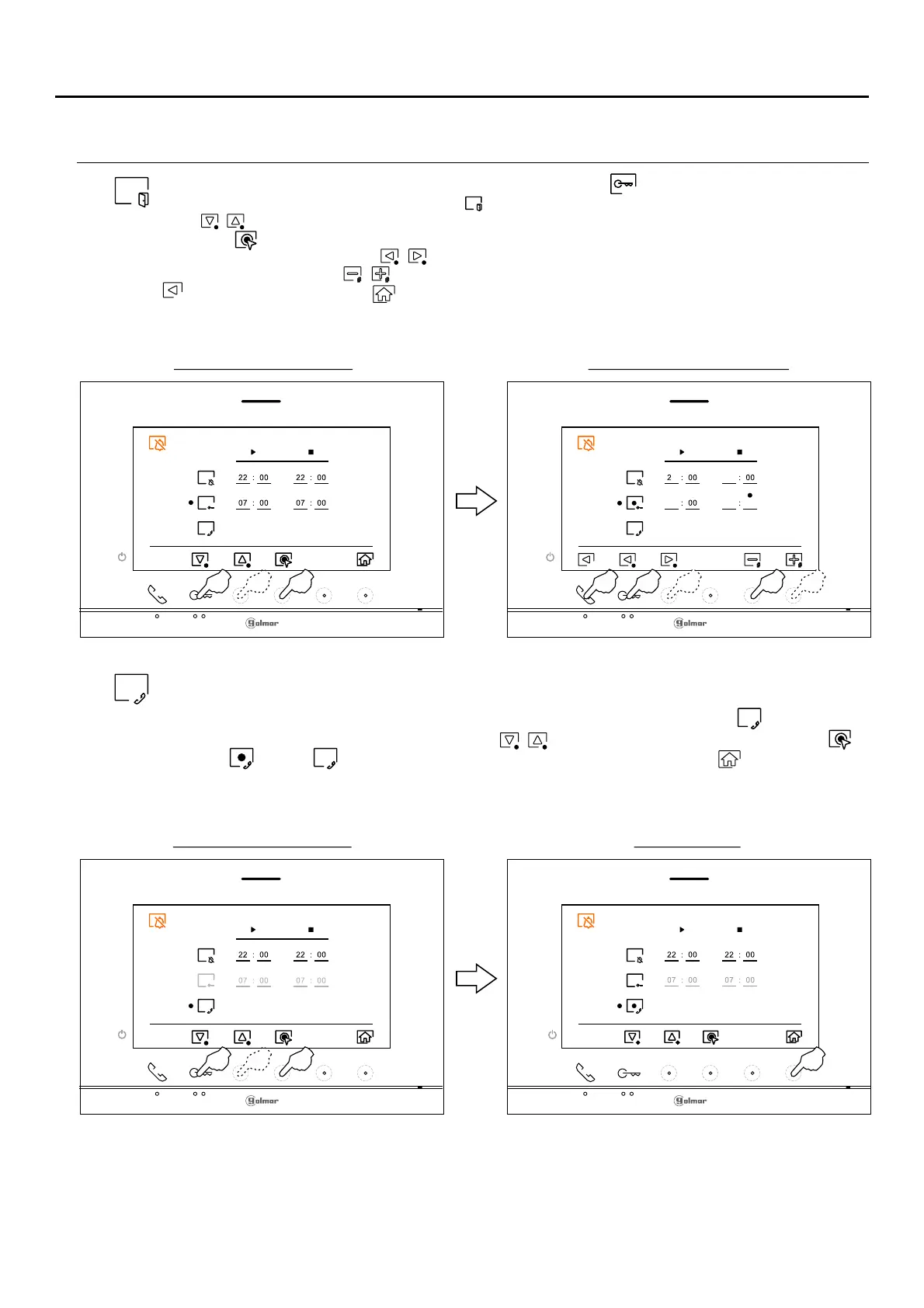
To activate and set a period of time for the automatic opening (after 3 seconds of receiving a calldoor
from the door panel), go to the option with icon by pressing the hidden button below correspondingbutton/
icons / and select the automatic door opening function activation option by pressing the hidden button
below icon . Then, if you wish to set a period of time for opening the door, select the field to be modified by
pressing corresponding buttons / , modify the desired period of time by pressing the hidden buttons
below corresponding icons / and validate the changes made by pressing the hidden button below icon
. Press the button below icon to return to the settings menu.
(This function is disabled by default. To enable it, see pp. 2 - )8 31 .
1
Time period setting screen
18
1
Option selection screen
08
08
30
For external intercom, the monito of the apartment that makes the call and the monitor of the apartment thatr
receives the call must have the intercom function enabled:
To enable/disable the intercom function between apartments, go to the option with icon by pressing the
button/ hidden button below corresponding icons / . Then press the hidden button below icon to
enable / disable this function. Presione el pulsador situado debajo del icono para volver al menú
principal.
(This function is disabled by default).
Option enableOption selection screen
Continued from previous page.
PERIOD OF TIME FOR 'DO NOT DISTURB' MODE MENU
Continued overleaf















 To Next Page