41
Hint: Not all channels broadcast all the programme information data. Some channels do
not provide the current and next event data and/or the programme details. In this case the
programme names and/or the details are not displayed. This is not a fault with your
receiver.
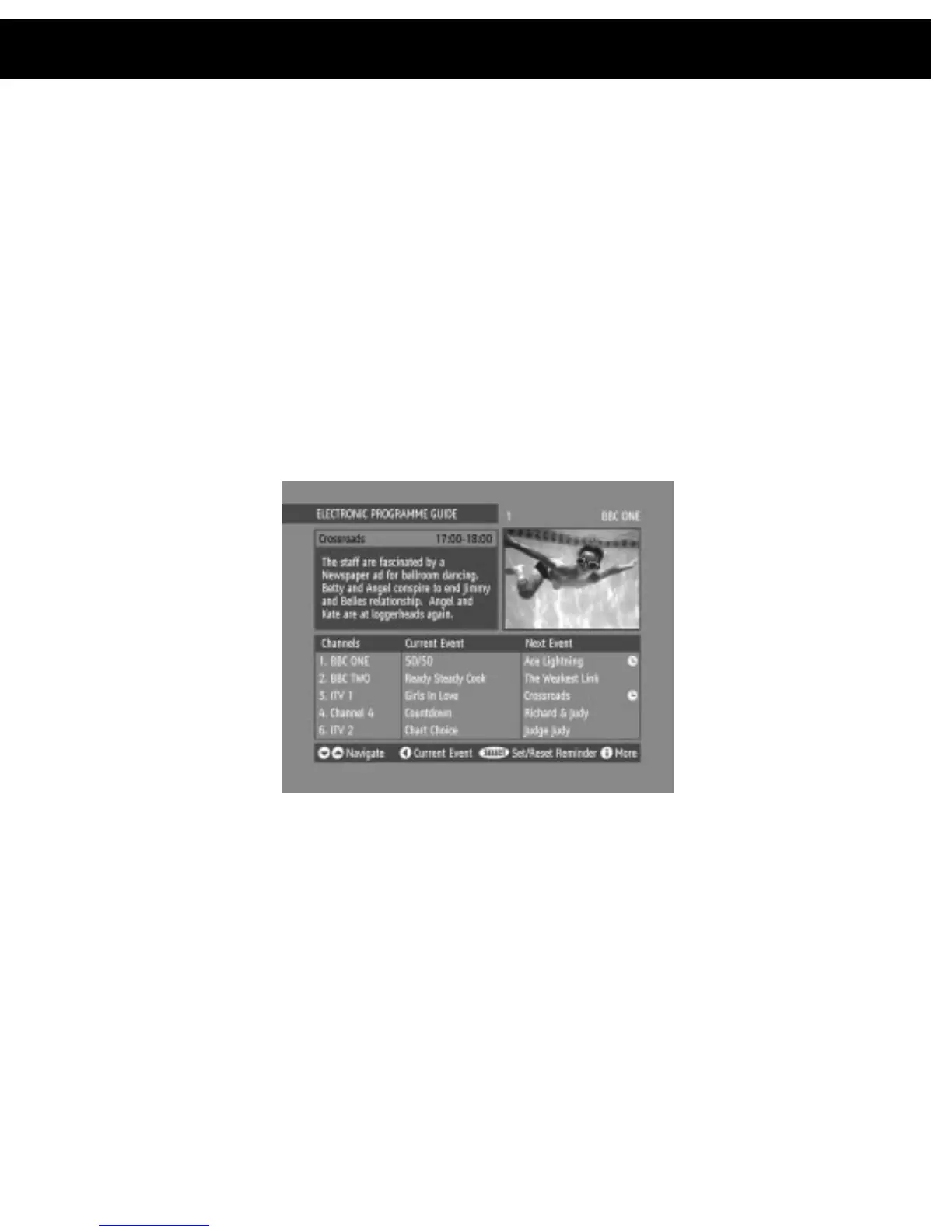
10.3.2. Next Programme
While the EPG screen is displayed, pressing the [RIGHT] key highlights, in dark
blue, the next event name in the list of channels and displays the highlighted
channel's programme details for the next event (the programme following the
current programme) in the text window. As before, you can browse through the list,
checking the programmes coming up next on all the channels.
Hint:
If the programme details text for the current or next event is too long to fit into the
text window on the EPG screen, a scroll bar appears on the right hand side of the window
and the text can be scrolled up or down using the[YELLOW] and [BLUE] keys on the
remote control. Using [RED(PAGE UP)] or[GREEN(PAGE DOWN)] keys will display the
next/previous 5 channels in the list.
Pressing the [SELECT] key while the next event details are displayed will set a
reminder to watch that programme. See
Section 11 – DVB-T Advanced operation -
Programme Reminders And Timers.
You can return to the current programme display by pressing the [LEFT] key or to
normal television viewing (to watch the channel last selected in the EPG screen)
by pressing the [GUIDE] key again, or the [MENU] key.
10.4. Audio Control
10.4.1. Soundtrack Language
Some programmes are broadcast in two or more languages simultaneously. The
language heard can be selected from the Language Menu. Press [MENU] to
display the Main Menu and use the [UP] or [DOWN] keys to highlight the
10. DVB-T Everyday Operation














 To Next Page