12 13
GETTING STARTED
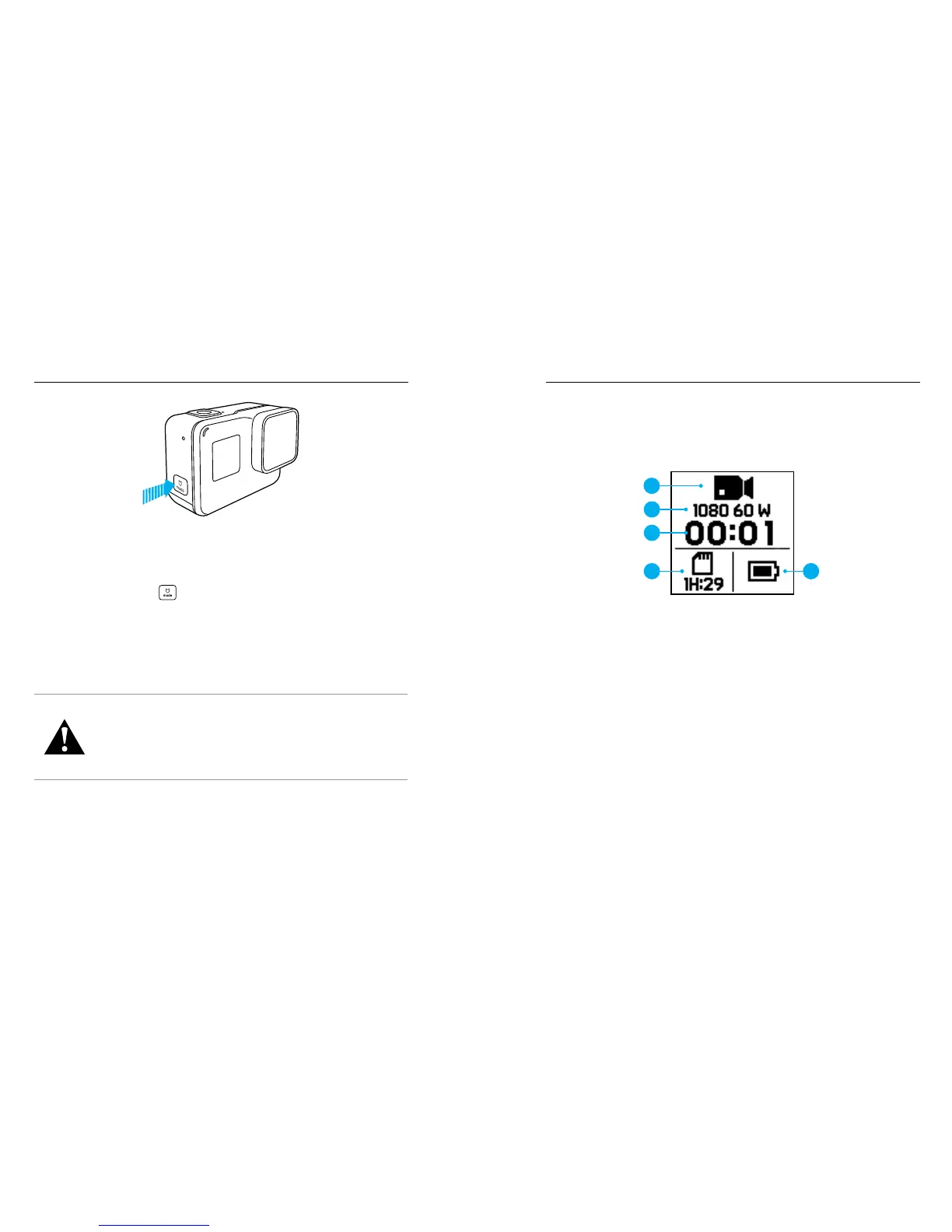
POWERING ON + OFF
To Power On:
Press the Mode button [
]. The camera beeps several times while the
camera status lights ash. When information appears on the touch display
or the camera status screen, your camera is on.
To Power O:
Press and hold the Mode button for two seconds. The camera beeps
several times while the camera status lights ash.
WARNING: Use caution when using your GoPro as part of
your active lifestyle. Always be aware of your surroundings
to avoid injury to yourself and others.
Abide by all local laws when using your GoPro and related
mounts and accessories, including all privacy laws, which
may restrict recording in certain areas.
GETTING STARTED
CAMERA STATUS SCREEN
The camera status screen on the front of the camera contains the following
information about modes and settings, so you can see the basics for your
current setting at a glance:
1. Camera Mode
2. Settings
3. Number of Files Captured
4. Remaining microSD Card Storage
5. Battery Status
Note: The icons and settings that appear on the camera status screen vary by mode.
Those shown above are for Video mode.
1
2
3
4
5



 To Next Page