Operation Using Your Radio
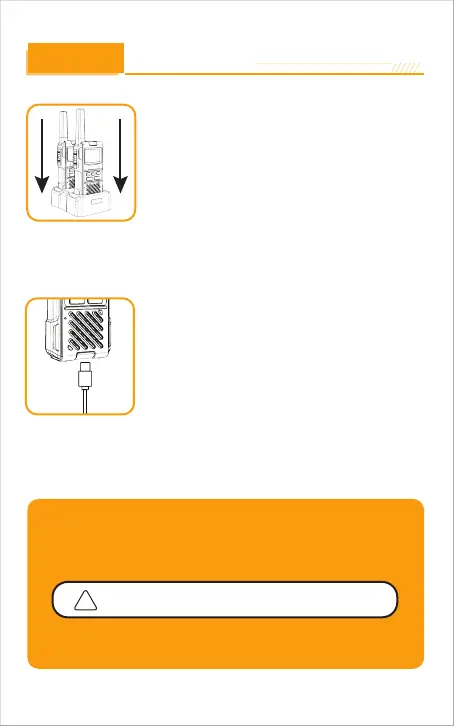
For charging radios with the holster in desktop
charger:
Insert radio(s) into desktop charger as shown.
Insert the
USB Type-C
cable into the jack on back of
the charger.
Plug the cable into USB compatible power port. For
pluggable equipment,the socket-outlet shall be
installed near the equipment and shall be easily
accessible.
1.
2.
3.
1.
2.
If charging light is not on, check position of radio. Radio should be upright. The
charge indicator light will stay on as long as the radio is in the charging mode.
Charging the radio with a cable:
3.
4.
To charge a single radio, you can bypass the desktop
charger and simply insert the Type-c connector
directly into the charge jack located on the Bottom of
the radio.
The radio will display flashing battery icon while
charging.
Quick Start
Press MENU button for 3 seconds to start the machine and press and
hold the button again to turn it off.
Select a desired channel
Press and hold the PTT button while speaking into the microphone.
When finished talking release the PTT button and listen for a response.
Both radios must be tuned to the same channel/privacy
code to communicate.
Note: Gowei recommends your radio be turned off while charging.
-9



 To Next Page