-18
High/Low Power Selection
HI
Vibration OFF
LO
Vibration ON
You can choose between high power and low power based on your specific
needs. In high power mode, communication distance will be greater but it will
consume more battery. In low power mode, communication distance will be
shorter, but it will be more power-efficient.
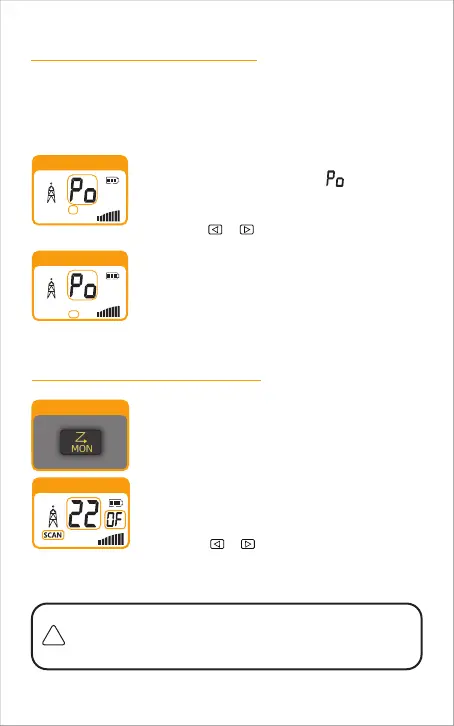
To select high or low power:
1.
2.
3.
Press the MENU button until the icon shown on
the display , and the current power status (HI or LO)
flashes.
Choose one of the following:
Press the MENU button to return to Standby mode.
Press the PTT button to return to Standby mode.
Do not press any buttons for 10 seconds to return
to Standby mode.
a.
b.
c.
Press the or button to select high power (HI)
or low power (LO).
Scan Mode
MON Button
Scan channels:
press the MON button to begin automatically
searching for nearby transmitting channels. When a
transmitting channel is found, you will hear a "beep"
sound, and it will temporarily pause on that channel.
At this point, you can perform the following actions:
HI
Scaning
When the other party stops transmitting, it will pause briefly and then continue
scanning until it finds another transmitting channel.
Press the PTT or MON button to stop scanning and
return to standby mode, remaining on the current
channel.
Press the or buttons to continue.
a.
b.
This mode is commonly used for two-way radios to quickly match
frequencies. One radio holds down the PTT button, while the other
presses the MON button to scan channels.



 To Next Page