Installing Batteries
To charge batteries in radio
1. Check to see that the batteries have been inserted properly.
2. Insert the cable into the charge jack located on the Bottom of the radio.
3. Plug the cable into USB-compatible power port.
Only use the supplied rechargeable batteries and desktop charger for
recharging your Gowei radio.
Gowei recommends your radio is turned off while being charged.
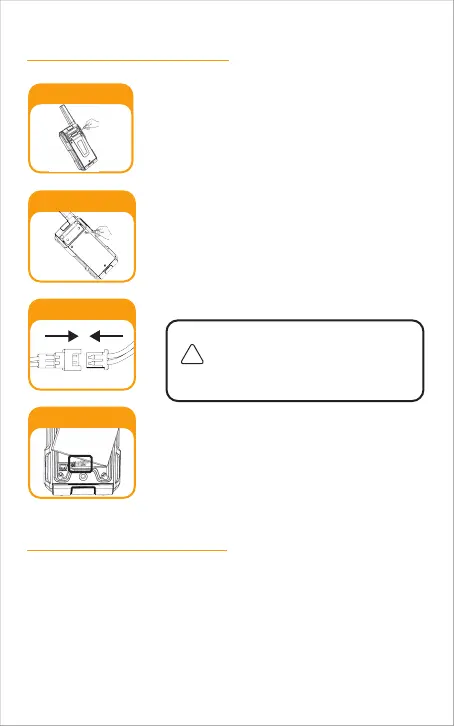
Remove Holster
Battery Door Screws
Battery Connector
Wires Alignment
Unscrew 3 screws at battery door with a proper
screwdriver, then open the battery compart-
ment cover. Connect the battery connector in
proper polarity.
Unscrew 2 screws at the holster with a proper
screwdriver, then remove holster .
Place the battery inside battery compartment
and align the wires as shown.
Ensure the battery connector with cables is
tucked into the hole located at bottom.
Wires are required to be tucked into the
battery compartment completely and
carefully. If any obiect interferes the
0-ring, its sealing performance will be
affected.
Place the battery compartment cover, screw
down the screws mildly.
(Screw nuts may be damaged if overtighten)
Re-attach the holster.
1.
2.
3.
4.
5.
-8



 To Next Page