Seting the Privacy Codes
Call Ringtone
Selector Button
MENU Button
Privacy Code
HI
Privacy Code
HI
Call Ringtone
HI
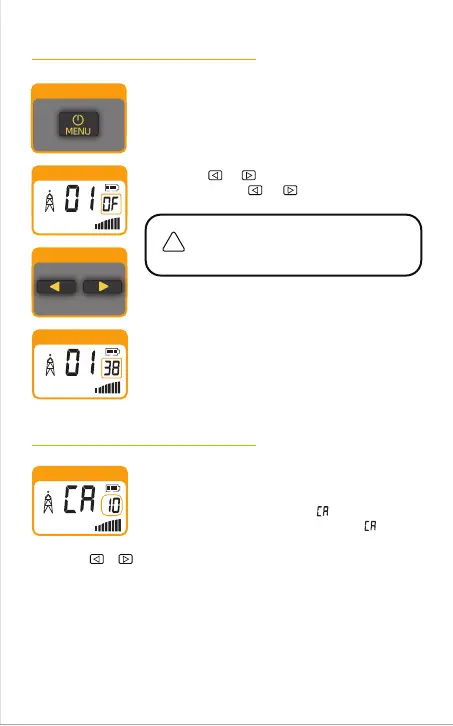
To select a privacy code:
2.
OF : Turn off privacy code
01 ~ 38 : CTCSS
privacy code
39 ~ 99 : DCS
privacy code
After selecting a channel, press the MENU button
until the small numbers or “OF ”of next to the
channel number flash on the display.
1.
Press the or button to select a privacy code.
You can hold the or button for fast advance.
When your desired privacy code is displayed, choose
one of the following:
3.
Press the MENU
button to enter the new setting and
proceed to other functions.
Press the PTT button to return to Standby mode.
Do not press any buttons for 10 seconds to return to
Standby mode.
a.
b.
c.
1.
2.
3.
Call ringtone settings:
Press the MENU button until the icon shown on the
display. The small number to the right of flashes.
Choose one of the following:
Press the MENU button to enter the new setting and proceed to other
functions.
Press the PTT button to return to Standby mode.
Do not press any buttons for 10 seconds to return to Standby mode.
a.
b.
c.
Press the or button to choose your favorite Call Ringtone. There are 10
ringtones to choose from.
-15



 To Next Page