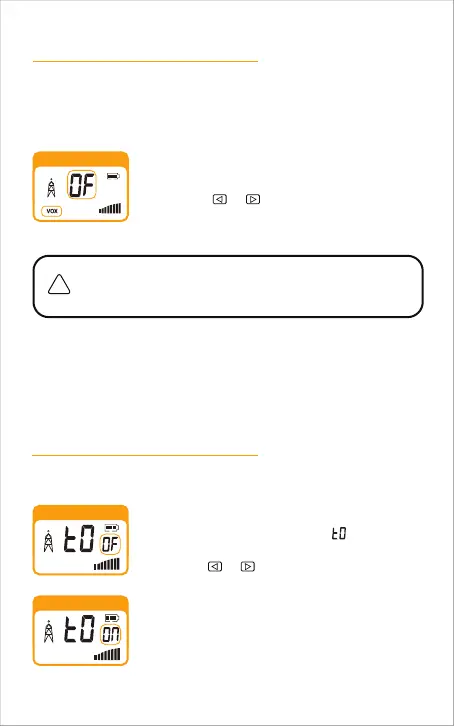
Voice Activated Transmit (VOX)
Key Tone
VOX Icon
HI
Key tone OFF
HI
Key tone ON
HI
1.
2.
In VOX mode, your radio can be used “hands-free," automatically transmitting
when you speak. You can set the VOX sensitivity level to fit the volume of your
voice and avoid transmissions triggered by background noise.
To turn VOX mode on or off:
Press the MENU button until the VOX icon shown on
the display. The current on or off setting is displayed.
Press the MENU button until the shown on the
display. The current on or off setting is displayed.
The current VOX sensitivity level is displayed with a Number 1
through 3, with Number 3 being the most sensitive level and
Number 1 being the least sensitive level.
Key Tone is an audible tone which will sound each time a button is pressed.
Press the or button to turn VOX On or Off.
OF: Turn off VOX mode
1/2/3: Turn on VOX mode and set VOX sensitivity
1.
2.
3.
Turn Key tones on or off:
Choose one of the following:
Press the MENU
button to enter the new setting and
proceed to other functions.
Press the PTT button to return to Standby mode.
Do not press any buttons for 10 seconds to return to
Standby mode.
a.
b.
c.
Press the or button to turn key tones On or Off.
3.
Choose one of the following:
Press the MENU button to enter the new setting and proceed to other
functions.
Press the PTT button to return to Standby mode.
Do not press any buttons for 10 seconds to return to Standby mode.
a.
b.
c.
-16



 To Next Page