Meter Overview
4 313046A
Meter Overview
Navigation and Modes
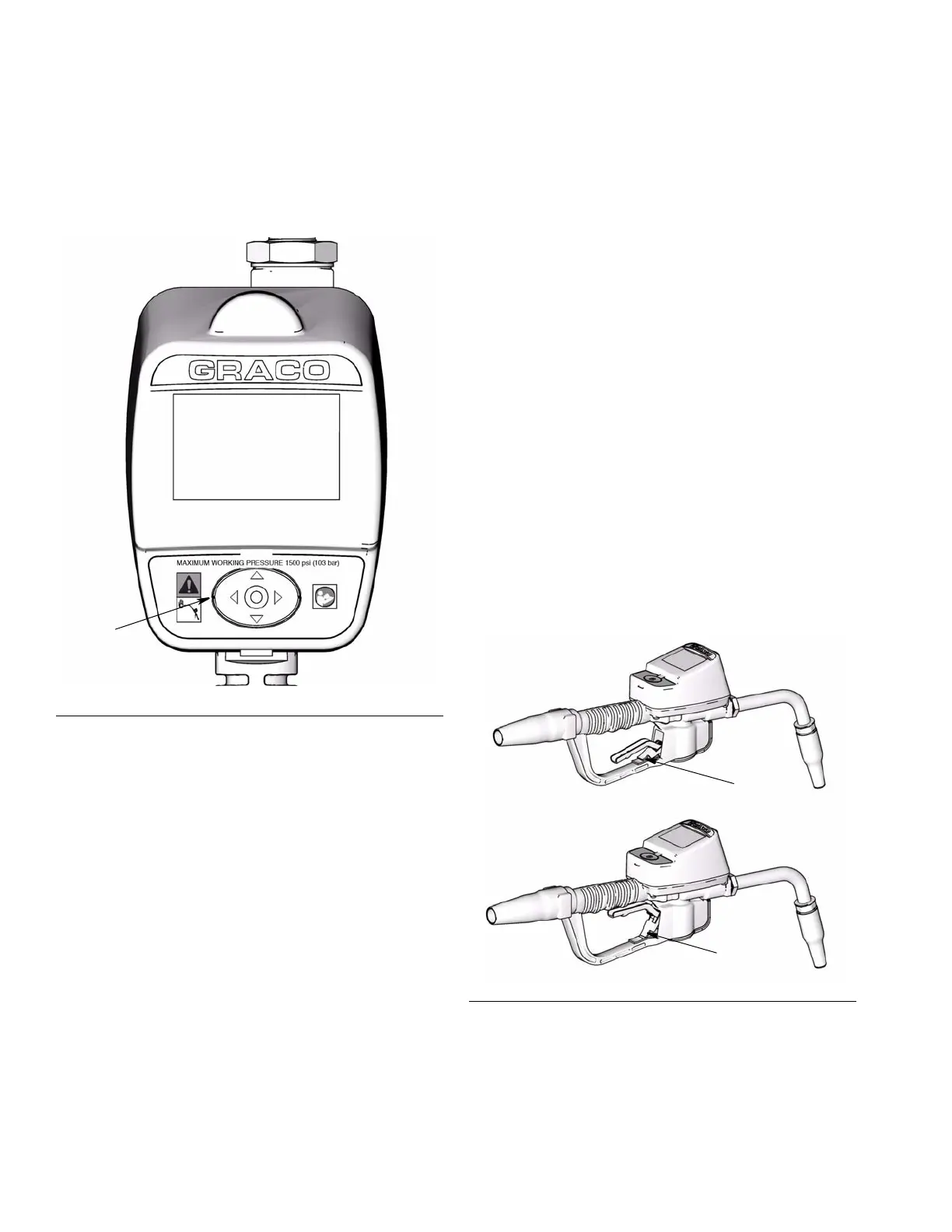
5-Way Menu Navigation Keypad (FIG. 1)
• Includes 4 direction ARROWS (UP, DOWN, LEFT,
RIGHT) and a center, ENTER button.
• Pressing the direction ARROWS allows user to
easily scroll through menus. To select/store your
selection, you must press the center, ENTER button
on meter’s keypad.
• Pressing and holding the direction ARROW down
allows user to scroll through menus quickly.
Meter Display
Adjusting Screen Contrast using ARROWS
On the Main Utility Setup Screen (page 5), use the
LEFT and RIGHT ARROWS to adjust the screen
contrast.
• Darken the Screen: Press the RIGHT ARROW
multiple times.
• Brighten the Screen: Press the LEFT ARROW
multiple times.
Asleep / Awake Mode
• Asleep: Battery-saving mode. In dispense mode,
the display goes blank after 5 minutes of inactivity.
• Awake: Display comes awake from sleep mode
when you press any ARROW or the center ENTER
button on the meter’s keypad or when you squeeze
the trigger to dispense fluid.
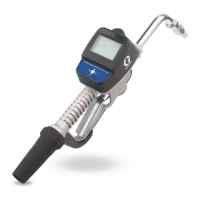
Locking and Unlocking Trigger
The locking trigger feature allows the user to lock the
trigger in the dispense position as shown in F
IG. 2. To
release the lock, firmly squeeze the trigger to the
handle.
F
IG. 1
ti11824
5-Way Menu
Navigation Keypad
F
IG. 2
Unlocked
Locked


 To Next Page