EasyManua.ls Logo

Graco 256282 - User Manual

Graco 256282
34 pages
Print Icon
To Next Page IconTo Next Page
Loading...
INSTRUCTIONS
Matrix
®
5 & Matrix
®
15
Meter
313046A
- For dispensing oils and antifreeze over wireless communication with a Matrix system -
Maximum Working Pressure: 1500 psi (10 MPa, 103 bar)
Maximum Flow Rate:14 gpm (53.0 lpm)
Matrix 5 and Matrix 15 contain an RF devise with the
following approval:
Models:
All meters are preset to Quarts in the Graco factory.
*Extensions and Nozzles must be purchases separately.
Important Safety Instructions
Read all warnings and instructions in this
manual. Save these instructions.
NOTICE
This dispense valve is designed to dispense
petroleum-based lubricants and antifreeze only.
Do not dispense windshield washer solvent with
this dispense valve.
FCC ID: TFB-FREESTAR
IC: 5969A-FREESTAR
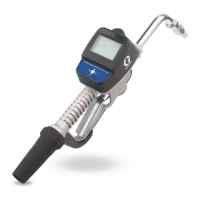
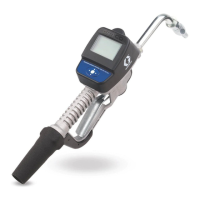
Matrix Name Model No. Swivel Extension* Quick Close Nozzle* Fluid
Matrix 5 256282 1/2” npt(f) Rigid Standard, Automatic, Non-drip Oil
Matrix 5 256482 1/2” npt(f) Flexible Standard, Automatic, Non-drip Oil
Matrix 5 256483 1/2” npt(f) Gear Lube Standard Gear Lube
Matrix 5 256484 1/2” npt(f) Rigid Standard Antifreeze
Matrix 5 256485 1/2” npt(f) Flexible Standard Antifreeze
Matrix 15 256486 1/2” npt(f) Rigid High Flow Oil
Matrix 15 256487 1/2” npt(f) Flexible High Flow Oil
Matrix 15 256488 3/4” npt(f) Rigid High Flow Oil
Matrix 15 257120 3/4” npt(f) Flexible High Flow Oil

Questions and Answers

  • M
    Matthew RobinsonAug 13, 2025
    What to do if there is slow or no fluid flow in Graco Measuring Instruments?
    • R
      Regina HamiltonAug 13, 2025
      If your Graco Measuring Instruments are experiencing slow or no fluid flow, consider the following: * The filter might be clogged: Relieve the pressure and then clean or replace the filter. Order Filter Kit 255885 if needed. * The pump pressure might be low: Increase the pump pressure. * The twist lock nozzle may not be fully open: Aim the nozzle into a bucket or rag and fully open it. Avoid triggering the meter when the nozzle is closed. If you accidentally trigger the meter with the nozzle closed, point the nozzle into a waste bucket and open the nozzle to relieve pressure and expel built-up fluid. * The shut-off valve may not be fully open: Fully open the shut-off valve. * Foreign material might be jammed in the meter housing: Contact your Graco distributor for assistance.
  • C
    Christopher AliAug 17, 2025
    Why is the dispensed amount inaccurate on my Graco 256282 Measuring Instruments?
    • S
      shanemooreAug 17, 2025
      If the displayed dispensed amount is not accurate on your Graco Measuring Instruments, it might be that the unit needs calibration for the fluid you're dispensing. Calibrate the meter for the specific fluid to resolve this issue.
  • M
    Matthew MillsAug 20, 2025
    What to do if Graco 256282 Measuring Instruments unit does not stop dispensing at the preset amount?
    • S
      shawnmooreAug 20, 2025
      If your Graco Measuring Instruments unit doesn't stop dispensing when the preset amount is reached, the issue might stem from several causes: 1. The valve may be dirty, or the seals are defective: Clean the valve or replace the valve seal. 2. The battery might be low: Replace the batteries. 3. The solenoid might not be functioning (Preset only): Replace the solenoid.
  • D
    David WhiteAug 25, 2025
    Why is my Graco Measuring Instruments meter leaking from the swivel?
    • A
      aimee91Aug 26, 2025
      If your Graco Measuring Instruments meter leaks from the swivel, it could be due to: * A poor swivel/hose connection: Apply PTFE tape (leave a minimum of 2 engaged threads uncovered for electrical continuity) or sealant to the threads of the hose and tighten the connection. * A poor swivel/meter housing connection: Torque the fitting to 20-25 ft.-lbs. * Deteriorated swivel seals: Replace the swivel.
  • K
    Kerry HudsonAug 28, 2025
    Why is my Graco 256282 meter leaking from the twist lock nozzle?
    • S
      Sandra HallAug 28, 2025
      If your Graco Measuring Instruments meter leaks from the twist lock nozzle, it could be due to: * A damaged seal on the twist lock nozzle: Replace the nozzle. * Damaged or obstructed seals on the valve: Clean the valve stem o-rings.
  • M
    Michael RobertsSep 1, 2025
    What to do if the display does not activate on Graco 256282 Measuring Instruments?
    • D
      Deborah WardSep 1, 2025
      If the display on your Graco Measuring Instruments does not activate, it could be due to the following reasons: * The batteries are defective: Replace the batteries. * The electronic control is malfunctioning: Replace the electronic bezel assembly. Order Kit 255886. * The transceiver is not connected to the PC: Check the USB connection between the transceiver and the PC, and reconnect if loose or disconnected.
  • C
    Christopher RodriguezSep 5, 2025
    How to fix the battery dead icon on Graco Measuring Instruments?
    • B
      Bradley GrantSep 5, 2025
      If the battery dead icon is present on your Graco Measuring Instruments, it means the batteries are low. Replace the batteries.
  • L
    leonardbowersSep 9, 2025
    What to do if I cannot read the display on Graco 256282 Measuring Instruments?
    • D
      David Rodgers DVMSep 9, 2025
      If you cannot read the display on your Graco Measuring Instruments, the contrast might be set too high or too low for your work area. Adjust the contrast using the LEFT or RIGHT ARROWS.

Summary

Safety Warnings

Skin Injection Hazard

High-pressure fluid can pierce skin, causing serious injury.

Equipment Misuse Hazard

Misuse can lead to death or serious injury.

Battery Safety

Batteries may leak, explode, or cause burns if mishandled.

Fire and Explosion Hazard

Flammable fumes can ignite or explode.

Meter Overview

Navigation and Modes

Explains how to navigate menus and use different operational modes.

Meter Display Features

Details on screen contrast adjustment and sleep/awake modes.

Trigger Locking Mechanism

Explains the feature that allows locking the dispense trigger.

Meter Registration

Main Utility Setup Screens

Displays available setup screens like REGISTER, RF TEST, UPGRADE, EMERGENCY, QUIT.

Displaying Register Utility Screen

Steps to navigate to and select the REGISTER option on the meter.

Registering with PC Software

Steps to register the meter using PC software by confirming or changing IDs.

RF Communication Test

Performing the RF Test

Steps to perform a radio frequency test for signal strength and transceiver placement.

System Modes

Upgrade Mode

Procedure for updating the meter's firmware software.

Emergency Mode

Steps to enter and operate the meter in Emergency Mode.

Installation Procedures

Typical Installations

Illustrates typical physical installations of the dispense valve.

Mounting Options

Details on mounting brackets and oil bars for securing the meter.

Pre-Installation Steps

Steps to perform before installing the meter, including pressure relief.

Flushing Lines

Procedure for flushing system lines before meter installation.

Installing Extension and Nozzle

Instructions for attaching tube extensions and nozzles to the meter.

Pressure Relief Procedure

Grounding Requirements

System Setup and Configuration

Battery Status and Calibration

Understanding the battery indicator and meter calibration process.

Security Modes and Authorization

Overview of security options, PIN Code, Parts Room Auth, and System Monitoring.

Work Order Management

Creating, displaying, and managing work orders and job codes on the meter.

Dispensing Operations

Manual Dispense Mode

Steps for dispensing fluid in manual mode.

Preset Dispense Mode

Steps for dispensing a predetermined amount of fluid.

Restricted Preset Dispense Mode

Dispensing with a preset value that can only be decreased.

Troubleshooting Guide

Display and Flow Issues

Resolving problems with battery, display, and fluid flow.

Accuracy and Leak Issues

Diagnosing and fixing dispensing inaccuracies and leaks.

Nozzle, Swivel, and Stop Issues

Troubleshooting leaks from nozzle/swivel and dispensing stop problems.

Error Code Explanations

Lists and explains common error codes, their causes, and solutions.

Service and Maintenance

Replacing the Battery

Step-by-step guide on how to replace the meter's batteries.

Parts and Kits Information

Nozzle and Extension Kits

Catalog of nozzle and extension kits with part numbers and fluid types.

Nozzle Kits and Thermal Relief Kits

Lists specific nozzle kits and thermal relief kits with part details.

Technical Specifications

Product Warranty Information

Graco 256282 Specifications

General IconGeneral
BrandGraco
Model256282
CategoryMeasuring Instruments
LanguageEnglish

Related product manuals