RF Test
8 313046A
RF Test
An RF Test is performed before a Matrix System and
meters are installed at a site to evaluate the strength of
the RF signal and determine the number of Transceivers
that will be needed and where they should be installed
in the facility.
In order to perform this test, a test computer with the
Matrix PC software installed and a Transceiver are
located in the area of the shop that the installed
Transceiver will be located. The tester then uses a
meter to evaluate the strength of the RF Signal between
the Transceiver and meter at each potential meter
location throughout the shop.
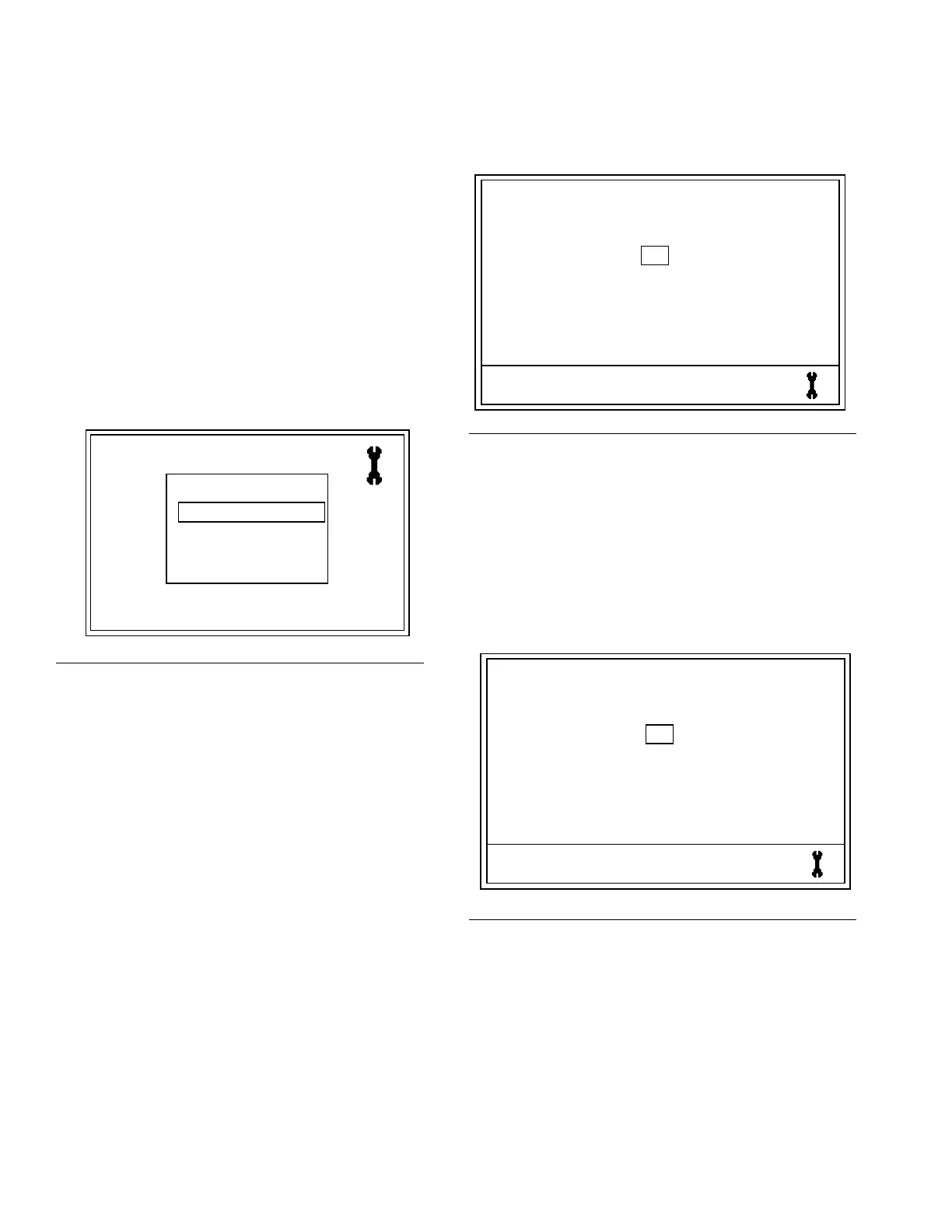
1. On the Main Utility Screen, use the UP or DOWN
ARROWS to select the RF TEST option on the list.
Then press the center ENTER button on meter’s
keypad to confirm the selection.
To perform the RF TEST:
2. Holding the meter, walk around the shop to a poten-
tial meter installation work area.
3. Verify that the Network ID and Trans ID assigned to
the meter are correct. If they are not correct, you
must first register the meter. (See Registering the
Meter, page 5).
4. Use RIGHT ARROW to move cursor over START
(F
IG. 7).
5. Use center ENTER button to confirm the selection.
The meter sends an RF signal to the Transceiver.
If the signal is good on the following message dis-
plays on the meter screen (F
IG. 8):
RETRIES: 0 (or 1-5)
GOOD SIGNAL
F
IG. 6
REGISTER
RF TEST
UPGRADE
EMERGENCY
QUIT
3.01.001
FIG. 7
F
IG. 8
TEST RF
NETWORK ID 8 TRANS ID 6
START
123F456A
TEST RF
NETWORK ID 8 TRANS ID 6
START
123F456A
RETRIES = 0
GOOD SIGNAL
ti12405a


 To Next Page