EasyManua.ls Logo

Graflex 35 - img017

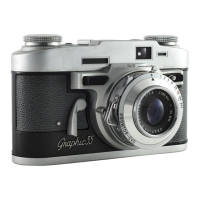
Graflex 35
30 pages
Print Icon
To Next Page IconTo Next Page
To Previous Page IconTo Previous Page
Loading...
Check These Adjustments
Before You Release
The ShuHer
You
have
become
acquainted
with
your
fine
new
Graphic
35.
You
know
what
each
contro
l is
for
and
where
it
is
located.
You
have
loaded
your
camera
with
film,
made
sure
the
back
is
tightly
locked,
advanced
the
film
to
"taking"
position,
and
made
ready
to
take
your
first
picture.
Now
is
the
time
for
the
photog-
rapher
who
wants
exceptional
pictures
right
from
the
start
to
relax
and
check
his
adjustments
before
tripping
the
shutter.
Make
carefulness
a
habit.
You'll
save
time,
money
and
picture-taki
ng
disappointment.
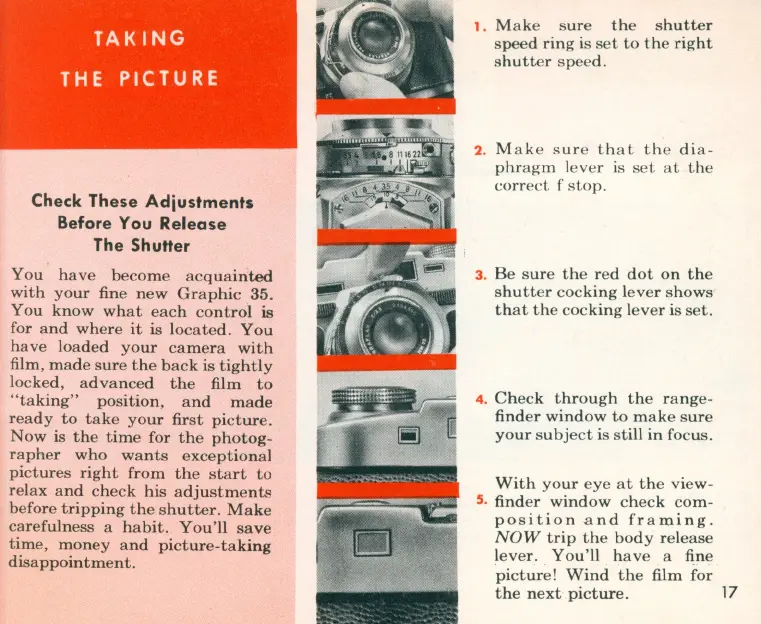
1 .
Mak
e
sure
the
shutter
speed
ring
is
set
to
th
e
right
shutter
sp
ee
d .
2. M
ake
s
ur
e
that
the
dia-
phragm
l
ever
is
set
at
the
correct
f
stop.
3.
Be
sure
the
red
dot
on
the
shutt
er
coc
king
lev
er
shows
that
th
e
cocking
lever
is
set.
4.
Check
through
th
e
range
-
finder
window
to
ma ke
sure
your
s
ubj
ect
is
still
in
focus.
With
your
eye
at
the
view-
5. finder
window
ch
ec
k
com-
position
and
framing.
NOW
trip
the
body
rele
ase
lev
er.
You'll
hav
e a fine
pictur
e!
Wind
the
film
for
the
next
picture.
17

Related product manuals