EasyManua.ls Logo

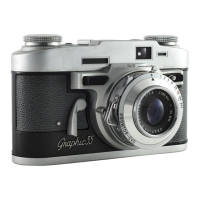
Graflex 35 - img004

Graflex 35
30 pages
Print Icon
To Next Page IconTo Next Page
To Previous Page IconTo Previous Page
Loading...
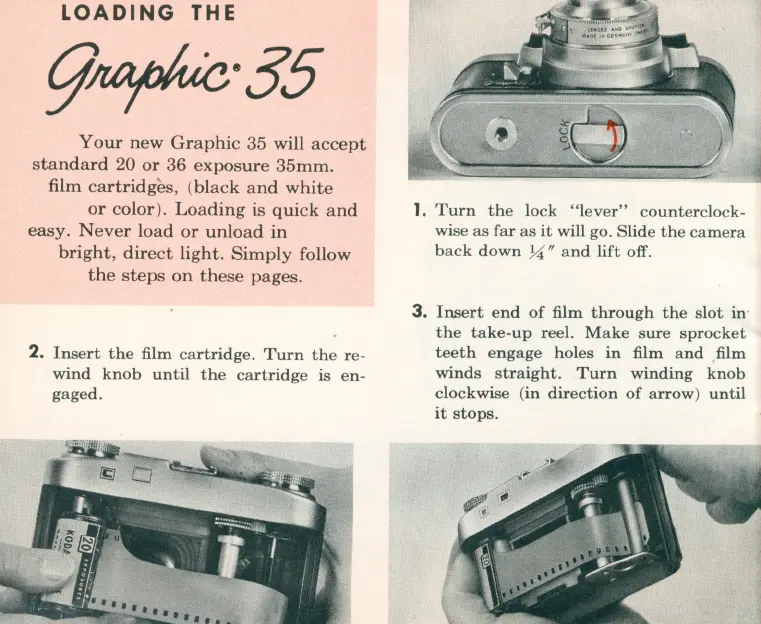
LOADING
THE
Your
new
Graphic
35 will
accept
standard
20
or
36
exposure
35mm.
film
cartridges,
(
black
and
white
or
color).
Loading
is
quick
and
easy
.
Never
load
or
unload
in
bright,
direct
light.
Simply
follow
the
steps
on
these
pages.
2.
Insert
the
film
cartridge.
Turn
the
re-
wind
knob
until
the
cartridge
is
en-
gaged.
1,
Turn
the
lock
"lever"
counterclock-
wise
as
far
as
it
will go.
Slide
the
camera
back
down
74
fI
and
lift
off.
3.
Insert
end
of
film
through
the
slot
in
'
the
take-up
reel.
Make
sure
sprocket
teeth
engage
holes
in
film
and
film
winds
straight.
Turn
winding
knob
clockwise
(in
direction
of
arrow)
until
it
stops.

Related product manuals