EasyManua.ls Logo

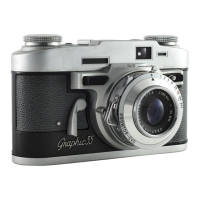
Graflex 35 - img007

Graflex 35
30 pages
Print Icon
To Next Page IconTo Next Page
To Previous Page IconTo Previous Page
Loading...
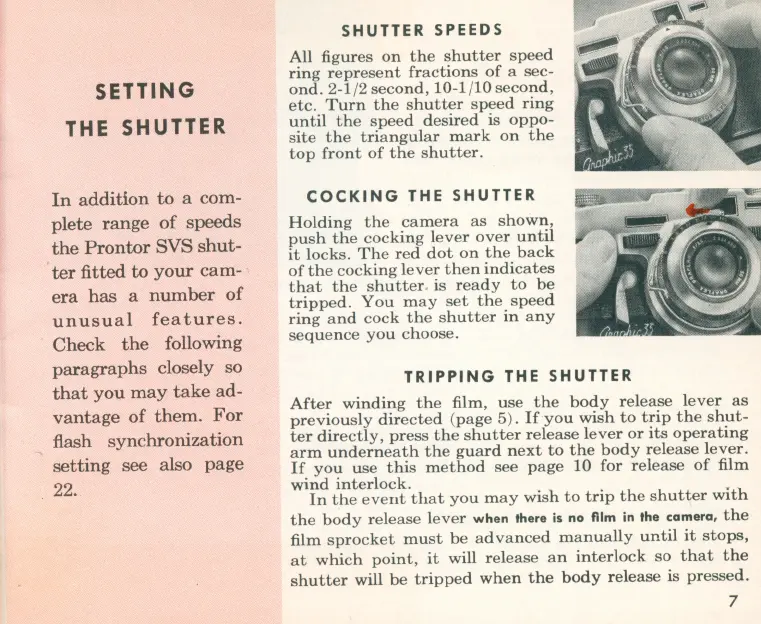
SETTING
THE
SHUTTER
In
addition
to
a com-
plete
range
of
speeds
the
Prontor
SVS
shut-
ter
fitted to
your
cam-
era
has
a
number
of
unusual
features.
Check
the
following
paragraphs
closely so
that
you
may
take
ad-
vantage
of
them.
For
flash synchronization
setting
see also
page
22.
SHUTTER
SPEEDS
All figures
on
the
shutter
speed
ring
represent
fractions
of
a
sec-
ond.
2-1/2
second,
10-1/
10
second,
etc.
Turn
the
shutter
speed
ring
until
the
speed
desired
is
oppo-
site
the
triangular
mark
on
the
top
front
of
the
shutter
.
COCKING
THE
SHUTTER
Holding
the
camera
as
shown,
push
the
cocking
lever
over
until
it
locks.
The
red
dot
on
the
back
of
the
cocking
lever
then
indicates
that
the
shutter
. is
ready
to
be
tripped.
You
may
set
the
spee
d
ring
and
cock
the
shutter
in
any
sequence
you
choose
.
TRIPPING
THE
SHUTTER
After
winding
the
film,
use
the
body
release
lever
as
previously
directed
(
page
5).
If
you
wish
to
trip
the
shut-
ter
directly,
press
the
shutter
release
lever
or
its
operati
ng
arm
underneath
the
guard
next
to
the
body
release
lever.
If
you
use
this
method
see
page
10
for
release
of
film
wind
interlock.
In
the
event
that
you
may
wish
to
trip
the
shutter
with
the
body
release
lever
when
there
is
no
fllm in
the
camera,
the
film
sprocket
must
be
advanced
manually
until
it
stops,
at
which
point,
it
will
release
an
interlock
so
that
the
shutter
will
be
tripped
when
the
body
release
is
pressed.
7

Related product manuals