37
Copy model model
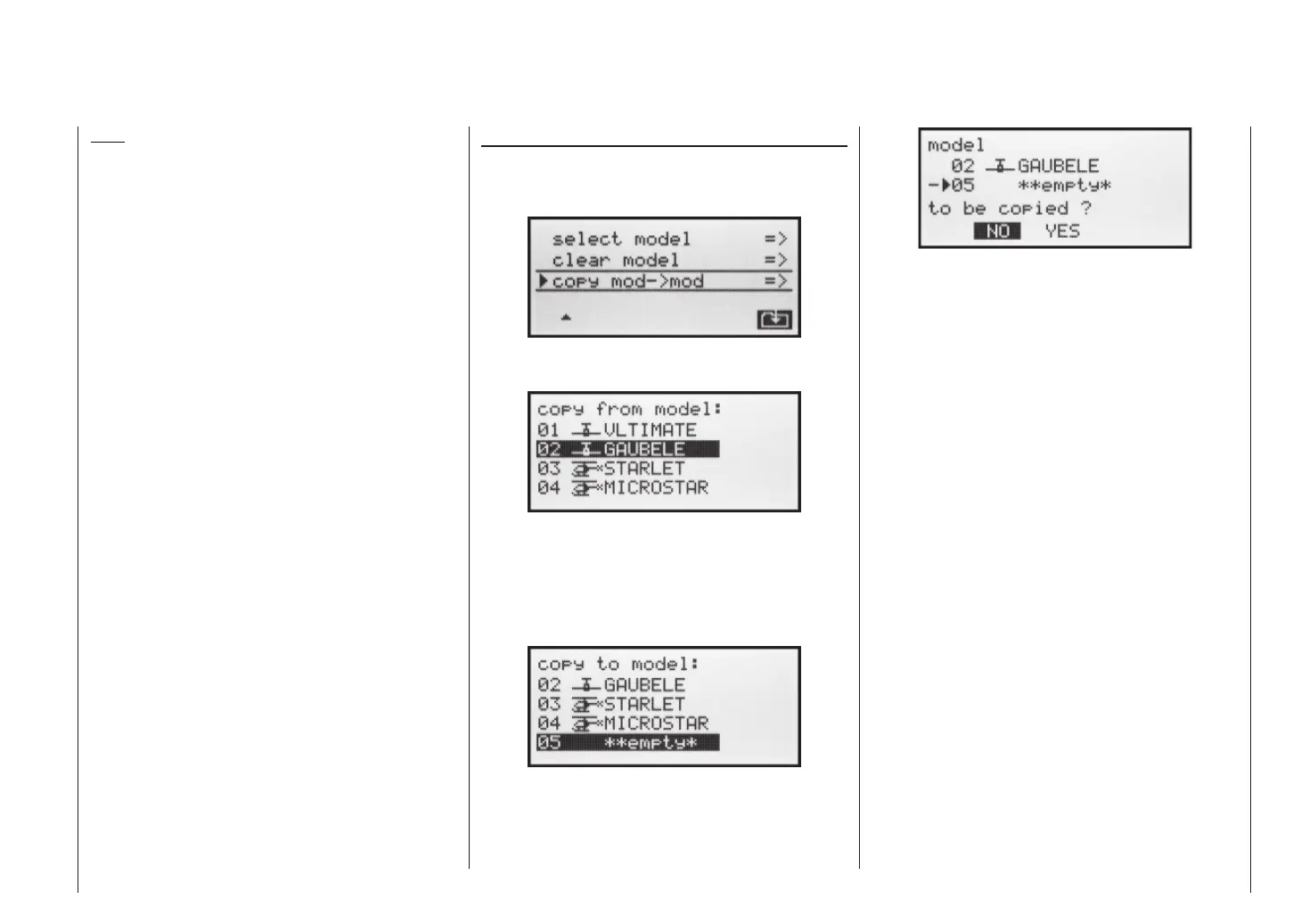
Whilst holding the SELECT button pressed in, use the
right-hand rocker button to select the »Copy model
model« sub-menu, and press ENTER or SELECT:
Select the model to be copied using the right-hand ro-
cker button …
... then press ENTER or SELECT again. In the »Copy
to model« window you can now select the target memo-
ry and confi rm your choice with ENTER or SELECT. Al-
ternatively you can interrupt the process with ESC. It is
possible to overwrite a model memory which already
contains model data.
When you confi rm the selected model memory by pres-
sing the ENTER or SELECT button, the security query
appears: ““model … … to be copied?”
Note:
If you wish to erase the currently active model memo-
ry in the basic display, you will be required to defi ne the
model type “Heli” or “Fixed-wing” immediately. However,
if you erase a non-active model memory, then the mes-
sage “**empty*” appears in the Model select menu.
Program description – Model memories
Selecting NO interrupts the process, and returns you
to the previous page. If you select YES with the right-
hand rocker button and confi rm your choice with ENTER
or SELECT, then the selected model is copied into the
chosen target model memory.














 To Next Page