L-SOLUTION 700 / 800 / 900 machines . 30
First contact
Installing the Windows® (Windows 2000®, XP® or Windows 98®) printer driver.
The printing driver of the LASER machine is delivered on a CD-ROM. It should therefore be installed and selected in
Windows® (Windows 2000®/Windows XP®/Windows 98®).
It enables your software to transfer the information necessary for engraving to a LASER machine.
The following paragraphs describe the procedure for setting up Windows® so that the C.A.D. software can use the LASER
machine as a printer connected to the computer's serial or parallel port.
Complete understanding of how Windows® works is essential to the operation of the LASER system. Before continuing,
please refer to the Windows® owner’s manual regarding installation, use, and operation.
For a connection L-SOLUTION/PC using the USB port, plug the USB cable into the USB
port of the L-SOLUTION machine and into the USB port of your computer. Then switch
on the L-SOLUTION machine before installing the L-SOLUTION machine driver.
1. Power ON your PC.
2. Insert the CD-Rom which contains the driver of the L-SOLUTION machine (provided with the
machine)
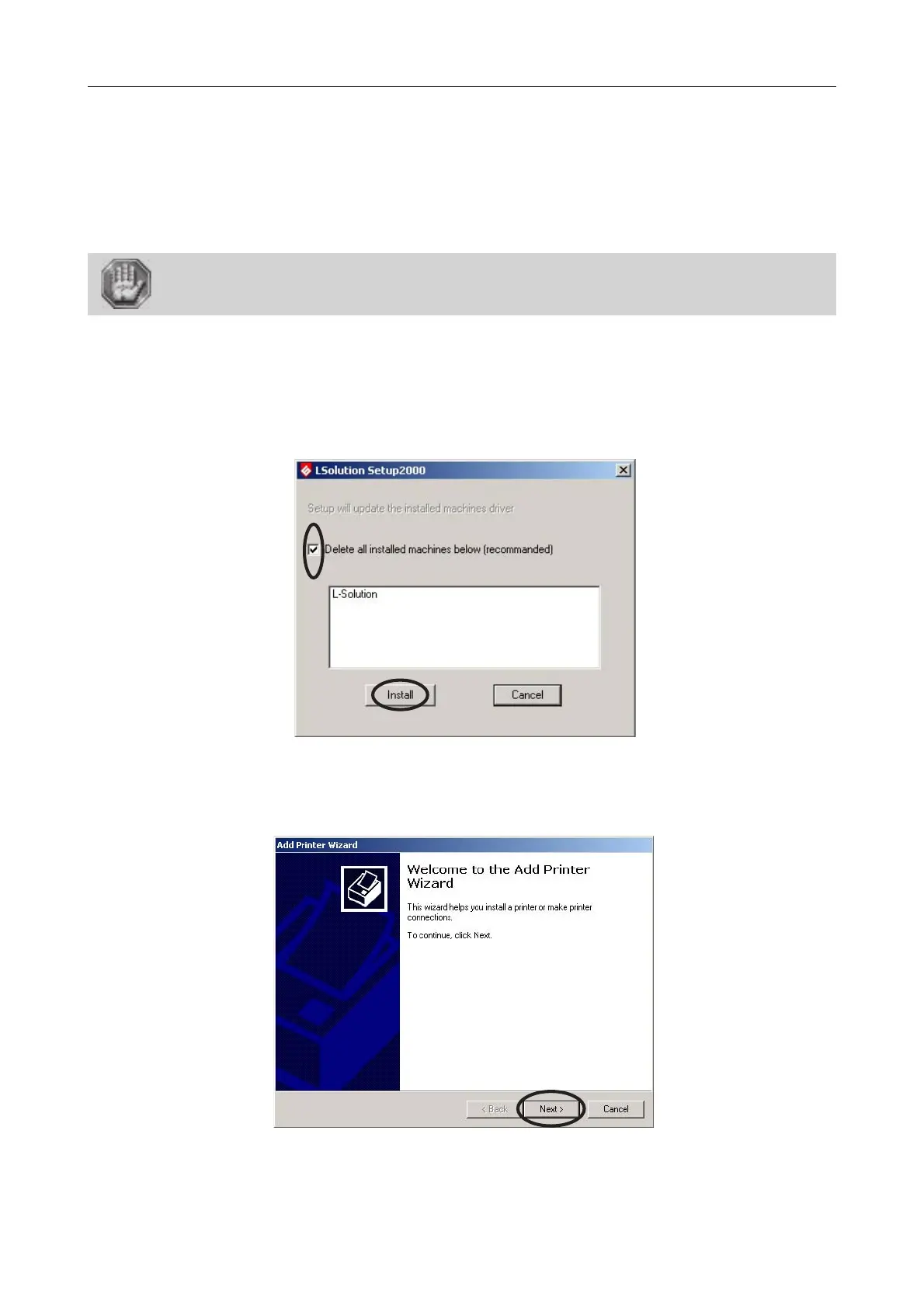
3. Wait for the opening of the "L-SOLUTION Set Up 2000":
Printer driver
4. Select "Delete all installed machines below (recommanded)" and click "Install".
5. When the «Add Printer Wizard» appears click «Next».











 To Next Page