Microprocessor Controller for DOAS 19
®
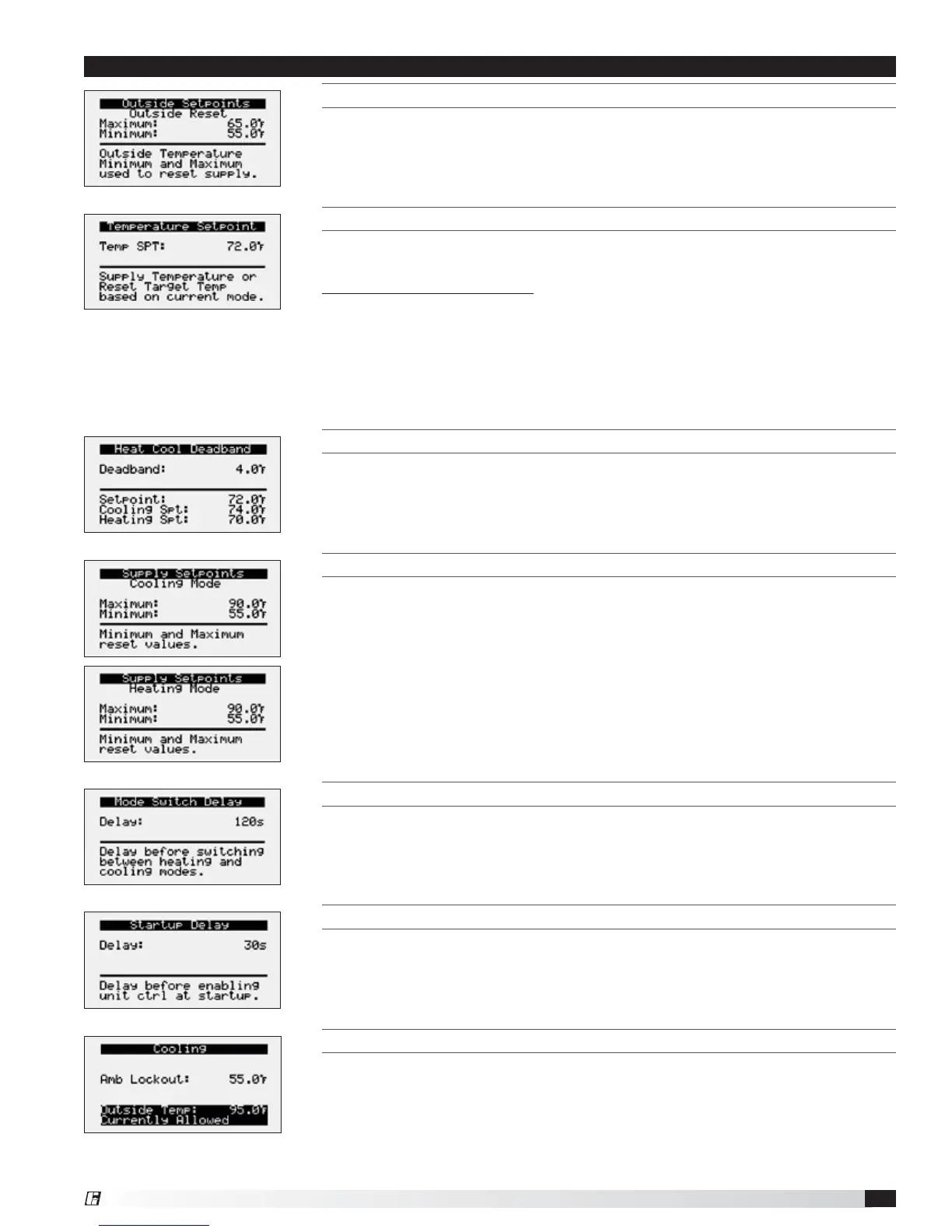
OUTSIDE SETPOINTS
This screen only appears if outside reset is selected as the reset control mode.
TEMPERATURE SETPOINT
This screen only appears if supply temp control, space reset, or return reset is
selected as the reset control mode.
Possible Setpoint Sources:
Local – The room set point will be constant; set from screen (e.g. 72°F).
BMS – The BMS can directly control the room temperature set point (requires
BMS communication option).
T-Stat – The room set point will be adjustable from the room thermostat.
Reference Appendix: Room Thermostat Quick Start for additional information.
HEAT COOL DEADBAND
This screen only appears if space reset or return air reset is selected as the reset
control mode. The heat cool deadband allows for separate cooling and heating
setpoints when the reset control mode is set for space reset or return air reset.
SUPPLY SETPOINTS
Cooling and heating supply setpoints screens only appear if outdoor reset,
space reset, or return air reset is selected. These screens allow the user to set
the minimum and maximum setpoint limits for cooling or heating operation.
The controller will adjust the supply temperature setpoint between the set limits
depending on mode of operation.
COOLING LOCKOUT
This screen displays the cooling lockout temperature. Cooling will be disabled
when outside air is below the cooling lockout temperature (55ºF).
MODE SWITCH DISPLAY
This screen displays the delay time required before switching between heating
and cooling mode.
STARTUP DISPLAY
This screen displays the delay time after the fans have started and tempering
begins
Menu


 To Next Page