Microprocessor Controller for DOAS 33
®
RESTORING FROM A BACKUP FILE
From USB
1. Place the restore file in the root directory of a USB drive. (Do not place the file
within a folder on the USB drive.) The file must be named: User_Backup.txt
2. Insert the USB drive into the controller’s USB port.
3. Go to the Main Menu/Unit Enable screen. Press the Enter and Up or Down
arrow buttons to disable the unit.
4. Go to the Main Menu/Ctrl Variables/Advanced/Login
screen. Press the Enter
and Up or Down arrow buttons to enter the service password (9998).
5. Go to the Main Menu/Ctrl Variables/Advanced/Backup/Restore screen.
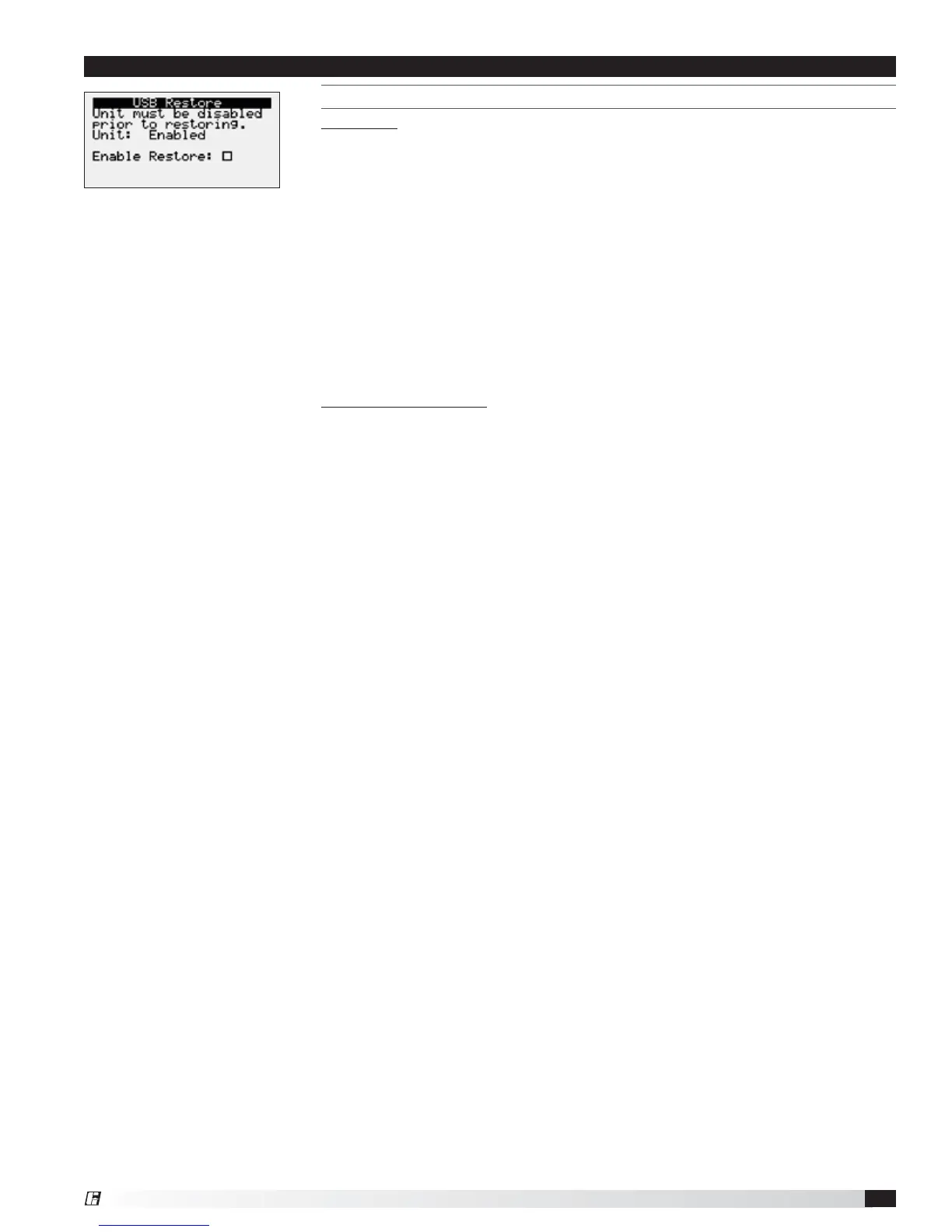
6. Press the Up or Down arrow buttons to navigate to the USB Restore screen.
7. Press Enter to highlight and then the Up or Down arrow buttons to fill the
Restore checkbox. This action restores the backup file. If there is an error
during the process, the specific error is displayed on this screen.
8. Cycle power to the controller.
From internal memory
1. Go to the Main Menu/Unit Enable screen. Press the Enter and Up or Down
arrow buttons to disable the unit.
2. Go to the Main Menu/Ctrl Variables/Advanced/Login
screen. Press the Enter
and Up or Down arrow buttons to enter the service password, which is 9998.
3. Go to the Main Menu/Ctrl Variables/Advanced/Backup/Restore screen.
4. Press the Up or Down arrow buttons to navigate to the Internal Restore
screen. This screen is only available when a backup file exists in internal
memory.
5. Press Enter to highlight and then the Up or Down arrow buttons to fill the
Restore checkbox. This action restores the backup file. If there is an error
during the process, the specific error is displayed on this screen.
6. Cycle power to the controller.
Menu


 To Next Page