Boston Scientific (User’s Manual Template 8.5in x 11in Global, 91091755 Rev/Ver. AA), Manual, MB, XPS, Global, 50623316-01A_pretrans
Black (K) ∆E ≤5.0
11
Process Black ΔE ≤5.0 / CMYK Image
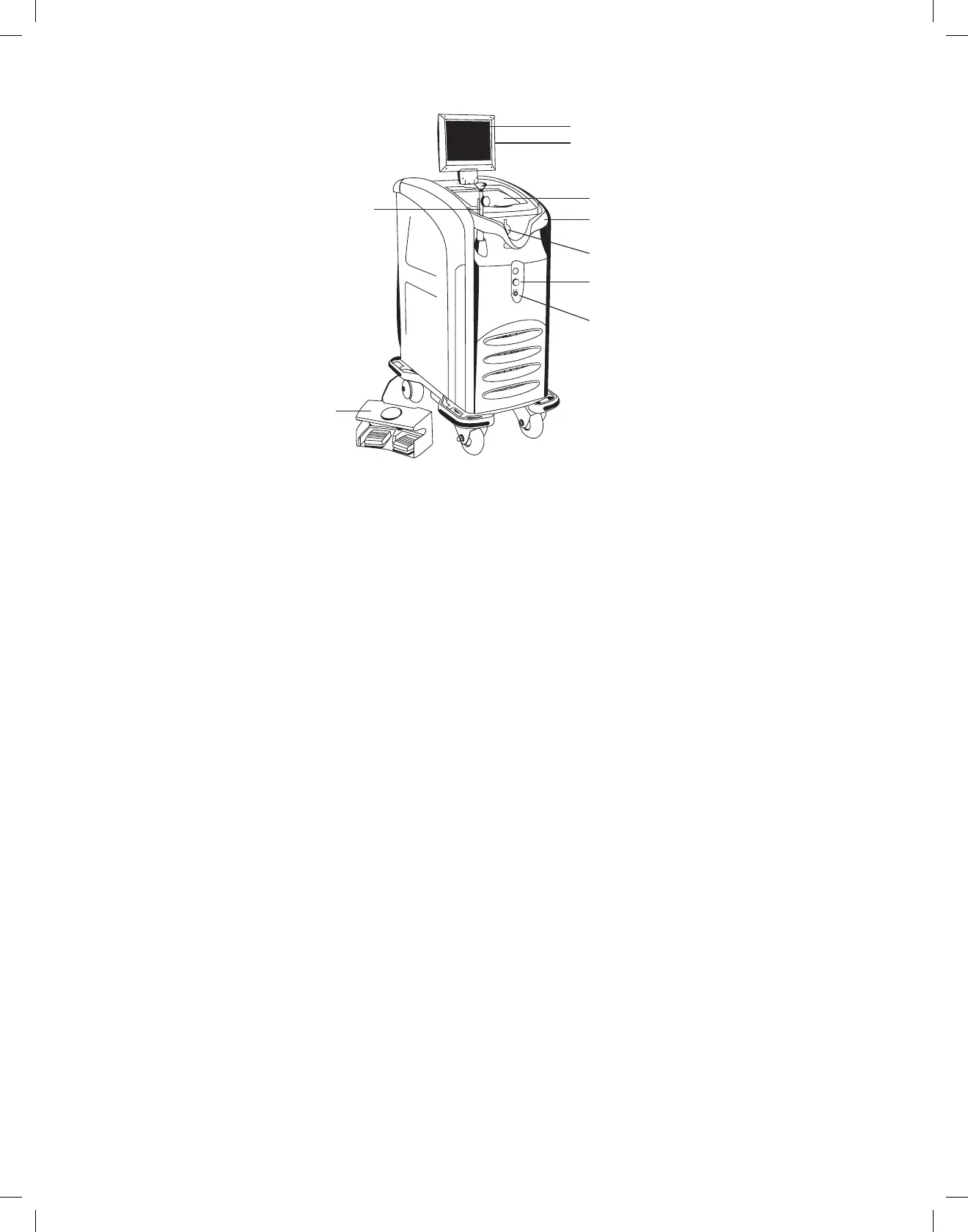
9 CONSOLE DESCRIPTION
8. On/Off Key Switch
1. Screen/Touchscreen
2. Card Reader
3. Storage Compartment
4. Fiber Shield
7. Emergency Laser Stop
5. Fiber Pole
6. Fiber Port Cover
9. Footswitch
Figure 2. Front View of Console
1. Screen/Touchscreen—Displaysuserinformation:
• Consolestatus(Standby,Ready)
• Laseroutput(inwatts),separatedisplayforvaporizationandcoagulation
• Aimingbeambrightnesslevel
• Energymeter(displaystotalnumberofJoulesdelivered)
• Exposuretime(displaystotaltimelightisemitted)
• Buttonsonthescreen,whenpressed,placethelaserineitherReadyorStandbymode
• Errorcodesandscreenprompts
2. CardReader—Readsfibercard
3. Storage Compartment
4. FiberShield—Protectsthefiberhubfrominadvertentdamage
5. FiberPole—Securesandprotectsthefiber(retractable)
6. FiberPortCover—Connectionforfiber
7. EmergencyLaserStop—Turnsconsoleoffandterminateslaserlightemissionincaseofemergency
8. On/OffKeySwitch—Switchestheconsoleonandoff
9. Footswitch—Forcontroloflaseremission


 To Next Page