18
Boston Scientific (User’s Manual Template 8.5in x 11in Global, 91091755 Rev/Ver. AA), Manual, MB, XPS, Global, 50623316-01A_pretrans
Process Black ΔE ≤5.0 / CMYK Image
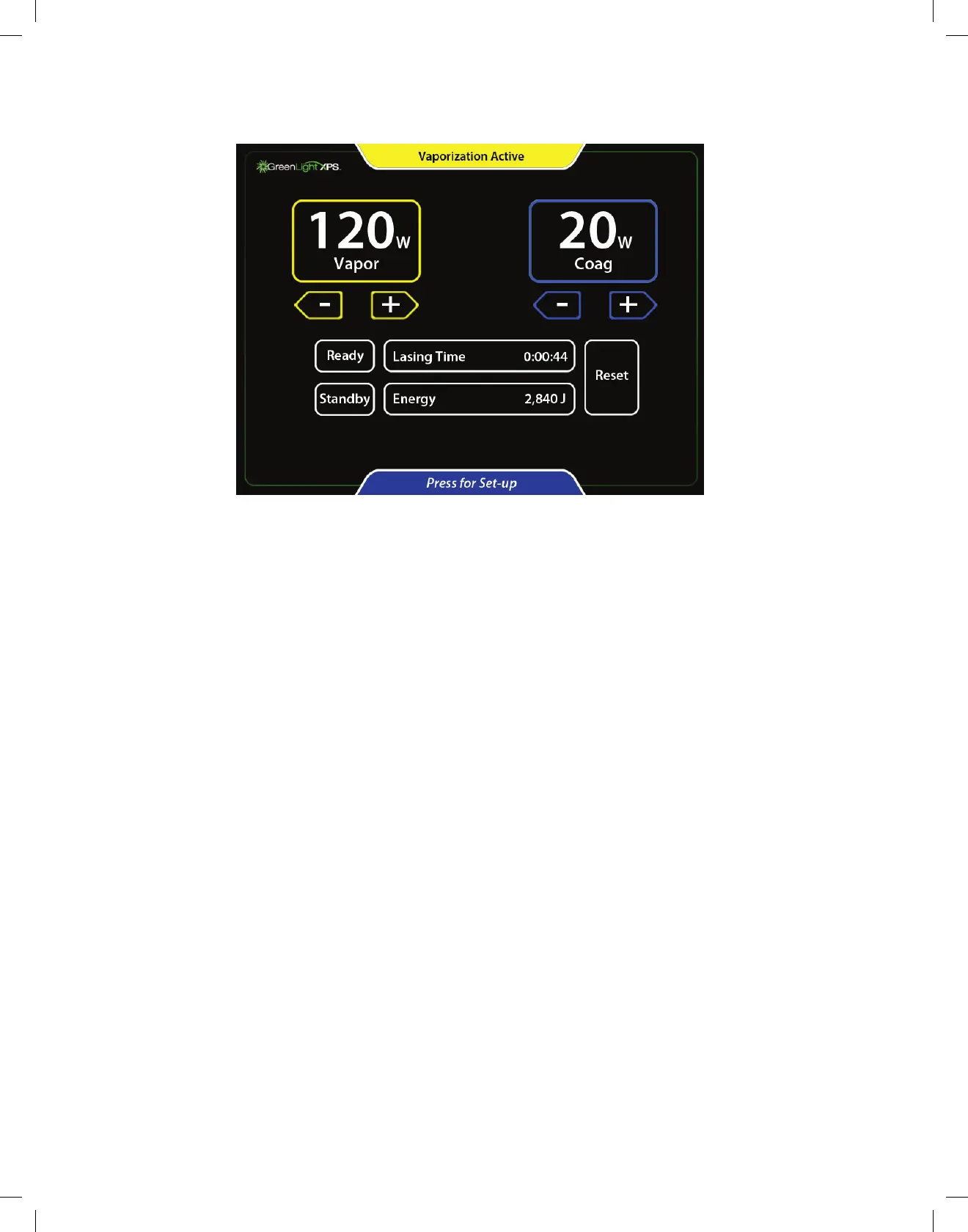
23. Laser energy will be emitted when a footswitch is pressed. The Active mode (Vaporization Active or Coagulation Active) is displayed at the
top of the screen, depending on the footswitch pressed. Audio tone sounds during emission. The first time a given footswitch is pressed, the
word Vapor or Coag will be vocalized, depending on which footswitch is pressed.
24. TogobacktoStandby,pressStandbyorstepontheblackReady/Standbyfootswitch.
25. The laser emission can be disabled and the aiming beam can be turned off by pressing the Standby button on the touchscreen or by
steppingontheblackReady/Standbyfootswitch.
26. Begin the procedure. Treatment times may vary based on tissue, power settings, and other factors.
27. Steadilyrotate(sweep)thelaserbeamacrossa30°to40°arcoverthetargetedtissue,continuallymovingthelaserbeamwhile
maintaining a working distance (fiber-to-tissue distance) between 1 mm and 3 mm. Adjust the sweep speed to achieve the desired tissue
effect. Adjusting the power level will affect the rate of tissue removal.
28. Bleeding can often be controlled by sweeping the working beam around (not directly at) the bleeder while pressing the Coag footswitch. In
Coag mode the beam is modulated to increase coagulation effectiveness. This causes the beam to pulse (blink on and off). Adjust the sweep
speedandCoagpowertoachievethemosteffectivecoagulation.Donotfirethelaserdirectlyatthecenterofthesourceofthebleeding.
29. Once the desired tissue has been treated, turn off the inflow and outflow valves of the cystoscope, and check for bleeding. If bleeding is
occurring, it may be necessary to treat the bleeding.
30. Once the laser treatment has ended, fill the bladder with saline, and remove the cystoscope. Slowly drain the bladder and check the flow
and color of the outgoing fluid. The placement of a Foley catheter may be necessary at physician discretion.
31. Prescribe post-procedure medication at physician discretion.
12.4 After the Procedure
32. When the procedure has ended, place the console in Standby mode.
33. Documentthetotallasingtimeandenergyappropriately.
34. Remove the fiber from the cystoscope and discard per hospital procedures. Remove the cystoscope from the patient.
35. Remove the fiber card and discard.
36. Turn the key switch to the OFF position.
37. On the back panel, switch the circuit breaker to the OFF position and disconnect the AC power cable from the electric outlet.
38. To protect against unauthorized use, remove the key from the key switch and store in a secure location.
39. The footswitch can be stored on the back of the console.
40. Store the laser system per recommendations in Handling and Storage.


 To Next Page