OPERATION
.^
2 7 ',+,9
Let the tool work at its own pace. Do not overload.
U)7'9+,9!")(!Z7""('O
The battery needs to be changed before rst use and whenever it fails to produce sufcient
power on jobs that were easily done before.The battery may become warm while charging; this
is normal and does not indicate a problem.
2 7 ',+,9
Do not charge the battery at ambient temperatures below 45°F or above 104°F. Recommended
charging temperature: approx. 75°F.
NOTE: The charger will not charge a battery if the cell temperature is below approximately 45°F
or above 104°F. The battery should be left in the charger and the charger will begin to charge
automatically when the cell temperature warms up or cools down.
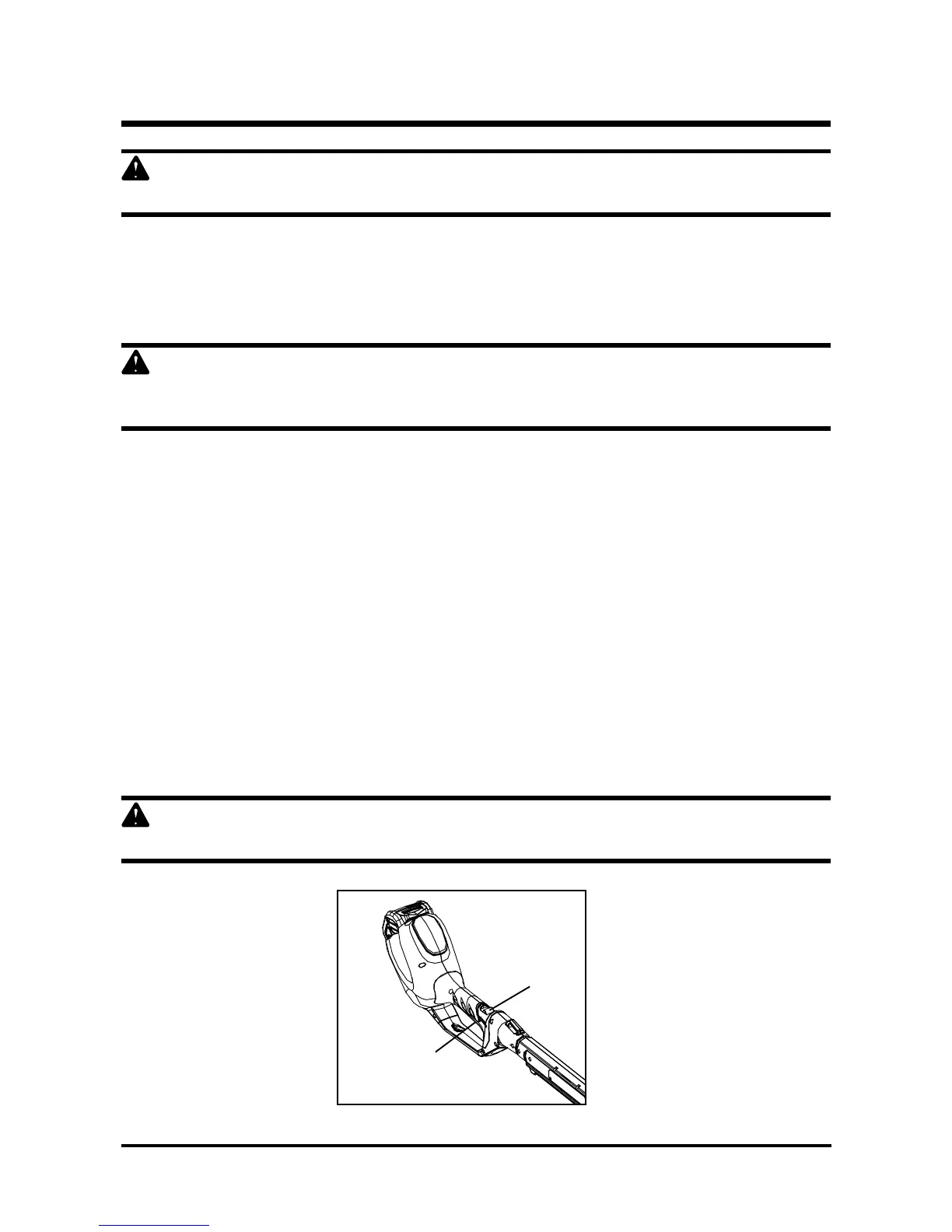
42+"U)!#,!7,8!#&&!V&+9L0W
For your safety, this tool is equipped with a double switching system. This system prevents
starting the tool inadvertently.
42+"U)+,9!#,
• Pull the lock-off button (14) backward using your thumb and at the same time squeeze the on/
off switch (13).
• Release the lock-off button (14).
42+"U)+,9!#&&
• Release the on/off switch (13).
2 7 ',+,9
Never attempt to lock a switch in the on position.
&+9L0
13
14












 To Next Page