5. Assembly
PNEG-750-G2 16" Series II Sweep 131' and 135' Diameter 57
Calibration
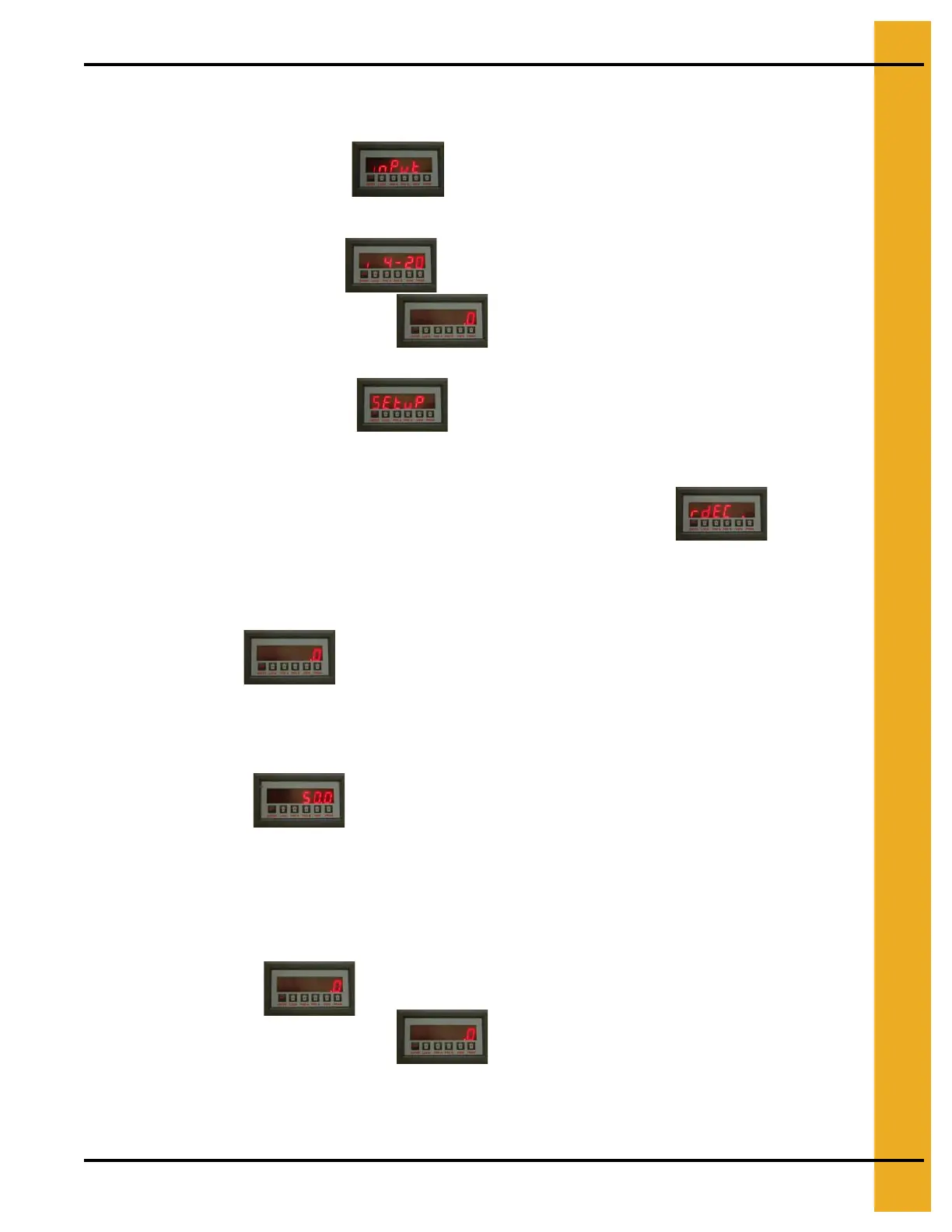
1. Setting Input
a. Press “PRGM” to “inPut”.
b. Press “ENTER”.
c. Press “PRGM” to “i4-20”.
d. Press “ENTER” to RUN MODE.
2. Setting Setup
a. Press “PRGM” to “SEtuP”.
b. Press “ENTER” to “rdEC”
Use arrow buttons to change the decimal placement. Show .0 Amps.
c. Press “ENTER” to “SETLO”.
d. Press “ENTER”
Value = 0.0
e. Press “ENTER” to “SEtHi”.
f. Press “Enter”
Value = 50.0
Use arrow buttons to change value.
g. Press “ENTER” to “LoCut”.
Press “ENTER”
This value = 0
h. Press “ENTER” to RUN MODE.


 To Next Page
 Loading...