Using your trimmer
Starting and Stopping:
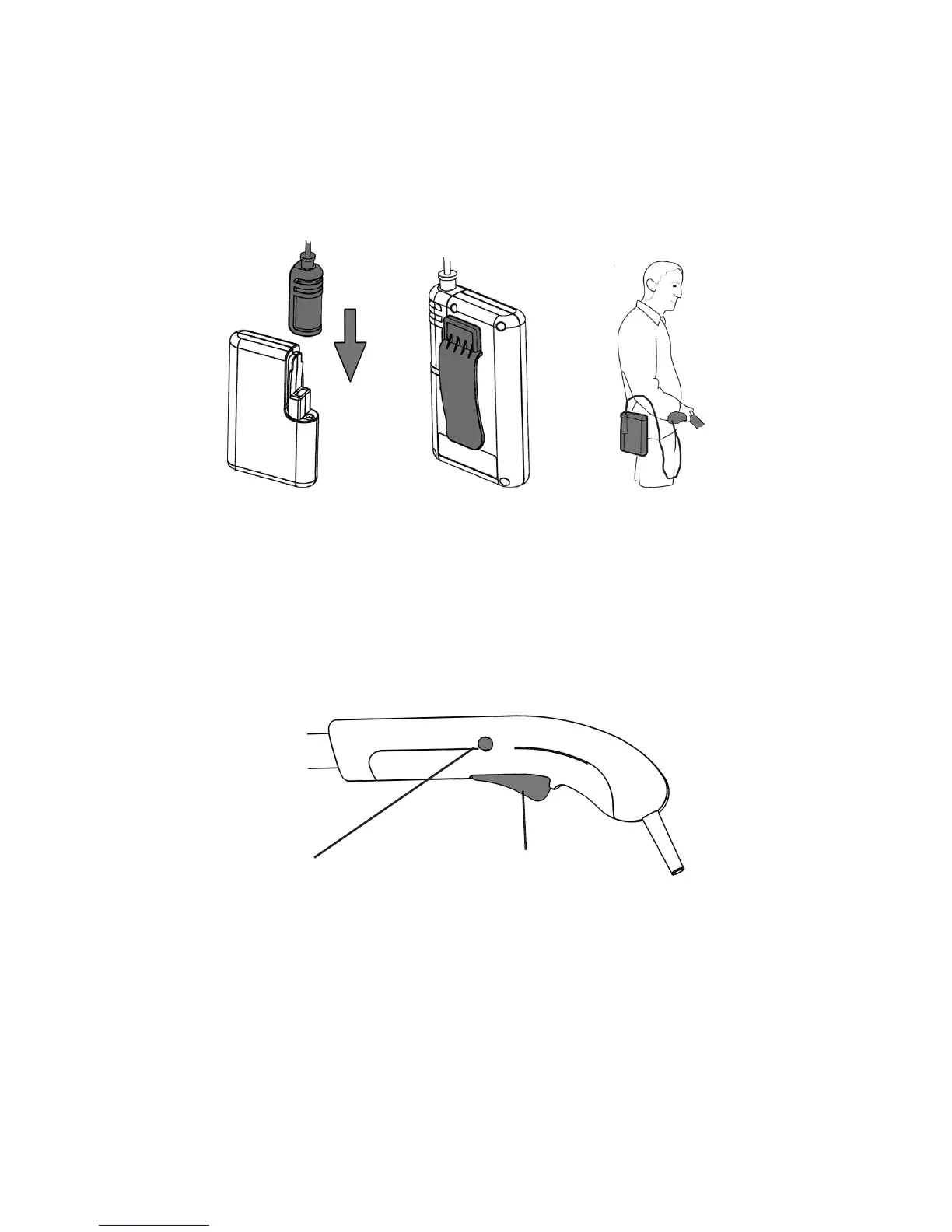
The handle is designed with a safety button to prevent accidental starting.
To start the trimmer:
Press and hold the safety button located on either side of the handle, then press
the trigger.
Continue holding the trigger and release the safety button.
The trimmer will be on for as long as the trigger is pressed.
Safety button
Trigger
To stop the trimmer:
Release the trigger to stop the trimmer.
WARNING : the blade continues to rotate for a few seconds after the
trimmer is switched off.
Do not touch the rotating blade, and keep hands and feet clear until the
blade stops rotating.
WARNING : always wear eye protection when using the trimmer.
Fully charge the battery as described in the section Battery Charging and
Recharging
Push the battery connector onto the battery pack until it securely locates into
place.
The battery pack can be carried in a pocket, or the clip tted onto a waistband or
belt.
14
Gtech helpline: 0870 7944001 email: support@greytechnology.co.uk
www.greytechnology.co.uk



 To Next Page