guessconnect.com
22
iOS USER MANUAL
Setting Up The GUESS Connect App | Watch Settings
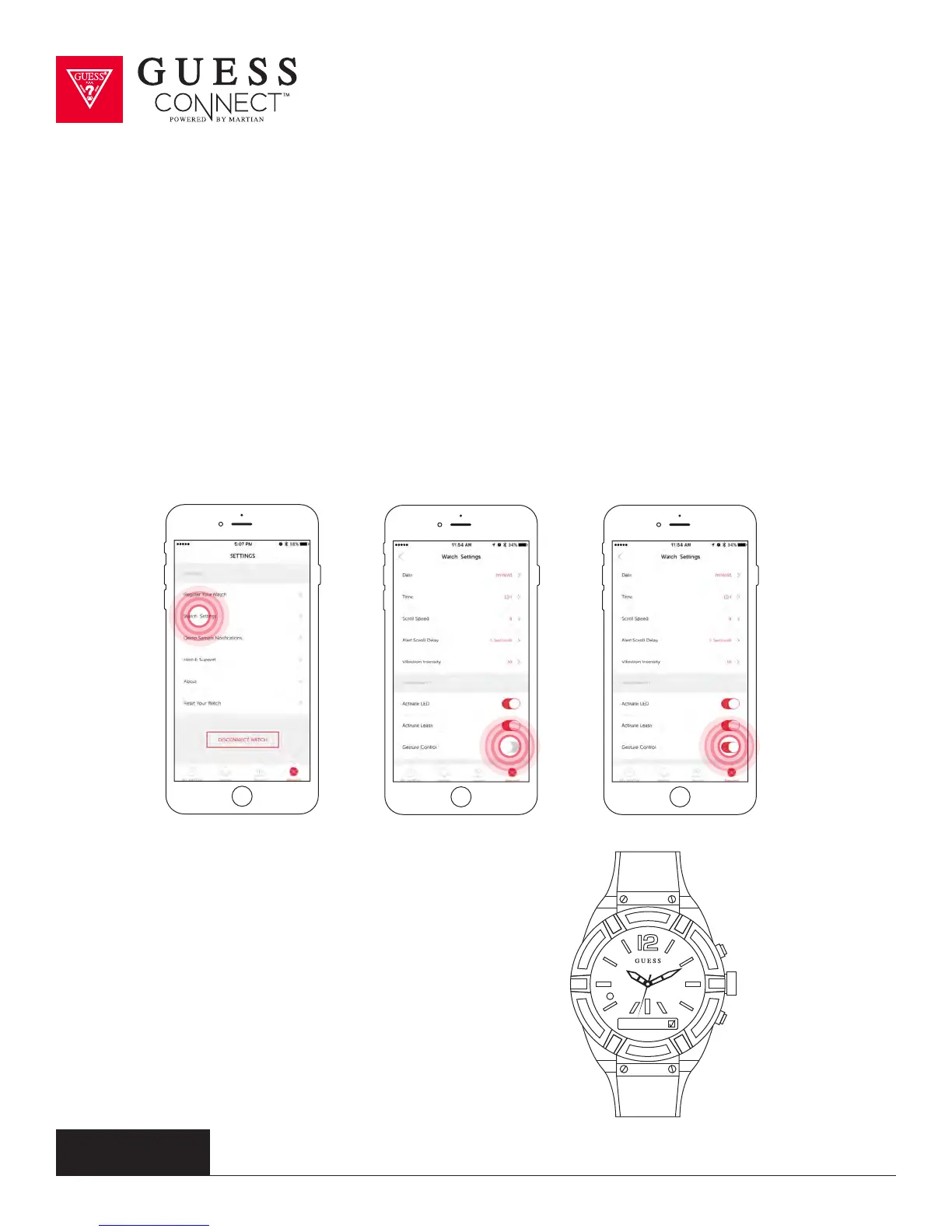
Gesture Control
A convenient feature of the GUESS Connect watch is Gesture Control. This feature allows you to
dismiss incoming calls with a simple shake of your wrist.
TO ACTIVATE GESTURE CONTROL:
ON THE APP:
To activate Gesture Control, tap on the Settings tab then on Watch Settings and scroll down to
Gesture Control. Slide the button from GREY to RED.
ON THE WATCH:
Press the bottom pusher until you reach
Set Up, and select by pressing the top
pusher. Continue to scroll through the
menu using the bottom pusher until you
reach Gesture. Press the top pusher to
turn on, indicated by a check in the box.
Gesture



 To Next Page