guessconnect.com
6
iOS USER MANUAL
Setting Up The GUESS Connect Watch
Turn On And Charge
CHECKING BATTERY LEVEL
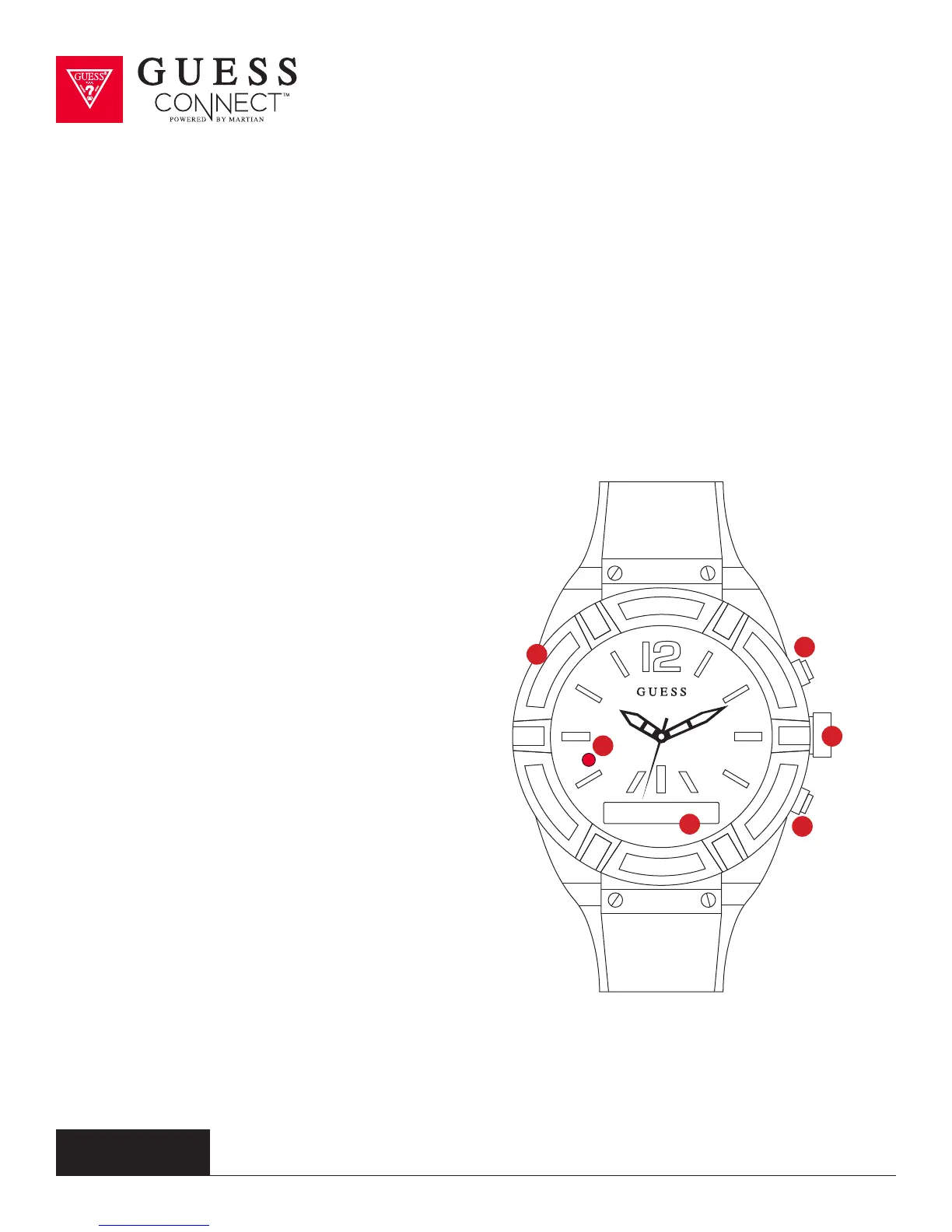
With the watch turned on, quick-press the
bottom button (6) to view the menu on the
OLED screen (3). The battery icon is in the far left of
the display. If the battery icon shows the watch is
less than 50%, the watch will need to be charged.
TURNING THE WATCH OFF
• Press and hold the bottom button (6) for 2 seconds.
•
The RED LED light will flash and the
OLED will display Goodbye.
DEMO MODE
• When the watch is o, a long-press of
the top button (4) will activate a Demo Mode
that highlights key functionality of your
GUESS Connect watch. The demo mode is
provided by Martian, the technology partner
for GUESS Connect
•
This is available in English only.
1
3
5
2
4
6



 To Next Page