guessconnect.com
5
iOS USER MANUAL
Setting Up The GUESS Connect Watch
Turn On And Charge
CHARGING WATCH
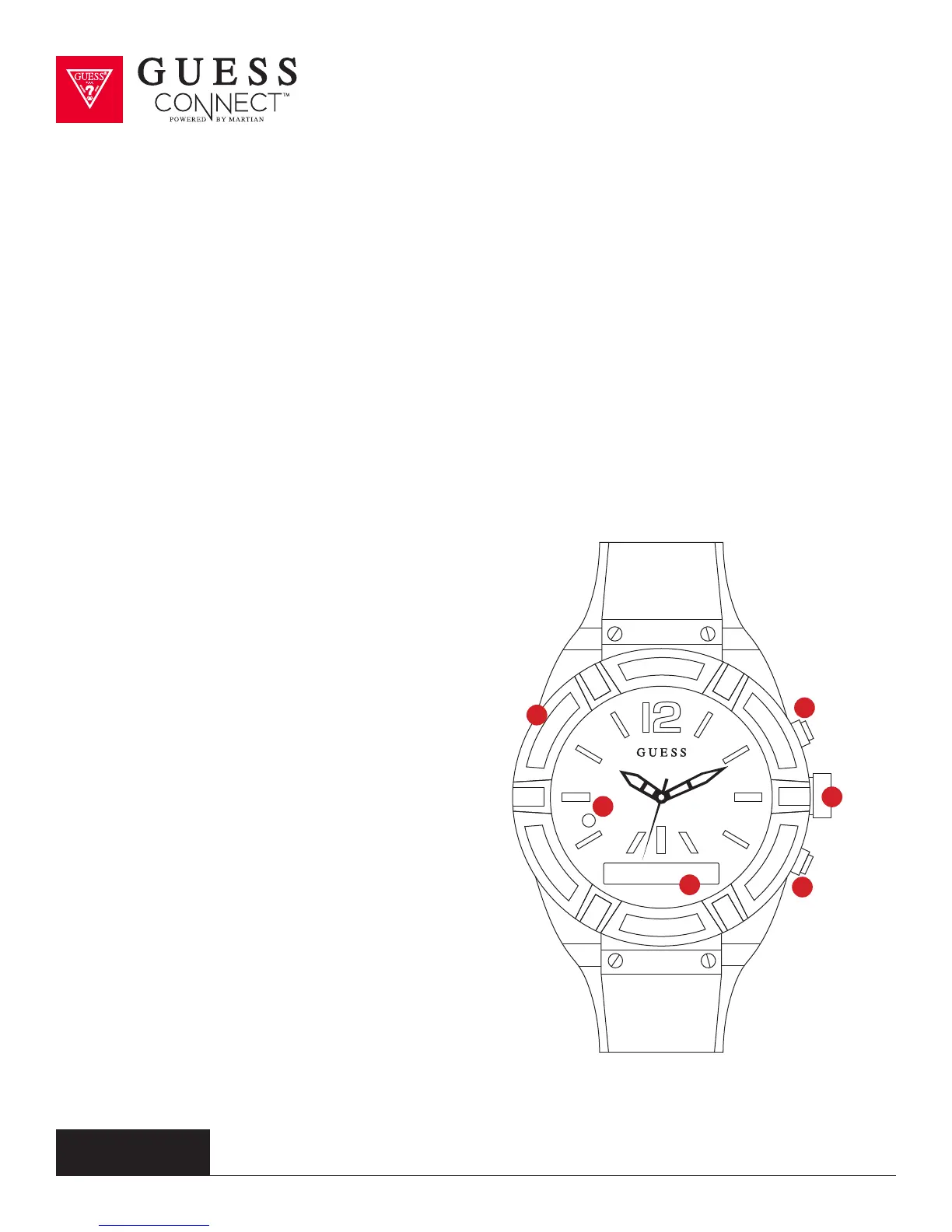
• Remove the USB cover (1) from the left side of the watch and insert the micro USB.
•
Attach the USB cable to a computer or wall outlet adapter (not included), to begin charging.
• When the LED light (2) on your watch is RED, the watch is charging.
•
When the LED light turns GREEN the watch has a full charge.
•
Full charge will take approximately 2 hours.
TURNING YOUR WATCH ON
• Press and hold the bottom
button (6) for 2 seconds.
•
When the watch comes on, you will
see the OLED display (3) light up.
•
If the watch does not turn on, it will
need to be charged.
SETTING ANALOG TIME
• Gently remove the battery
stopper from the crown.
•
Turn the crown (5) clockwise
to set the time.
•
Push the crown in
towards the case.
•
Discard the battery stopper.
1
3
5
2
4
6



 To Next Page