13
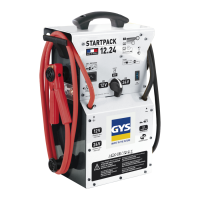
STARTPACK 12.24
EN
Translation of the original instructions
BATTERY REPLACEMENT
1
2
3
4
4
Product Battery Type Voltage (V) Capacity (Ah)
Dimensions
(cm)
Battery ref
STARTPACK 12.24 G16EP Lead acid battery 2 x 12 2 x 16 18 x 8 x 17 53131
Regardless of how the STARTPACK 12.24 is being used (12V or 24V), always replace both batteries at
the same time.
To replace the batteries:
• The booster must be disconnected from the power supply.
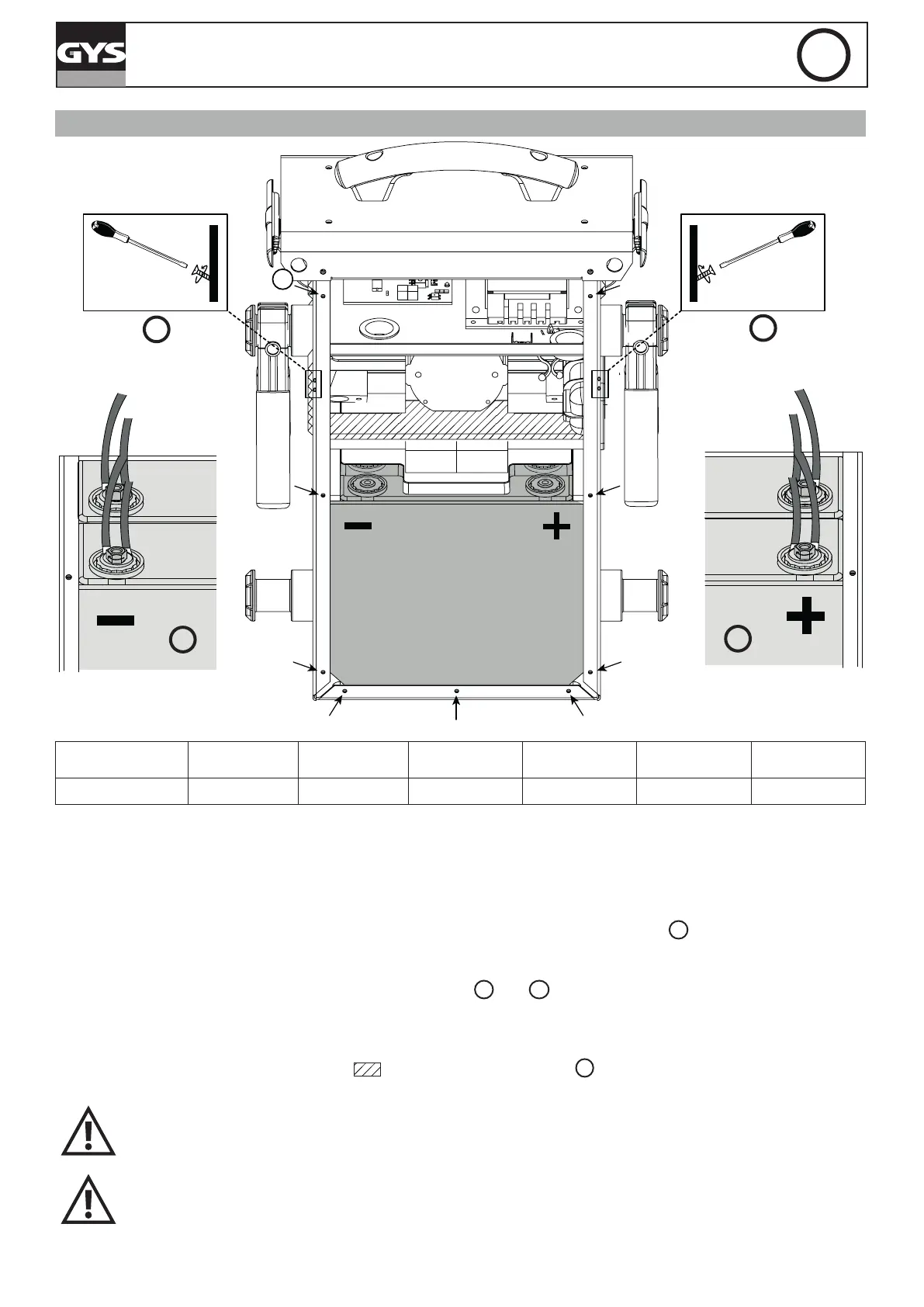
• Then, the back panel must be unscrewed (9 screws) with a torx screwdriver (size 4)
1
and removed.
• Once the back panel has been removed, the batteries are visible, with one in front of the other (see picture). -
terminal on the left, + terminal on the right.
• To remove the batteries, remove the screws (see picture
2
and
3
) that enable the connection between the
battery and the STARTPACK at the + and - terminals.
- First remove the front battery.
- Then unscrew the xing bar (striped area
)
between the two batteries
4
.
- And remove the second battery.
Once the rst battery is removed, make sure to insulate the terminals to prevent any short cir-
cuit. Then remove the second battery.
When putting new batteries, make sure to match the polarities of both batteries and STARTPACK
12.24. - Terminal on the left, + terminal on the right (see picture).
• Reposition and tighten the bottom battery, the xing bar and the front battery in this order. Place the back panel
screws back on.




 To Next Page