Serial
lnterface
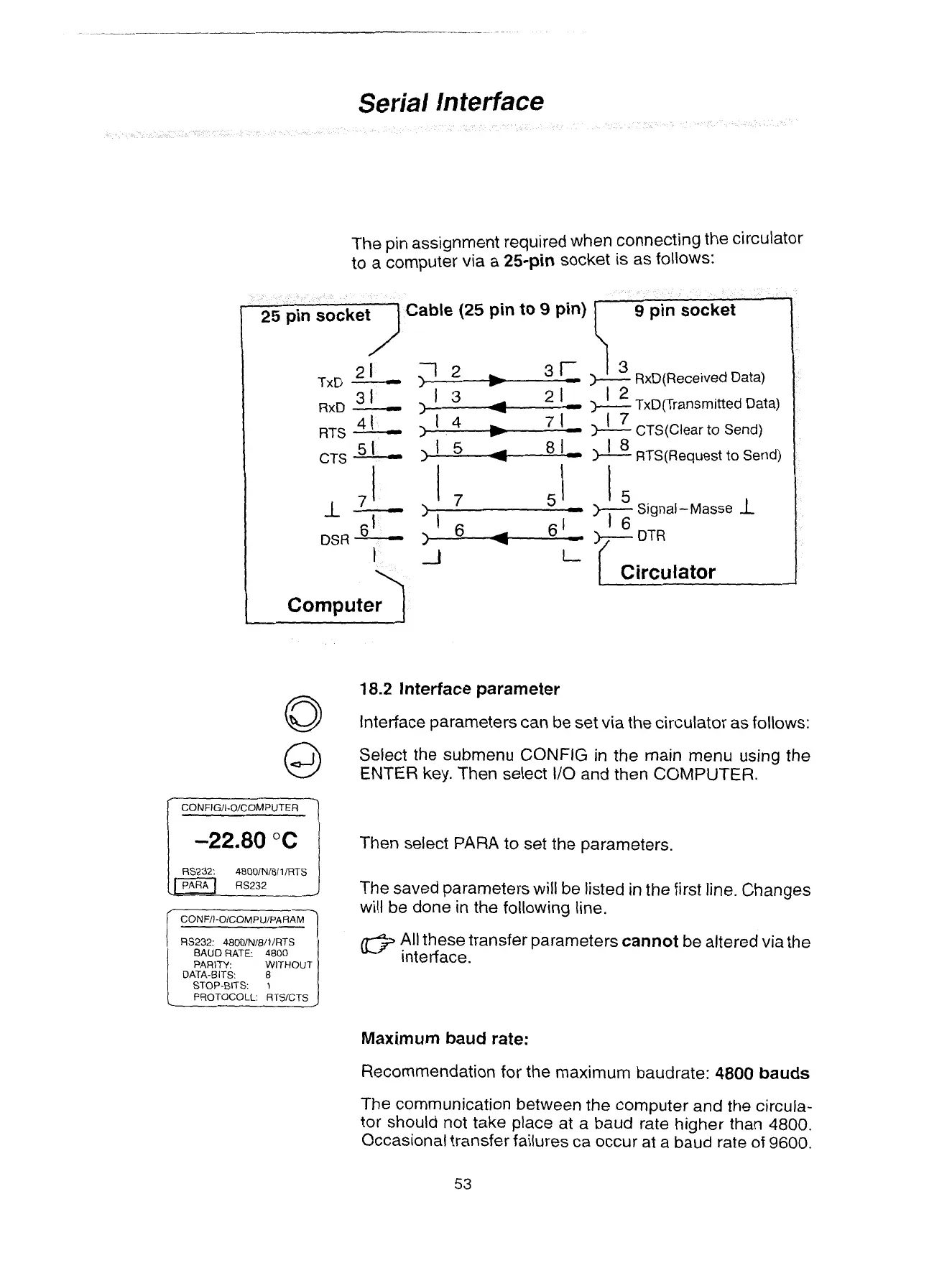
The pin assignment required when connecting the circulator
to a computer
via
a
25-pin
socket is as follows:
able
(25
pin
to
9
pin)
2
1
TxD
-
>
12
I
w
31-
4
1
RTS
-
1
L
7
1
w
Computer
1
RS232:
4800/N/8/1/RTS
BAUD RATE: 4800
PARITY: WITHOUT
DATA-BITS:
STOP-BITS:
:
I
PROTOCOLL: RTSJCTS
9
pin
socket
i,
13
)---
RxD(Received Data)
'
9
I
)'
1
TxD(Transrnitted Data)
7
I
CTS(Clear
to
Send)
18
)----
RTS(Request to Send)
1
Circulator
I
18.2
lnterface parameter
Interface parameters can be se
rt via the circ~
itor as follows:
Select the submenu
CONFIG
in the main menu using the
ENTER key.
Then select 110 and then
COMPUTER.
Then select
PARA
to set the parameters.
The saved parameters will be listed
in
the first
line.
Changes
will be done in the following line.
All these transfer parameters
cannot
be
altered via the
interface.
Maximum baud rate:
Recommendation for the maximum baudrate:
4800 bauds
The communication between the computer and the circula-
tor should not take place at a baud rate higher than 4800.
Occasional transfer failures
ca
occur at a baud rate
of
9600.
Artisan Technology Group - Quality Instrumentation ... Guaranteed | (888) 88-SOURCE | www.artisantg.com


 To Next Page