EasyManua.ls Logo

Hach ORBISPHERE 6110 - User Manual

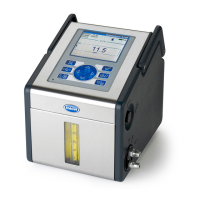
Hach ORBISPHERE 6110
372 pages
Print Icon
To Next Page IconTo Next Page
Loading...
DOC024.98.93009
ORBISPHERE Model
6110 Package Analyzer V3
04/2015, Edition 5
Basic User Manual
Allgemeines Benutzerhandbuch
Manuale dell'utente di base
Manuel d'utilisation de base
Manual básico del usuario
Manual Básico do Usuário
基本用户手册
基本取扱説明書
Základní uživatelská příručka
Basisgebruikershandleiding
Podstawowa instrukcja obsługi
Основно ръководство за потребителя
Alapvető felhasználói kézikönyv
manual fundamental de utilizare
Temel Kullanıcı Kılavuzu

Questions and Answers

  • B
    Brandon MorenoAug 27, 2025
    What to do if Hach Measuring Instruments displays E2: Motor error?
    • T
      Timothy DeleonAug 27, 2025
      If the Hach Measuring Instruments displays error E2, it means there is a motor error. This can happen if the measuring head has missed an obstacle, in this case you should initialize the motor. It can also happen if the emergency STOP button pushed if the motor is moving.
  • R
    ryanangelaAug 25, 2025
    What to do if Hach ORBISPHERE 6110 displays E100: Ultrasound error?
    • J
      jimeneztracyAug 26, 2025
      If the Hach Measuring Instruments displays error E100, it indicates an ultrasound error. This can be due to several reasons: * The ultrasound power supply is OFF: Check the ultrasound power supply. * The emergency STOP button is not released: Release the emergency STOP button by turning it clockwise. * There is too much water in the ultrasound generator: Remove any excess water.
  • J
    Jeffrey MedinaAug 25, 2025
    What to do if Hach Measuring Instruments displays E1: Emergency STOP?
    • M
      Michael Schultz DDSAug 25, 2025
      If the Hach Measuring Instruments displays error E1, it means the emergency STOP button has been pushed. Release the emergency STOP button by turning it clockwise. If necessary, initialize the motor.

Summary

Specifications

General and Safety Information

General Information

Provides general notes on manufacturer liability and manual updates.

Safety Information and Hazard Warnings

Covers hazard symbols, warnings, and precautions for safe operation.

Installation and Initial Setup

Pre-installation Checks

Steps for preparing calibration standards, gas supplies, and sensor kits.

Physical Installation Process

Instructions for connecting the instrument to power and initial startup.

Post-installation Procedures

Covers language setup, security configuration, and initial sensor calibration.

User Interface and Operation

Instrument Power and Auto Check

How to switch the instrument on/off and the auto-check startup sequence.

Data Entry and User Identification

Using the virtual keyboard and logging in as an authorized user.

Instrument Options and Status Indicators

Overview of available instrument options and status indicators.

Configuration and Parameters

Units and Resolutions

Setting display units and resolution for measured parameters.

Package Parameters and Management

Defining parameters for package types, dimensions, and alarms.

Formula Management and Measurement Output

Creating formulas and defining measurement result display settings.

Security and Communication

Security and User Management

Enabling access rights, auto logoff, and managing user accounts.

Communication and Data Export

Configuring USB and Ethernet for data download and network connectivity.

Calibration Procedures

Calibration Schedule and Sensor Calibration

Recommended calibration intervals and steps for key sensors.

CO2, Oxygen, Flow, and Pressure Calibration

Detailed calibration steps for CO2, Oxygen, Flow, and Pressure sensors.

Measurement Process and Analysis

Starting a Measurement Analysis

Instructions for preparing and starting a package measurement.

Package Positioning for Measurement

Guidance on positioning bottles and cans for accurate piercing and measurement.

Reviewing Measurement Data

Viewing measurement results, comments, and historical data.

Maintenance and System Verification

Maintenance Schedule and Procedures

Daily, weekly, and periodic maintenance tasks for instrument upkeep.

Maintenance Wizards and Antifoam Preparation

Using guided wizards for maintenance and preparing antifoam.

Actuator Verification Checks

Checking manual displacement, antifoam system, ultrasound, and lasers.

Troubleshooting Guide

Error Messages and Solutions

Lists error messages, their probable causes, and recommended solutions.

Warning Messages and Causes

Details warning messages, probable causes, and suggested actions.

Measurement Problem Explanations

Explains common measurement issues and their underlying causes.

Hach ORBISPHERE 6110 Specifications

General IconGeneral
Measurement ParametersDissolved Oxygen, Ozone, Hydrogen Peroxide
Measurement Range (Ozone)0-20 mg/L
Response Time<60 seconds
Power Supply24 V DC
Communication InterfaceModbus
Applicationpharmaceutical

Related product manuals