26
- Press up or down button to select it and then press left or right button to set.
- Options: Air /CATV.
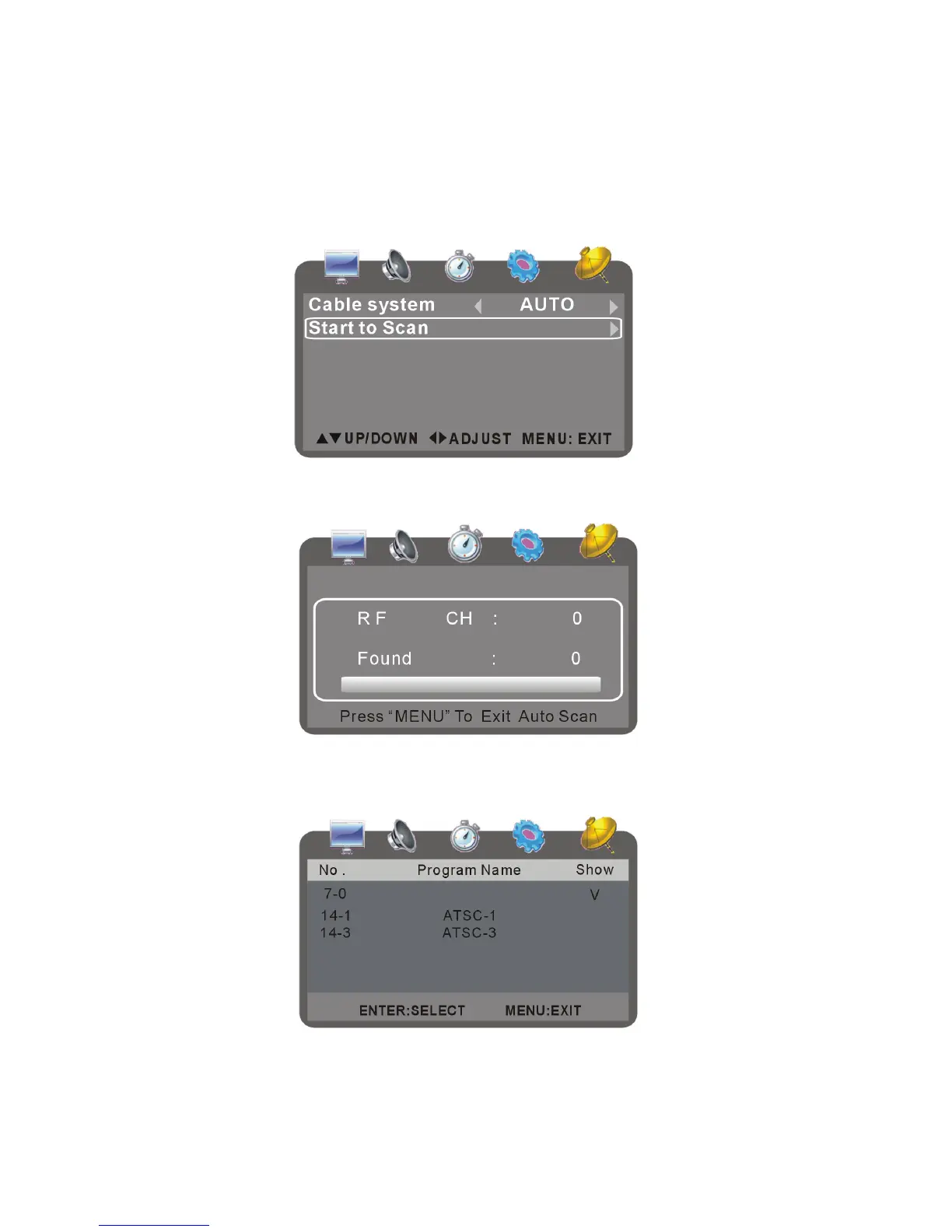
Auto Scan
Before normal watching you must search effective channel first.
- Press up or down button to select it and press OK to get in scanning setup page:
- Press up or down button to select Start to Scan and press OK button to start to scan
programs.
Show/Hide
It is used to show or hide the channel.
- Press up or down button to select it and press OK button to show/hide.
- Press OK to tick Show to show the program or the program will be hided.
- Press TV MENU to exit this page.



 To Next Page