TV OPERATION
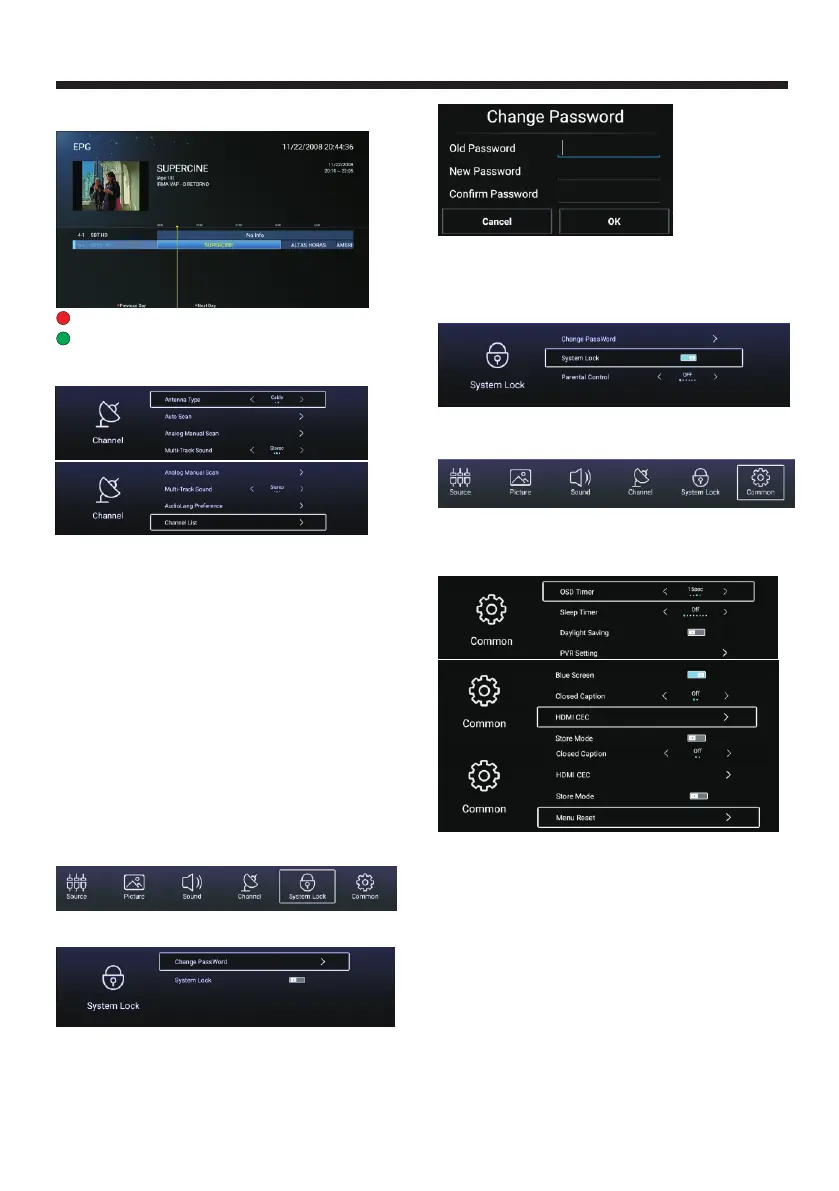
EPG
【 】/【 】Press ▼ ▲ button to select EPG.
Press button to view the previous day EPG information.Red
Press button to view the next day EPG information.Green
Antenna Type-Cable
Select the Air/Cable to tune.
Auto Scan
Auto Scan,
searching the program automatically.
Analog Manual Scan
Analog Manual Scan,
Scan.
Multi-Track Sound
Multi-Track Sound,
.
AudioLang Preference
AudioLang Preference
to select the audio language.
Channel List
Channel List to list
the program, and press MENU button edit the channel
(Skip /Delete /Fav).
Press ▼ ▲ button to select p
OK
Press ▼ ▲ button to select
p OK
Press ▼ ▲ button to p
OK
Press ▼ ▲ button to select
Press ▼ ▲ button to select
【 】/【 】 ress
to start
【 】/【 】
ress to start
【 】/【 】 ress
to select Mono /Stereo /SAP
【 】/【 】
【 】/【 】
System Lock
Press MENU button to display the main menu. Press
◄ ► button to select System Lock. 【 】/【 】
The default password is 0000.
Press ▼ ▲ button to select Change Password/
System Lock.Press OK ◄ ► to enter.
【 】/【 】
【 】/【 】/
Change Password
Press ▼ ▲ button to select Change Password.【 】/【 】
Parental Control
Press ▼ ▲ button to select Parental Control to
select the age of the children.
(This function is available,when you set the System Lock
on.)(Available choice:OFF/ 10/ 12/ 14/ 16/ 18)
【 】/【 】
Common
Press MENU button to display the main menu. Press
◄ ► button to select commom in the main menu.【 】/【 】
Press【▼ 】/【▲】button to select: OSD Timer/Sleep
Timer/Daylight Saving/PVR setting/Blue Screen/
/ /Menu Reset.Press
OK/【◄】/【►】to enter.
Closed
Caption HDMI CEC/Store Mode
OSD Timer
OSD Timer,
Sleep Timer
Sleep Timer,
,
【 】/【 】
【 】/【 】
ptional off, , , ,
【 】/【 】
【 】/【 】
ptional off, ,
, ,
【 】/【 】
【 】/【 】
Press ▼ ▲ button to select Press
◄ ► to select.
The OSD would hide at the time you set.
(O : 5sec 10sec 15sec 20sec 25sec).
Press ▼ ▲ button to select Press
◄ ► to select.The TV would turn off
automatically at te time you set. (O : 15min
30min 45min 60min,90min,120min,240min).
Daylight Saving
Press ▼ ▲ button to select Daylight Saving
Press ◄ ► to select ON/OFF.
PVR Setting
Press【▼ 】/【▲】button to select PVR Setting.
Press 【◄】/【►】to select Disk/Record List.
-22-



 To Next Page