-16-
TV OPERATION
Items Description
Enter Password
Enter the 4 numbers code to access the Lock setup menu.
The original password is 9443.
Change Password Change parental password.
Block Program Select from the channel list to block the program..
Child Lock
Select the age for child lock.
Clean All
Clear the lock status of channels and the age of child lock.
Network Settings
1. Select the desired network connection mode and correctly set up the parameters.
2. Press key to enter (Smart TV) launcher mode and use keys to select Setting, then press the OK key.
3. Press key to select Ethernet
or
Wi-Fi, then press the OK key.
Ethernet setting
If LAN cable is connected and DHCP (automatically set up) is supported, the Internet Protocol (IP) setting will be automatically
congured.
If you want to manually set up the IP, operate according to the following steps:
1. Select [Proxy & IP settings], and press the OK key to access.
2. Select the eld of [IP settings] ,press the OK key to open the list, and please select to [Static].
3. Press the keys to select the eld of [IP address], [Gateway], [Network prex length], [DNS 1] and [DNS 2]. Directly
enter corresponding parameters by pressing the number keys.
4. Select [Set], and press the OK key to complete the IP setting.
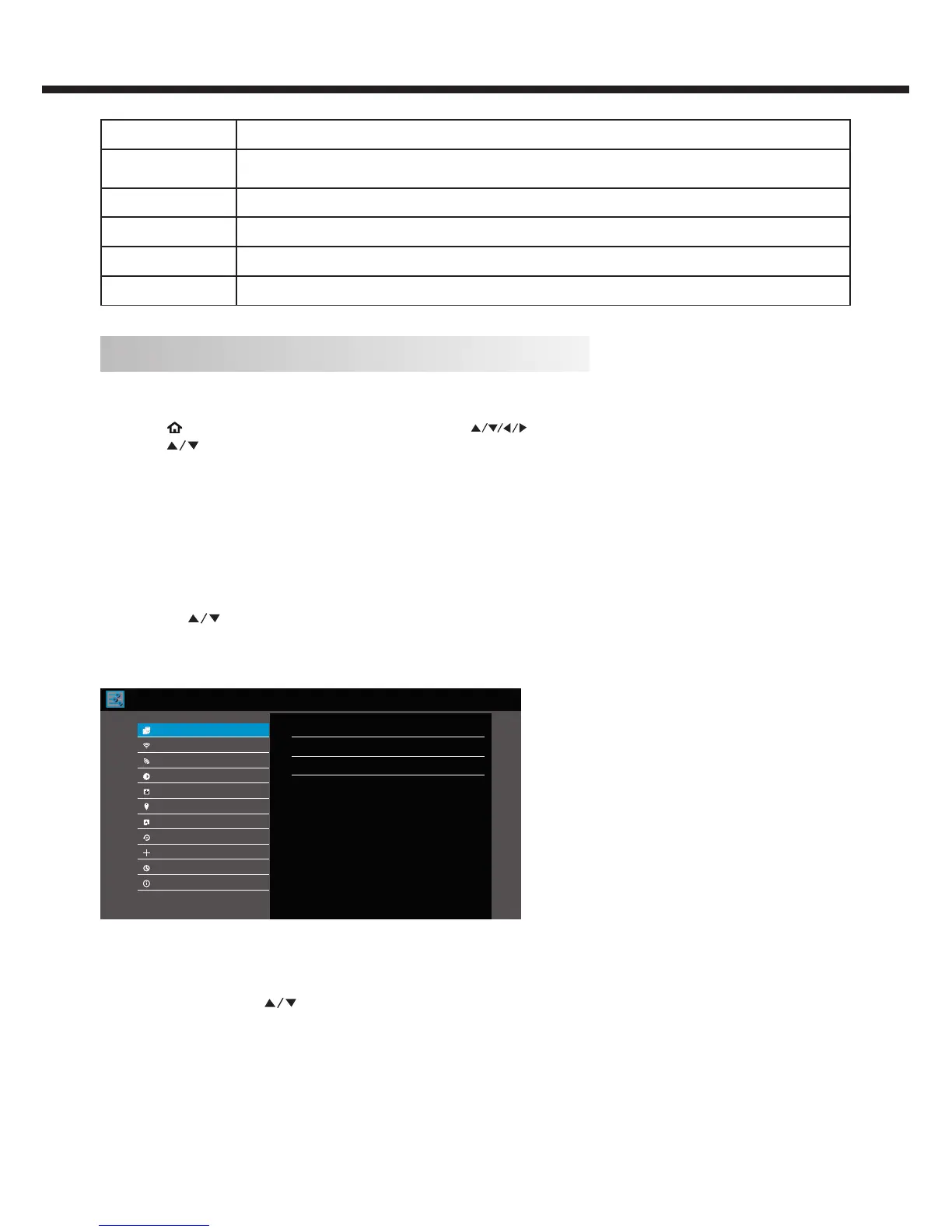
Ethernet
IP address
Proxy & IP settings
None
Ethernet MAC address
cc:cc:cc:cc:cc:cc
Disconnected
Wi-Fi
Wi-Fi Hotspot
Display
Apps
Language & input
Update & reset
Ethernet
Date & time
Add account
About TV
Location
Wi-Fi setting
The system will automatically search for available wireless network access points; press the OK key to enter into the submenu,
set Wi-Fi to [On], press the keys to select an access point you want to connect, and press the OK key to connect.
If you select an access point with security certication, a password entering interface will appear after you conrm.



 To Next Page