38
Operation
(1) Entering: Press key for 10 seconds (if it is the four-
way cassette model, the time is 15 seconds) to enter unit No.
setting/ inquiring.
(2) Setting is available when the communication address
between indoor and outdoor unit is ashing if the indoor
unit’s dip switch can set the address, then use
to adjust
within the range of 0-3F. If the indoor dip switch cannot set
the address, the communication address between indoor and
outdoor unit is static, which can only be inquired.
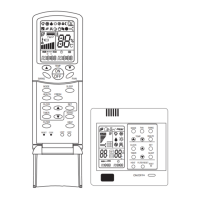
(3) Wired controller’s address is displayed before the colon of
clock on the top-left corner, ranging from 0 to 15 and displayed
in decimal system.
(4) The communication address between indoor and outdoor
unit is displayed on the top-left corner. The default value is the
current unit’s address, selecting other indoor units by the
.
(5) Central address is displayed on top-right corner which
cannot be edited.
(6) Press
key to conrm and exit the setting after
changing the communication address of indoor unit. If press
other keys or no operation in 10 seconds, it will automatically
exit and keep previous setting. If press
or key, exit
and the current setting is invalid. If press “ON/OFF”, turn on/off
the unit directly and the current setting is invalid.
Unit No. Setting


 To Next Page