17
Operation
(1) If there is no Time key related operation for 10s, this setting
will be cancelled and the timer will come back to the previous
state.
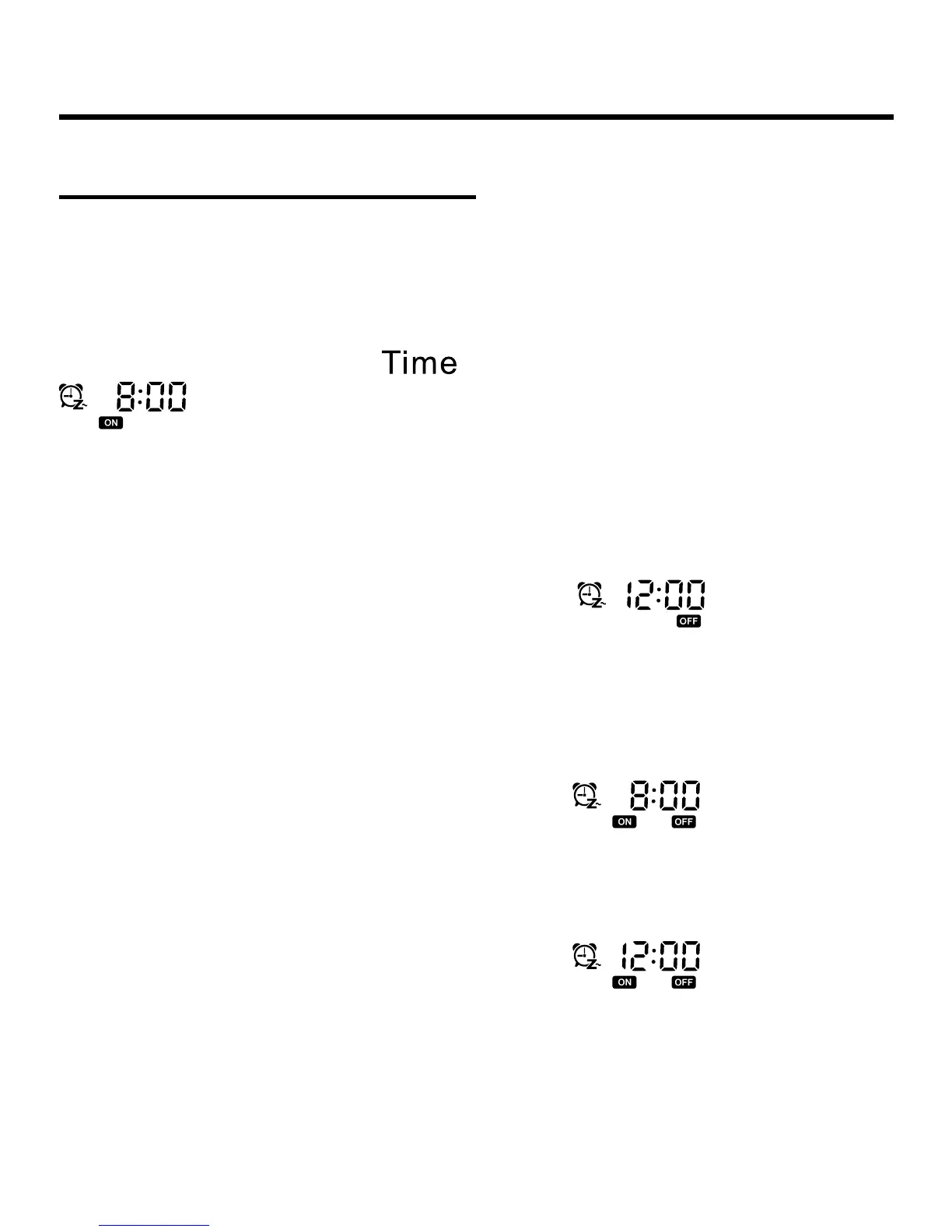
(2) Sequence: Pressing
once, it displays default
for the rst time (previous setting will be displayed
if there is setting before). The hour position and “ON” are
ashing;
Pressing for a 2nd time, the minute position and “ON” are
ashing;
Press for a 3rd time, it displays default
for the rst
time (previous setting will be displayed if there is setting
before). Then the hour position and “OFF” are ashing;
Pressing a 4th time, the minute position and “OFF” are
ashing;
Pressing a 5th time, it displays default
for the rst
time (previous setting will be displayed if there is setting
before). Then the hour position and “ON” are ashing;
Pressing a 6th time, the minute position and “ON” are ashing;
Pressing a 7th time, it displays default
for the rst
time (previous setting will be displayed if there is setting
before). Then the hour position and “OFF” are ashing;
Timer Setting Cancellation



 To Next Page