- 23 -
②
Range Distance between the cursor and the present position.
③
Bearing Bearing from the present position to the cursor.
5.5 . Cursor information window shown/hidden
▶[MENU]->Advance->Setup->Customizing->INFO window->Cursor
Cursor information window “Shown/Hidden”.
6. Page
▶[MENU]->[PAGE]
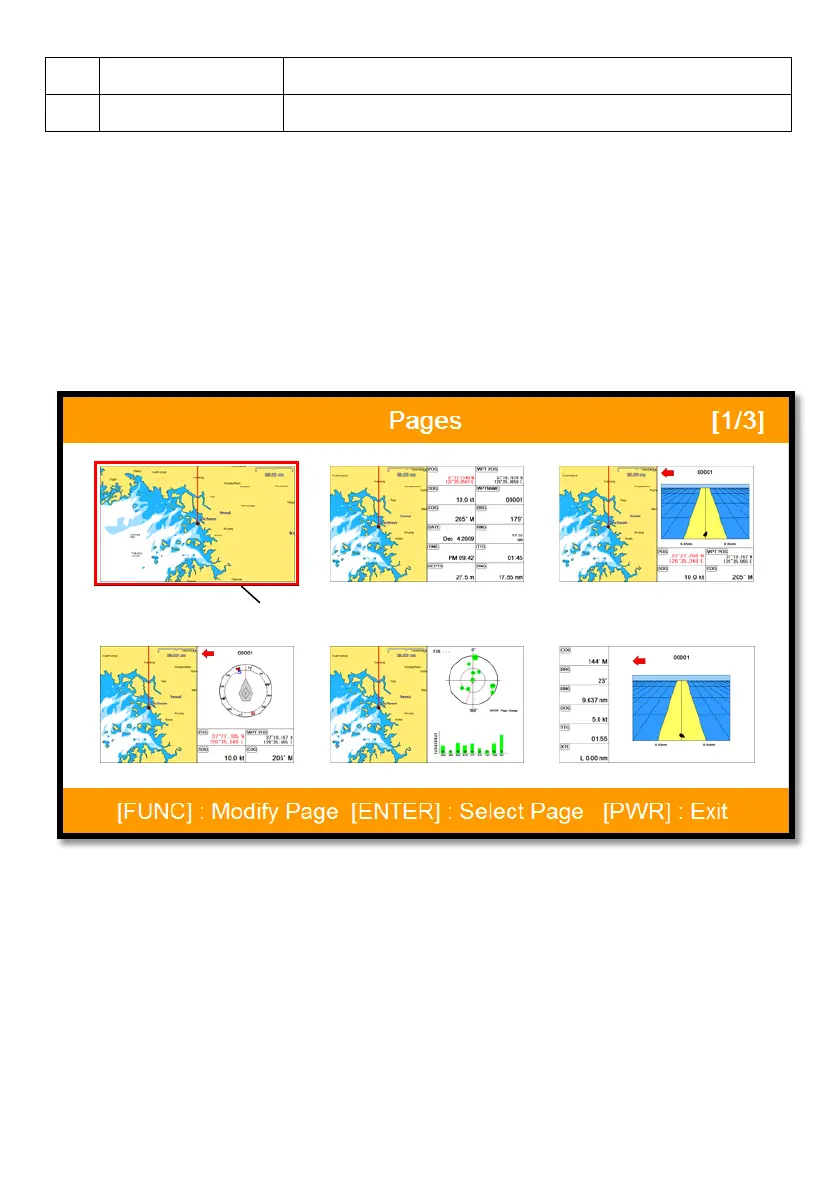
Choosing the various pages that set up pages or customized.
Move the red box to choose the page.
(Fig.1.3)
6.1. Page mode
Two ways to choose the page.
6.1.1. Standard
With seeing the set up page, choosing the page or modifying.
6.1.2. Flip
Selected (red color)



 To Next Page