31
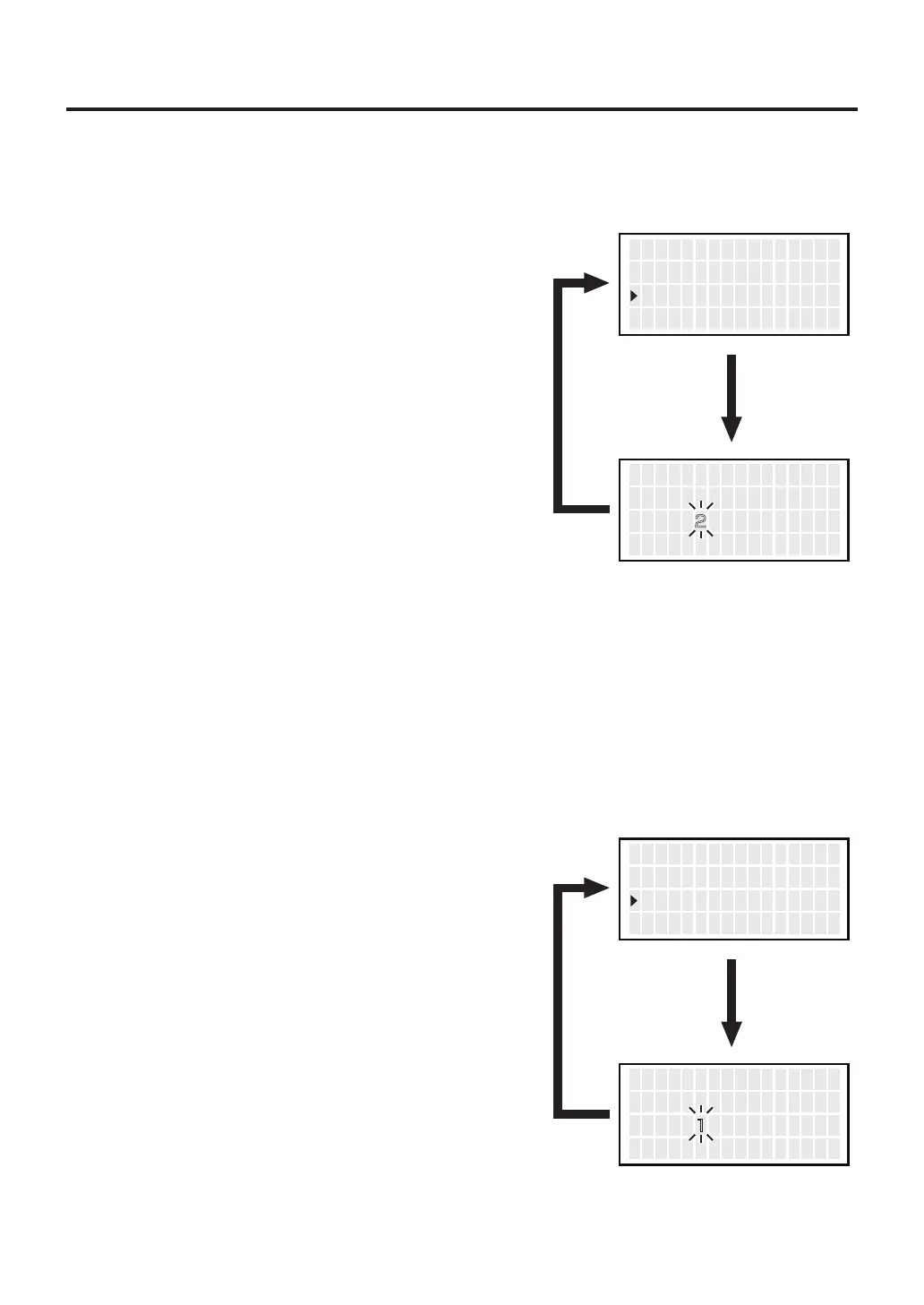
● Sleep Temp
● Low Temp
1.
Move the cursor to select “
Sleep Temp
”.
After selecting, press <ENT>.
Sets the auto sleep temperature.
When the temperature drops below a set limit, an error is displayed and the buzzer
sounds.
2. Entering from hundreds to units digit.
Press the <↑> or <↓> to set the desired
figure.
Only values from 2 to 3 can be selected when
entering the hundreds digit.
(In ℉ mode, values from 3 to 5 can be
selected.)
Values from 0 to 9 can be selected when
entering the tens or units digits.
(The same values can be selected in ℉ mode.)
2. Entering from hundreds to units digit.
Press the <↑> or <↓> to set the desired
figure.
Only values from 0 to 1 can be selected when
entering the hundreds digit.
(In ℉ mode, values from 0 to 2 can be
selected.)
Values from 0 to 9 can be selected when
entering the tens or units digits.
(The same values can be selected in ℉ mode.)
3. After entering the units digit, press the button
to save the figure to the system memory
1.
Move the cursor to select “
Low Temp
”.
After selecting, press <ENT>.
3. After entering the units digit, press the button
to save the figure to the system memory
<↑> <↓> <ENT>
V acuu mM o d e
A uto S l e ep
S l e e p T emp
NOR
06m
200゚ C
<↑> <↓> <ENT>
S l e e p T emp S e t
00゚ C
<↑> <↓> <ENT>
A uto S l e ep
S l e e p T emp
L o w Temp
06m
200゚ C
150゚ C
<↑> <↓> <ENT>
L o w T emp S e t
50゚ C



 To Next Page