HA<O>
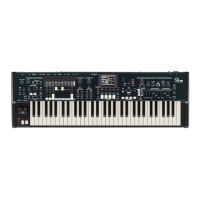
XK-5
Owner’s Playing Guide
136
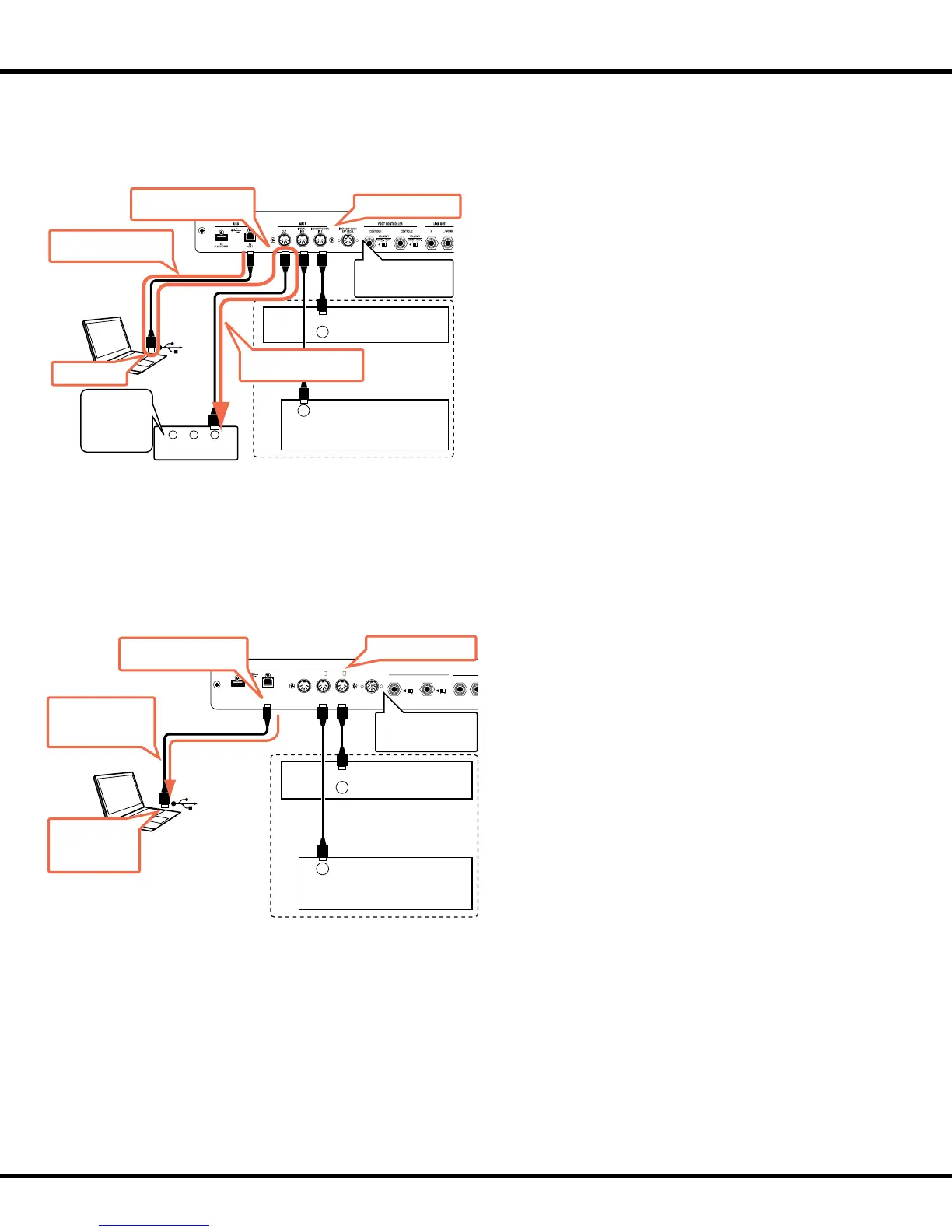
e XK-5 can transmit and receive MIDI data via USB. e
diagram at the left shows how this works.
With MIDI LOCAL CONTROL set to “OFF,” receiving
MIDI information on Keyboard channels is used as “local,”
and is transmitted on each External Zone.
1. Go into the MIDI Edit Menu and do the following:
A. Set the MIDI Template at “Use Ex....”
B. Manually turn the Keyboard Channels for Upper,
Lower and Pedal “ON” for both Transmit (Tx) and
Receive (Rx). is is necessary because selecting the
“UseEx” MIDI Template automatically turns the Key-
board Channels “OFF.”
C. Set MIDI LOCAL CONTROL to “OFF.”
2. After doing the above set MIDI Echo of the sequencer/
DAW at “ON.”
3. Set the MIDI Channels of your synthesizer or module
to recognize ONLY data being sent by the External Zones.
Mute the MIDI Channels on which the Keyboard Channels
are transmitting.
4. Record on the sequencer/DAW ONLY the Keyboard
Channels.
MIDI Keyboard
MIDI Pedalboard
MIDI OUT
MIDI OUT
Optional
IN OUT THRU
- MIDI -
Synth.
Set the MIDI template
in accoding to your
system.
Transmitted MIDI data.
MIDI Echo
Record and Playback your performance with controlling the
External Zones from / to the external sequencer via USB
Set the LOCAL at “OFF”.
Mute the parts
according to the
XK‛s keyboard
channels to
sound only via
External Zones.
Sending Keyboard Channels
only (except External Zones).
Reflective transmission of
the External Zones.
MIDI Keyboard
MIDI Pedalboard
MIDI OUT
MIDI OUT
Optional
LINE OUT
USB MIDI
RCTRL 1 CTRL 2
PEDAL
EXP.
ONLY
EXP-100F
NORM.
POLARITY
REV.
/OTHER
LOWER
FLASH DRIVE
TO
HOST
TO
PEDAL
IN 2IN 1OUT
FOOT CONTROLLER
NORM.
POLARITY
REV.
Set the MIDI template
in accoding to your
system.
MIDI Echo to the
software synth.
Sounds me at this time.
Set the LOCAL at “ON”.
Transmitting both
Keyboard channels and
External Zones.
If the synthesizer which you wish to control via External
Zones is in the computer, set MIDI LOCAL CONTROL on
the XK-5 to “ON.”
e performance information will sent the External Zones
with switched “ON” the local control.
1. Go into the MIDI Edit Menu and do the following:
A. Set the MIDI Template at “Use Ex....”
B. Manually turn the Keyboard Channels for Upper,
Lower and Pedal “ON” for both Transmit (Tx) and
Receive (Rx). is is necessary because selecting the
“UseEx” MIDI Template automatically turns the Key-
board Channels “OFF.”
C. Set MIDI LOCAL CONTROL to “ON.”
2. After doing the above set MIDI Echo of the sequencer/
DAW at “ON”so that the software synthesizer will sound.
3. Record on the sequencer/DAW BOTH Keyboard Chan-
nels and External Zones.
u Recording a performance including External Zones over USB


 To Next Page