97
HA<O>
XK-5
Owner’s Playing Guide
CONTACT Edit Menu
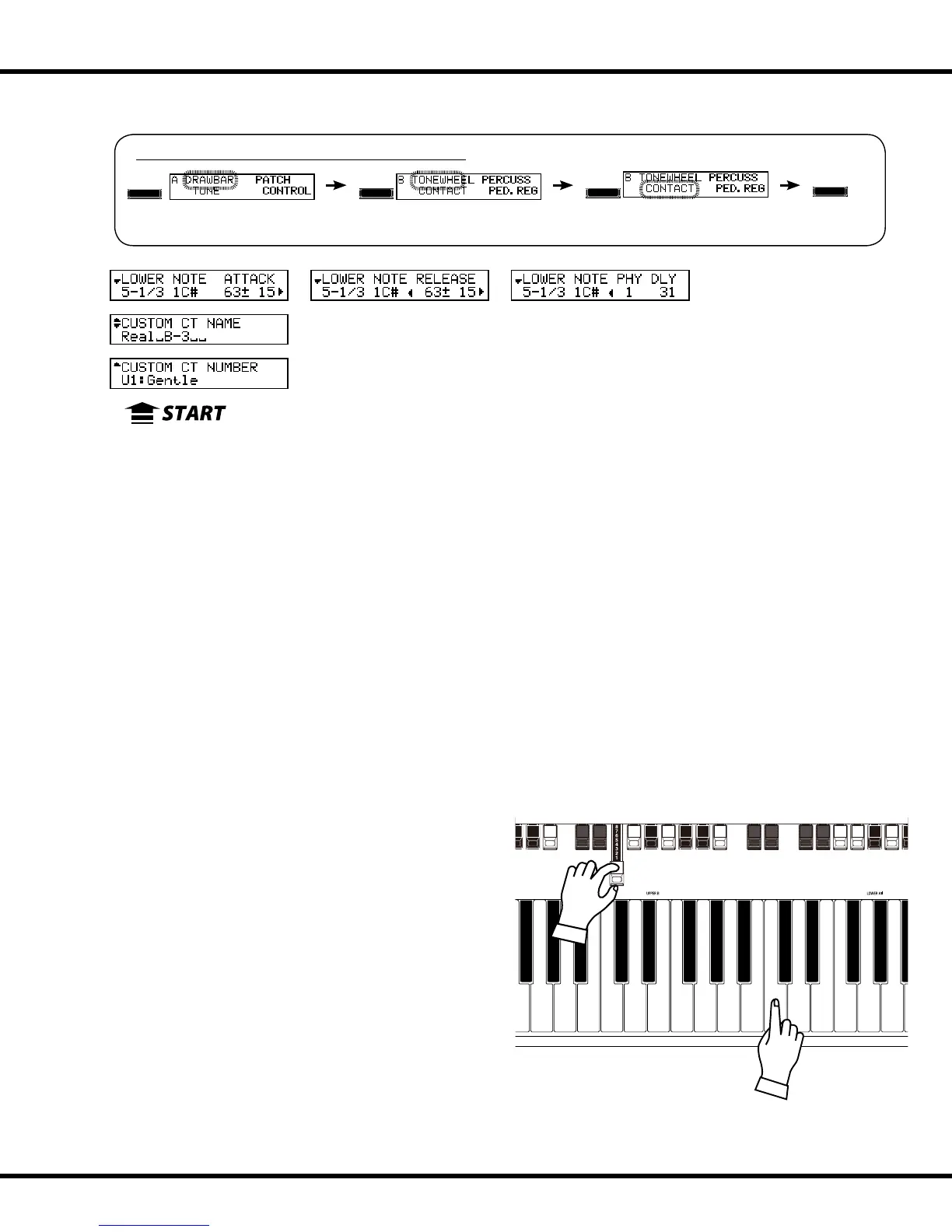
is Edit Menu allows you to change how the Virtual Multi-Contacts function and to save your changes as a Custom Contact.
To activate the Custom Contact, set the Organ type in the DRAWBAR FUNCTION Mode
at either of “A-100,” “B-3,” “C-3,” “Mellow,” and the Envelope at “Con(tact).” (P. 52)
❶ CUSTOM NUMBER (P)
is allows you to select the “CUSTOM NUMBER” to use or compile. e setting range is
F1 to F3 (not re-writable) and U1 to U3 (re-writable).
e symbol “*” will be displayed when the Contact parameters are edited.
NOTE: This parameter is a Patch Parameter and is recorded as part of a Patch.
u CUSTOM CONTACT PARAMETERS
NOTE: None of these parameter settings will be remembered unless they are saved as a
Custom Contact. See page 99 for information on how to do this.
❷ CUSTOM NAME (CT)
is allows you to name the Custom Contacts set using up to 10 letters.
Use the [][] Touch Buttons to move the cursor, then use the [VALUE] Rotary Knob to
select characters.
NOTE: See page 98 for detailed instructions on naming Custom Contacts.
u SELECT CONTACT
❸ CONTACT - MANUAL
❹ CONTACT - FOOTAGE
❺ CONTACT - NOTE
is allows you to select the virtual contact to adjust by “Manual,”
“Footage” and “Note.”
To select the virtual contact, use the [VALUE] Rotary Knob or, slightly
move the footage of the Drawbar while depressing the key you want to
regulate (see the gure on the right).
To adjust all the footages or notes at the same time, set the cursor on
the footage or NOTE, turn [VALUE] Rotary Knob clockwise until it
displays “ALL” instead of a number.
When the Contact is selected, each parameter for the wheel (#6, to
#11) is displayed.
NOTE: Be sure the [TRANSPOSE] and [OCTAVE] parameters are set at “0” so that the cor-
rect contact is edited.
Selecting a contact
UPPER
BANK KEY PATC H
PEDAL LOWER
MENU/EXIT
ENTER
To locate this Menu, follow the steps below:
❶
❷
❸
❹ ❺ ❻ ❼ ❽ ❾ ❿ ⓫


 To Next Page