33
Presets
Hammond XPK-100 Quick Features Guide
PRESETS
Your Hammond XPK-100 contains 15 pre-programmed Advanced Feature settings called Presets. The
factory-programmed settings can be changed and programmed with your own registrations. The factory
Presets can be restored by doing the RESET ALL procedure.
Ë Selecting a Preset
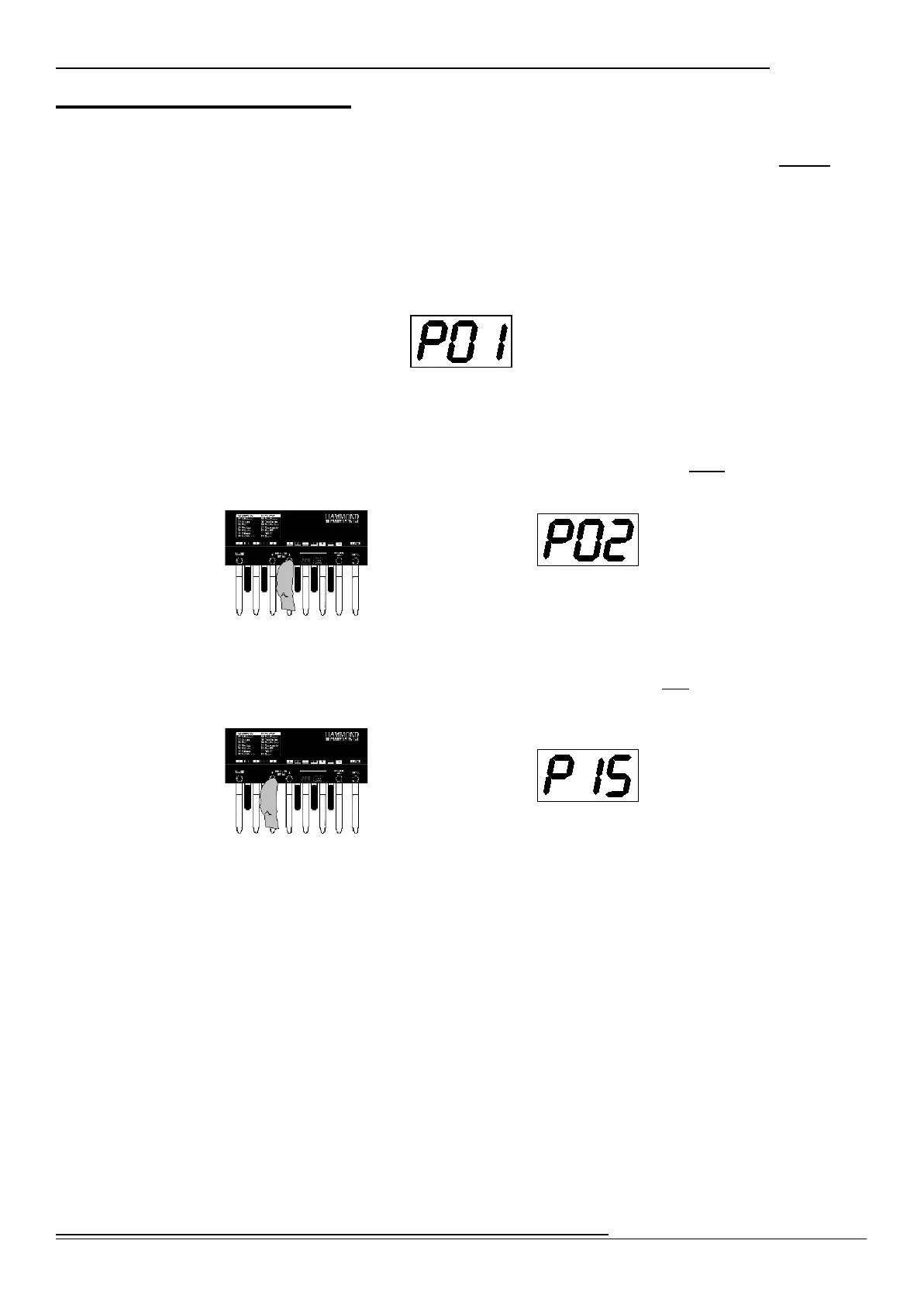
You must be in PLAY Mode to select Presets. When you first connect the XPK-100 to AC power, the PLAY
Mode will display. The Information Center Display should look similar to this:
The designation, “P01” indicates that Preset 1 is selected.
TRY THIS:
1. From the above screen, touch the PRESET/EDIT “” Switch once. The Information
Center Display should now show the following:
You have now selected the next Preset or Preset 2.
2. From the above screen, touch the PRESET/EDIT “” Switch two times. The Information
Center Display should now show the following:
You have now selected Preset 15, or the last Preset.
The above example shows you how, by using the PRESET/EDIT “” and “” Switches, you can
scroll forward as well as backward through the Preset selections until you find the one you want.


 To Next Page