Technical Manual VERSION 2.0 -10-18-2018
77
(3.3) 「
「「
「」
」」
」by clicking this button, it will help the customer how to choose screw compressor model.
After clicking the 「
「「
「」
」」
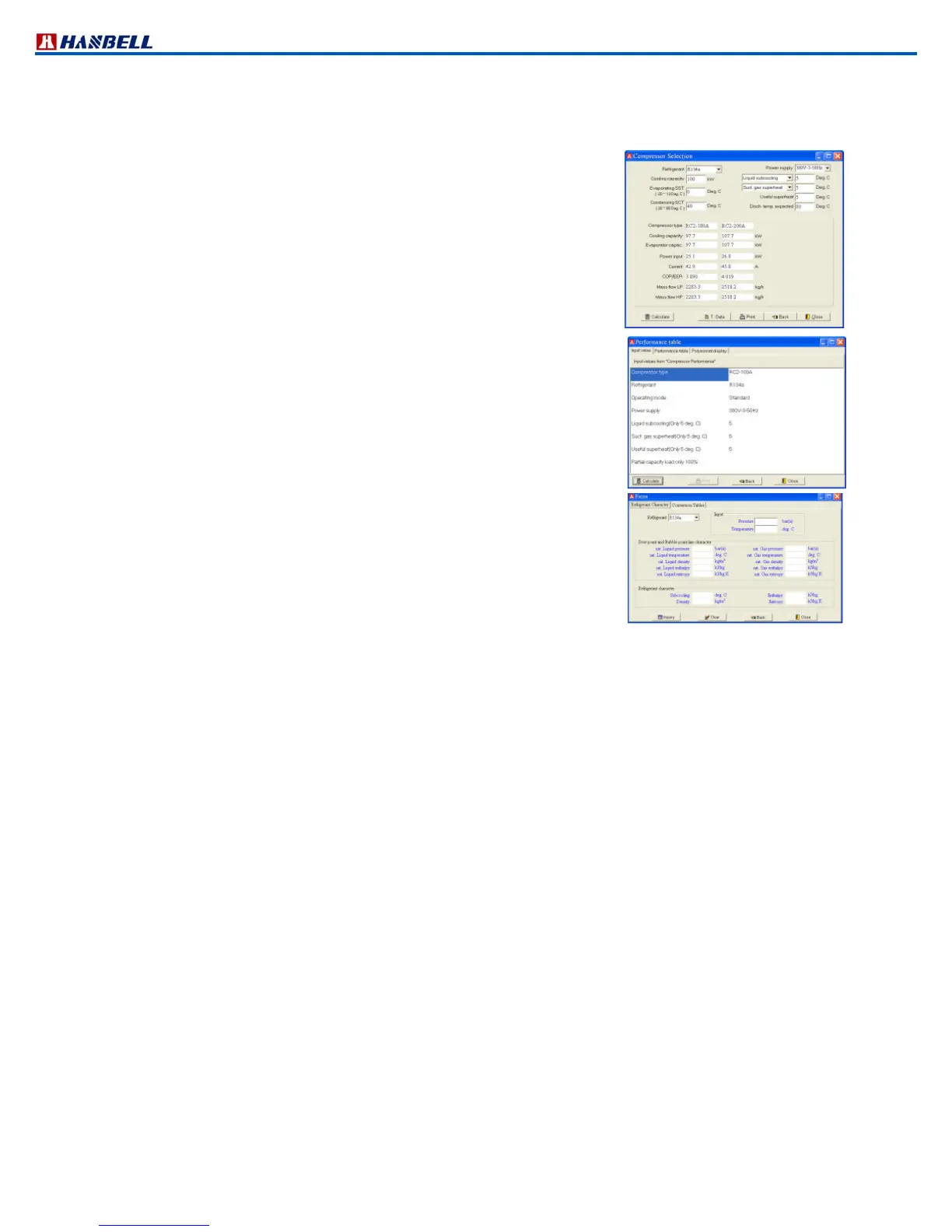
」button, the right window is customer's necessary operating mode. Just keyin the
following data.
Refrigerant type
Evaporating SST
Cooling Capacity (KW)
Condensing SCT
Power supply
The data shown in the middle of the window is the compressor model and its
performance
「
「「
「Calculate」
」」
」: Must click this button, to calculate the value. After keying the
required data click this button and will show the compressor
model and the performance.
「
「「
「T.Data」
」」
」: The technical data is the same with function key of technical
data(3.4)
「
「「
「Print」
」」
」: Copying the calculated performance data
(3.4) 「
「「
「」
」」
」button is for the detailed technical information that the
customer needs to know about the compressor.
(3.5) 「
「「
「EXTRA」
」」
」Refrigerant Contrast sheet (Pressure – Temperature) and
unit conversion.
Entering the window, it will present the following information:
「
「「
「Refrigerant Characteristic」
」」
」 (R22, R134a, R407C, R404A)
「
「「
「Conversion Tables」
」」
」:
Temperature, length, area, volume, Mass
Pressure, Specific Volume, density, Velocity
Flow rate, power, Specific Enthalpy, Specific Entropy (specific heat )
(3.6) 「
「「
「ABOUT」
」」
」Shows the edition of this software and technical support.
(3.7) 「
「「
「EXIT」
」」
」Leave current window



 To Next Page