73
TOUCH SCREEN CALIBRATION (1 of 2)
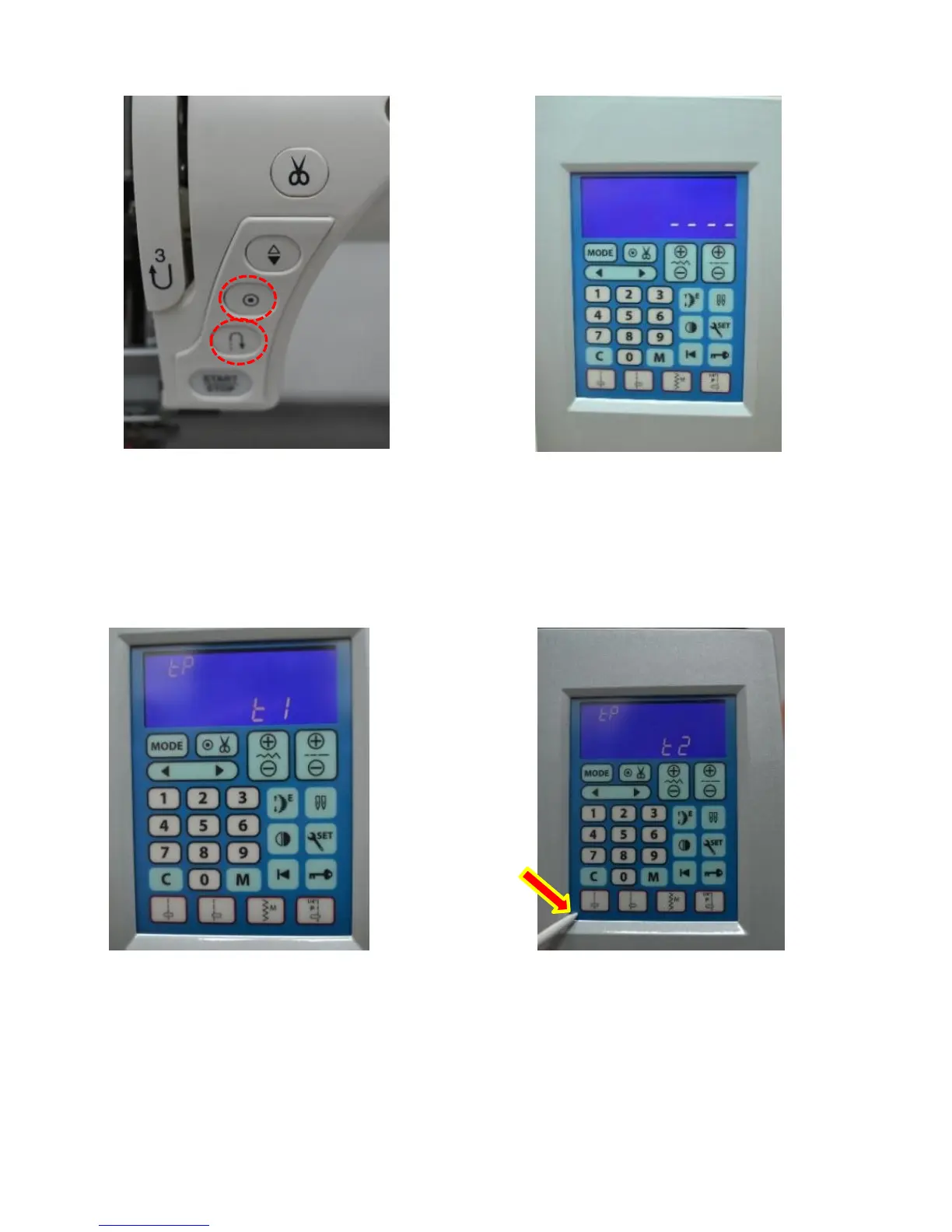
1. While holding down the
needle up/down & lockstitch
buttons, turn the machine on.
2. Four dashes will appear
on the screen. Press the
lockstitch button.
3. After pressing the lockstitch
button “TP t1” will appear on
screen.
4. Using a stylus press the
bottom left corner of the LCD.
“t2” will appear on the screen.



 To Next Page