74
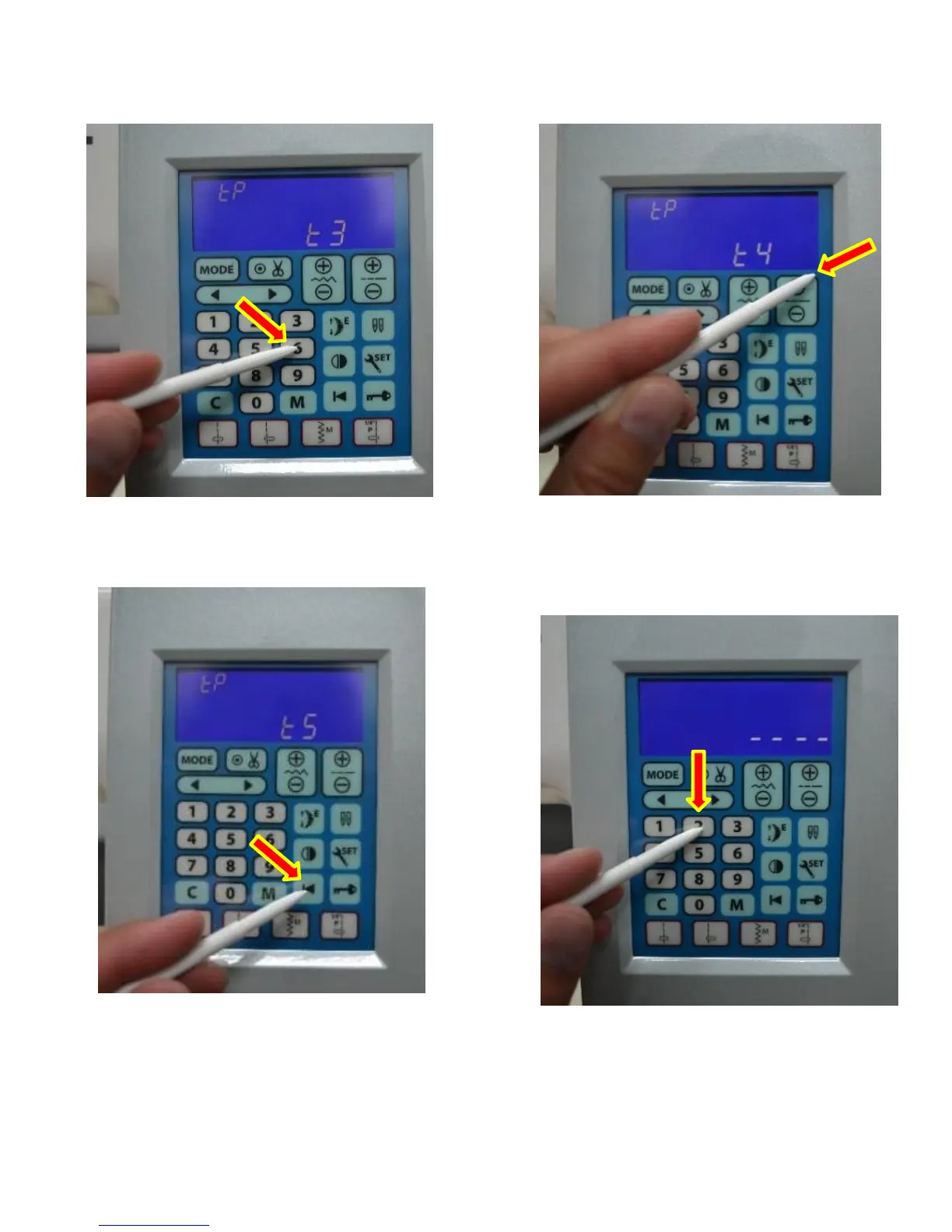
5. Next press the middle of the #6 on
the LCD to get “t3”.
6. Next press the top right corner of the
LCD for “t4”
7. Next press the middle of the start over
button to get “t5”.
8. Press the middle of #2 to complete touch
screen calibration. You will see 4 dashes.
TOUCH SCREEN CALIBRATION (2 of 2)



 To Next Page