9
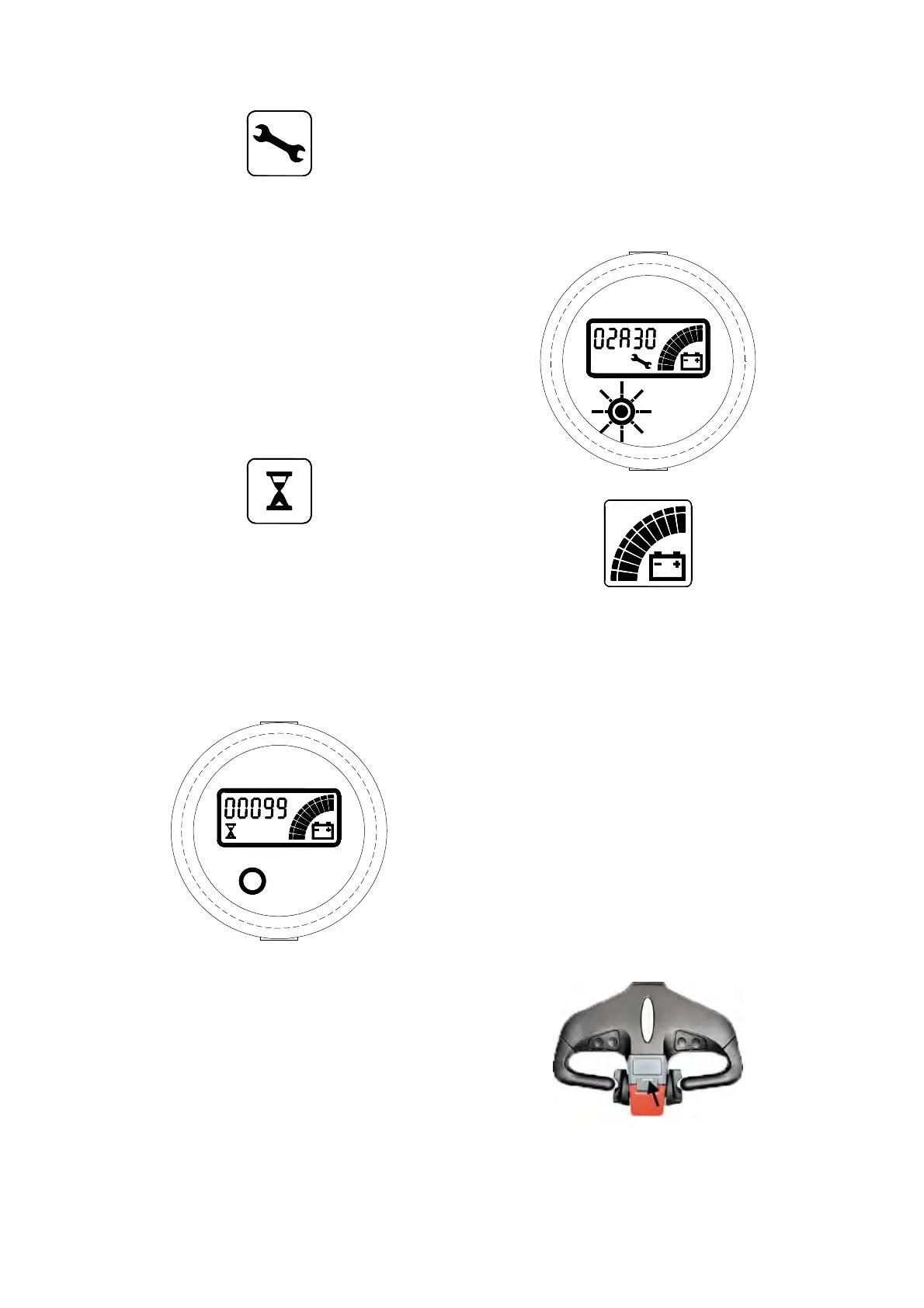
It is normally off; when it appears (fixed) it
shows the request of programmed
maintenance or the Alarm state. In this case
the relative code will be displayed. The
information supplied by the MDI-CAN can be
extremely useful. Failures can be quickly
identified by the Operator or Service
Technician thereby finding the fastest solution
to the problem.
Hourglass Symbol:
It is normally off; it blinks when the Hour Meter
is working.
Hour meter
An alpha-numeric liquid crystal display is
fitted in the centre of the unit that shows the
Hours Worked. The display is backlight (the
backlight is normally lighted).
Alarms
The same display can also indicate the
Alarm state, showing a Code corresponding to
the type of Alarm. To attract attention, the Red
LED will start blinking when an Alarm is
generated.
When an Alarm is generated, the Red
LED blinks to attract the attention of the
operator. The symbol of Monkey Wrench also
appears. The string shown on the display is
XXAYY, where XX and AYY represent
respectively the alarmed node and the alarm
code. The alarm code meaning must be
present in the controller user manual.
Battery State of charge
The battery's State of Charge indication is
integrated in the LCD display; it is shown by
ten notches. Each notch represent the 10% of
the battery charge. As the battery becomes
discharged, the notches turn off progressively,
one after the other, in proportion to the value of
the residual battery charge. This value, sent to
the MDI-CAN by the controller via CANUS, is
displayed in the Tester Menu of the Zapi
Console connected to the controller. When
BATTERY LOW alarm appears on the
controller, the battery symbol which is under
the notches blinks.
Low speed indicator [18]
When this light is on, the truck is in low speed
mode.



 To Next Page