50
6.4 Braking
– When the thumb off the direction speed control button, pull the handle to braking range (B1 or
B2) position or vertical position, the truck brakes.
CAUTION
When release the control handle, the handle swivel into the braking range slowly or
nor enter braking range, do check the reason and eliminate the fault. Replace gas
spring if necessary.
6.5 Steering
– Hold the left and right handle of control handle with both hands, and decline to some degree,
move the handle to left or right to release truck steering.
When turn to left, the truck turns left.
When turn to right, the truck turns right.
6.6 Stopping
– Release the direction-speed knob. Decrease the speed.
– Return the control handle to vertical position.
– Drop the fork to the lowest position.
– Turn off the switch to “OFF” position, press down the emergency disconnect switch, pull out
the battery plug, and take off the key.
– Fold up.
6.7 Loading
Procedure:
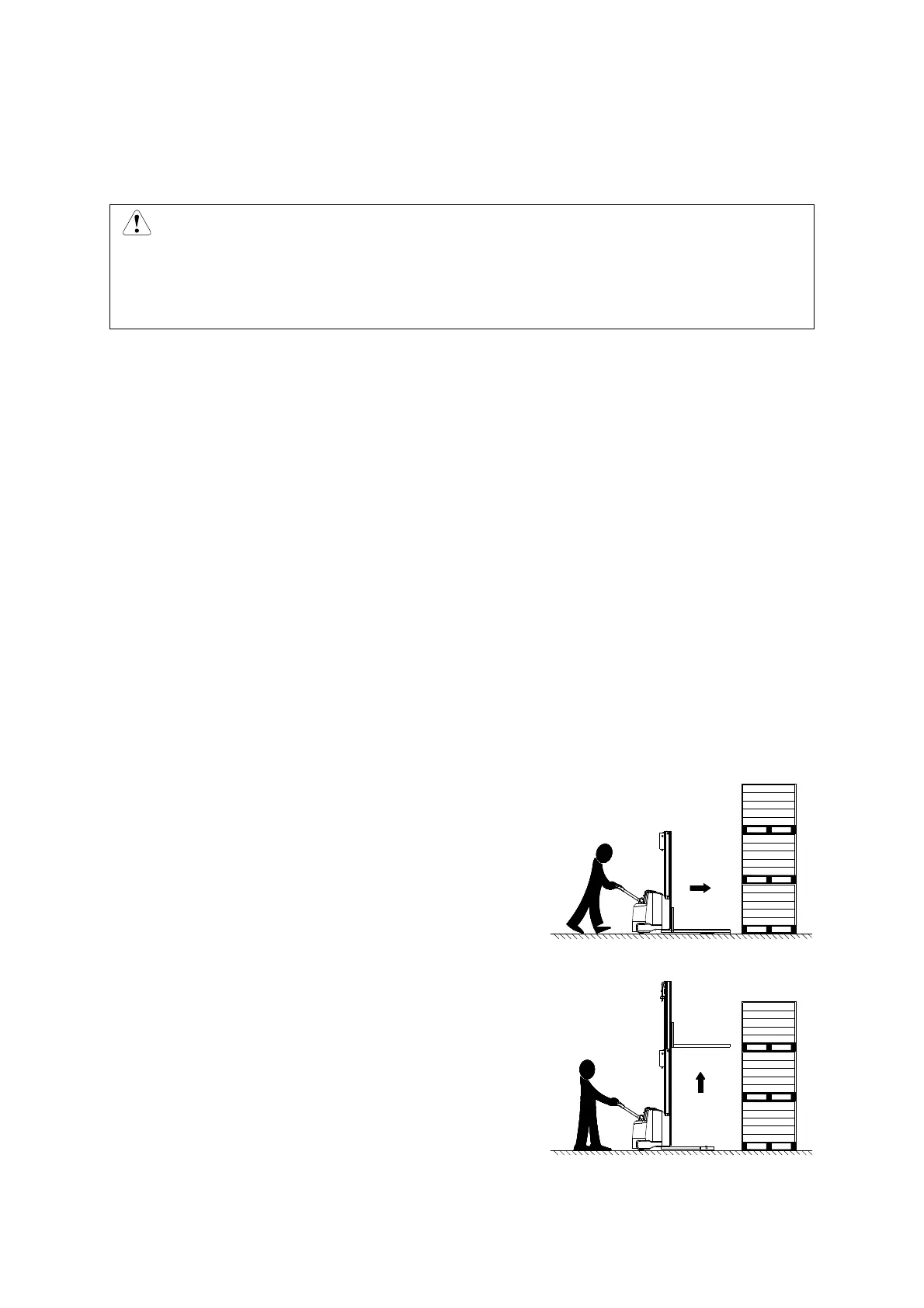
– Drive the truck carefully up to the loads.
– Adjust fork height to make the forks in the tray.
– Go forward and make the forks in the tray.



 To Next Page